Tatsumi

Your files. In your pocket.

Bit-perfect playback for the library you already own — on the phone you already carry. Stream it from a NAS, send it untouched to a USB DAC, and watch the signal while it plays.

Player · Live on Google Play · Android
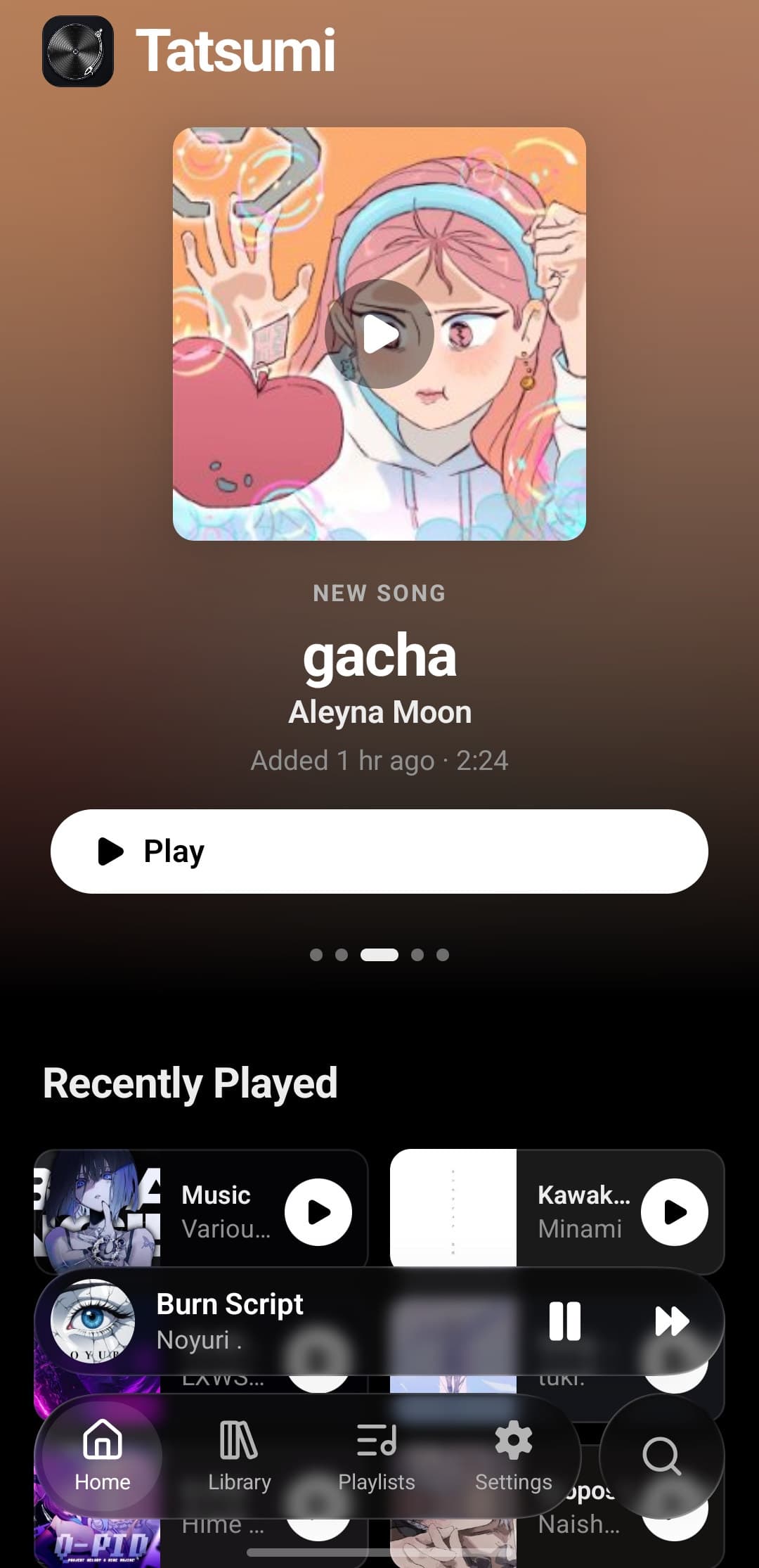
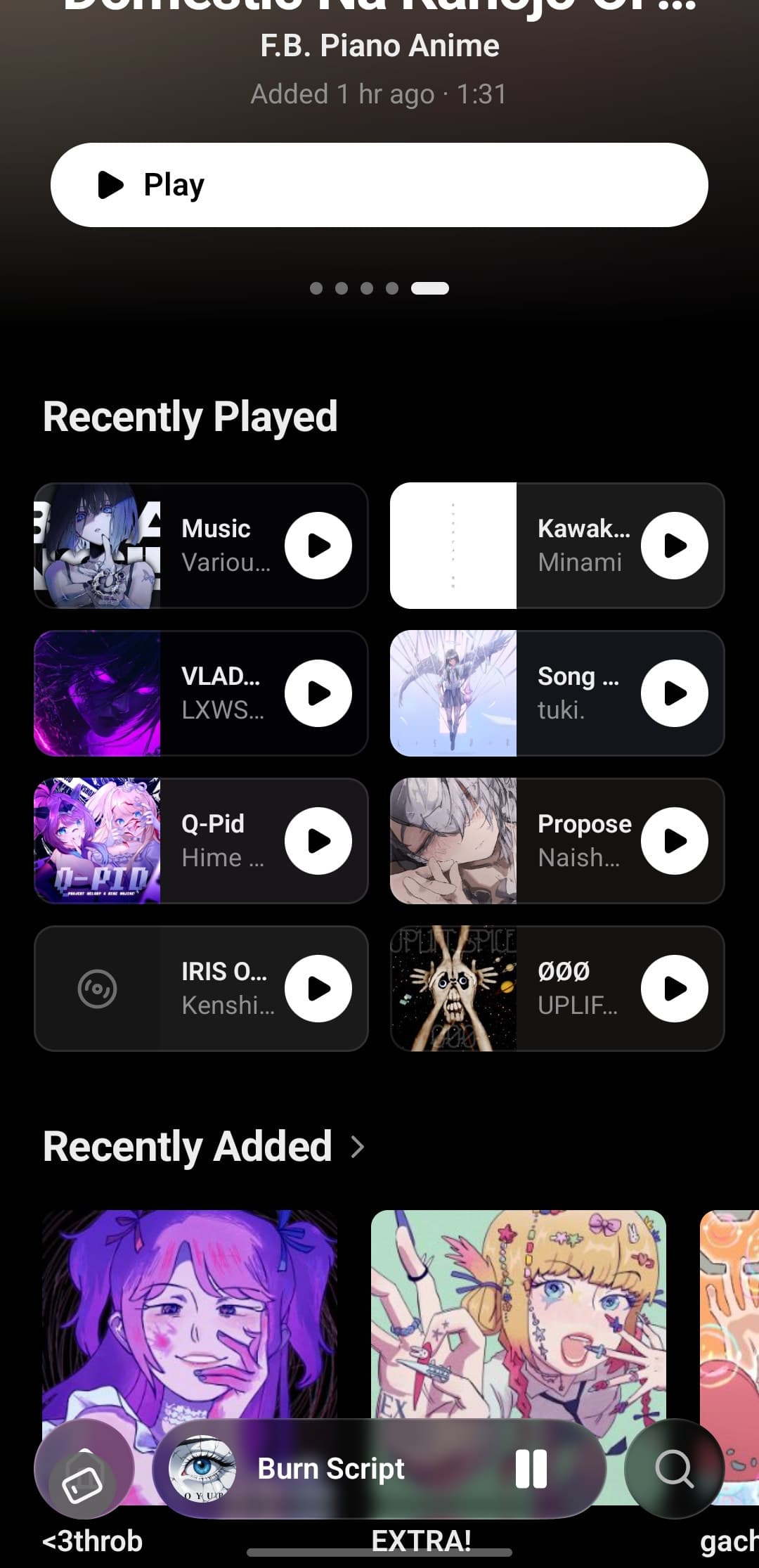
Tatsumi's home screen on Android: a NEW SONG card for gacha by Aleyna Moon with a Play button over an ambient wash lifted from the artwork, then a Recently Played row, a mini player and the Home, Library, Playlists and Settings tab bar

Your files. Your phone. Nothing between.
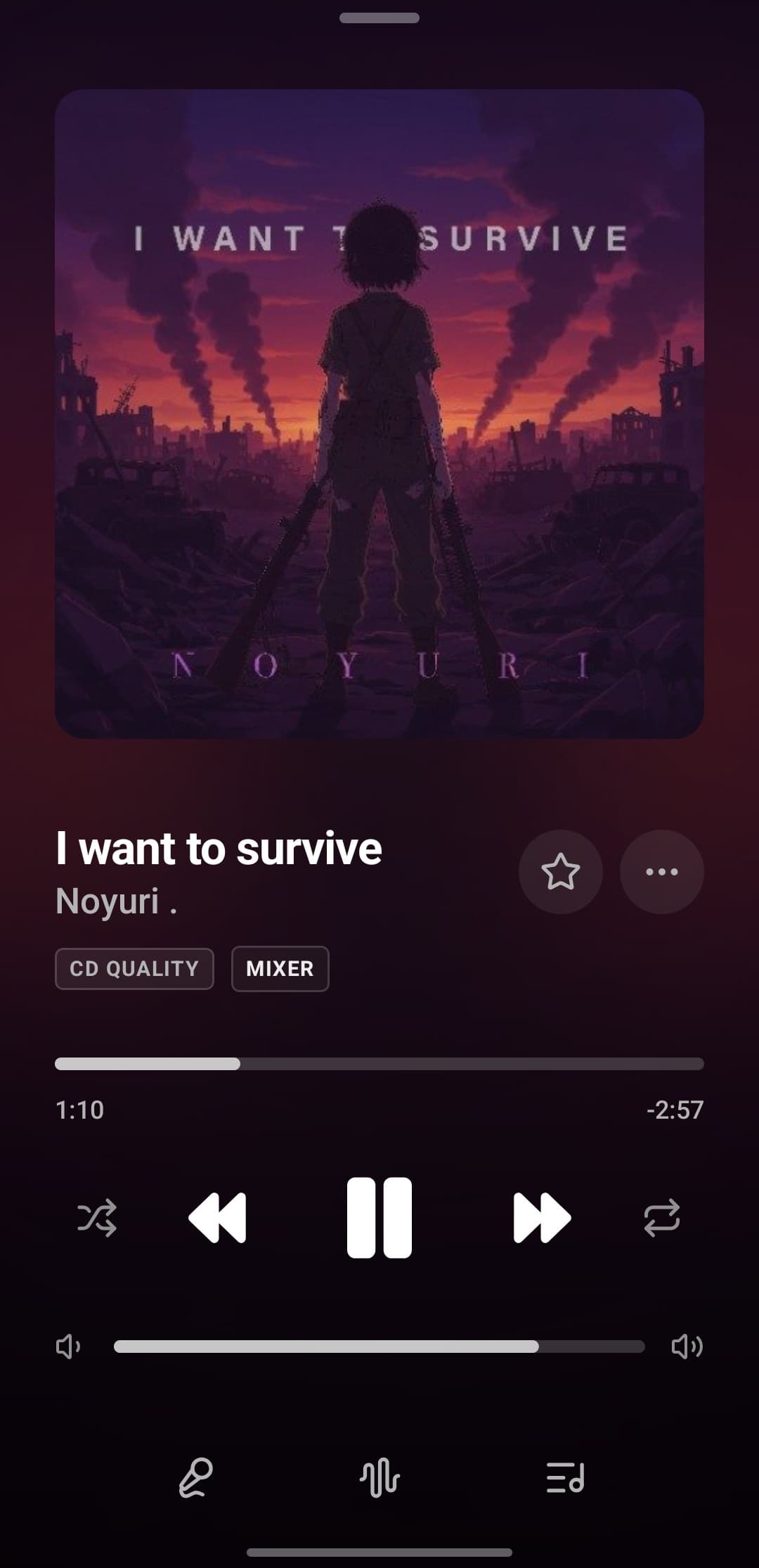
Tatsumi's Now Playing sheet: large artwork for I want to survive by Noyuri, CD QUALITY and MIXER badges, progress, transport and volume, and tabs for lyrics, analyzer and queue

Songs, albums, artists. One tap to play.
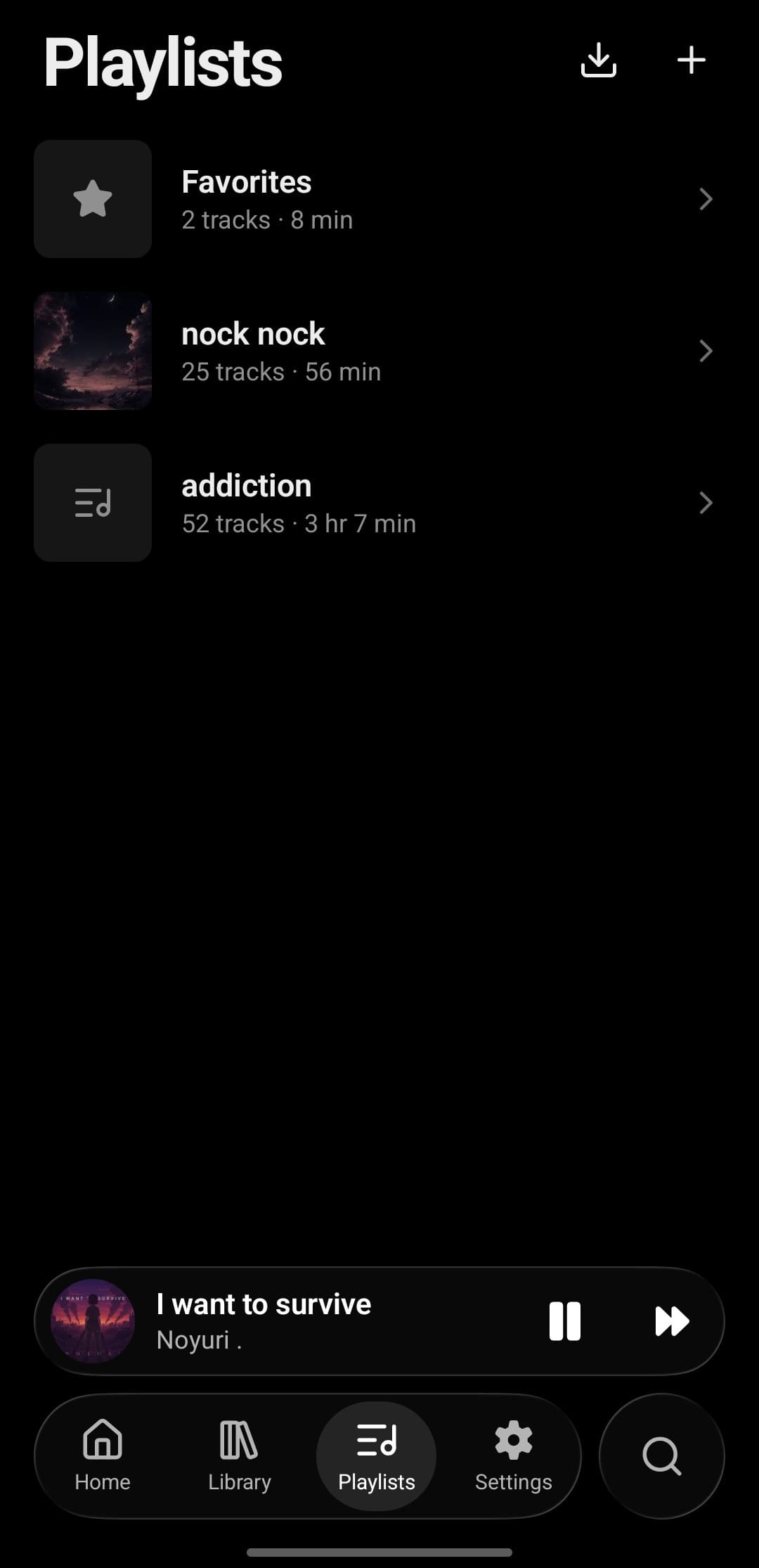
Play or shuffle anythingAlbums & artists from tagsPlaylists, organized your way
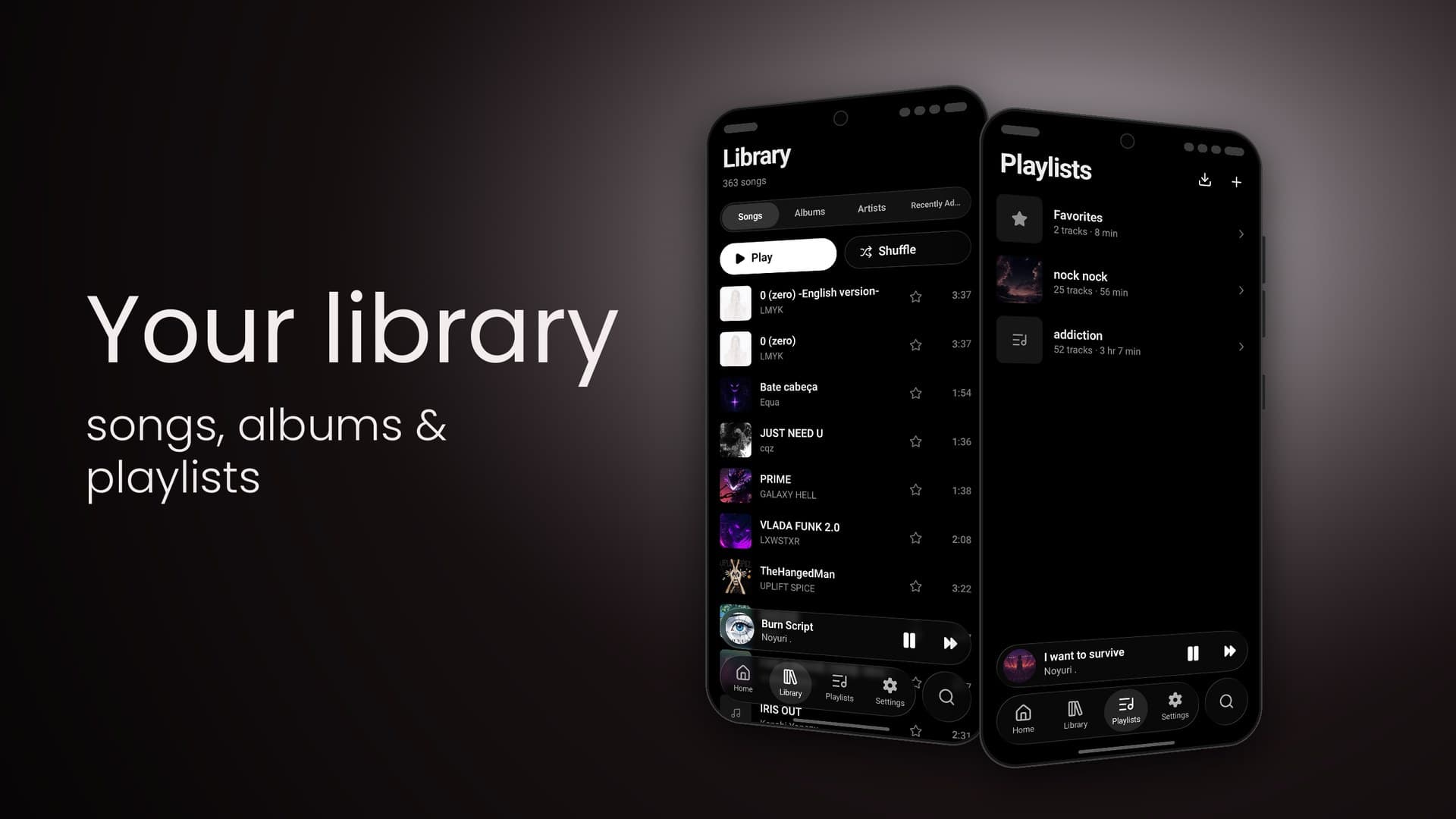
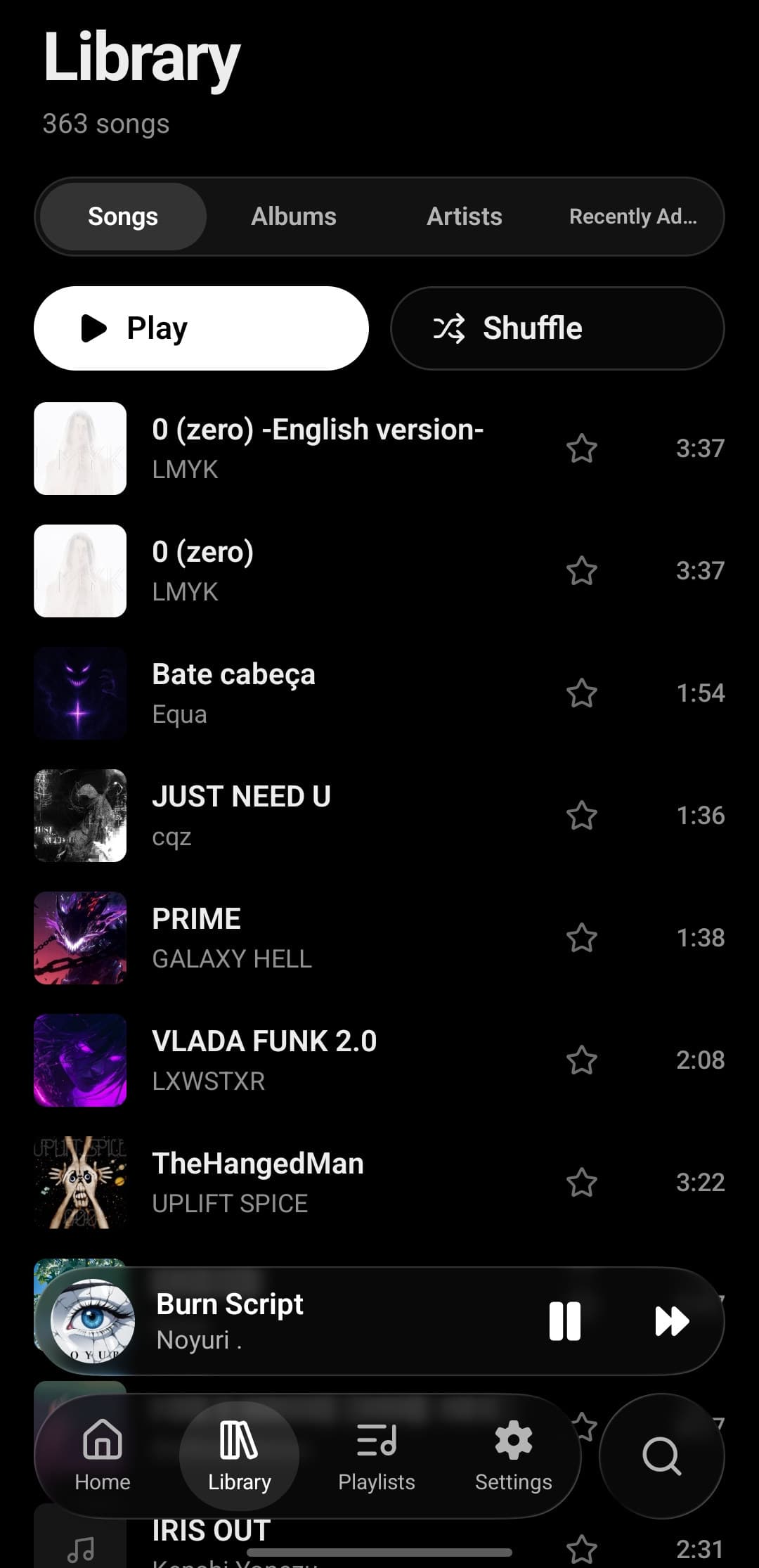
Tatsumi's Library on Android: 363 songs, Songs / Albums / Artists / Recently Added tabs, Play and Shuffle buttons and a track list with cover art, favourite stars and durations
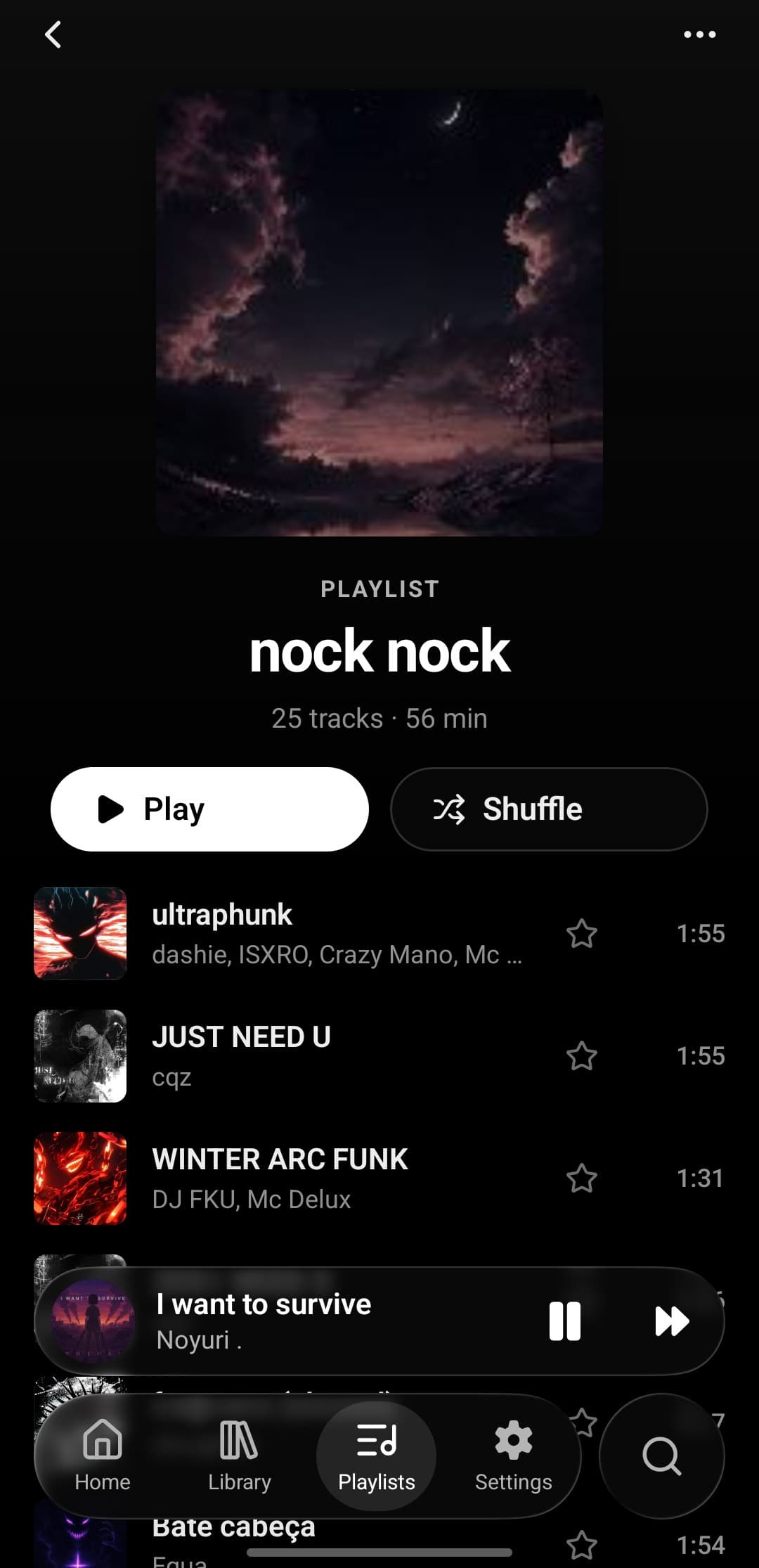
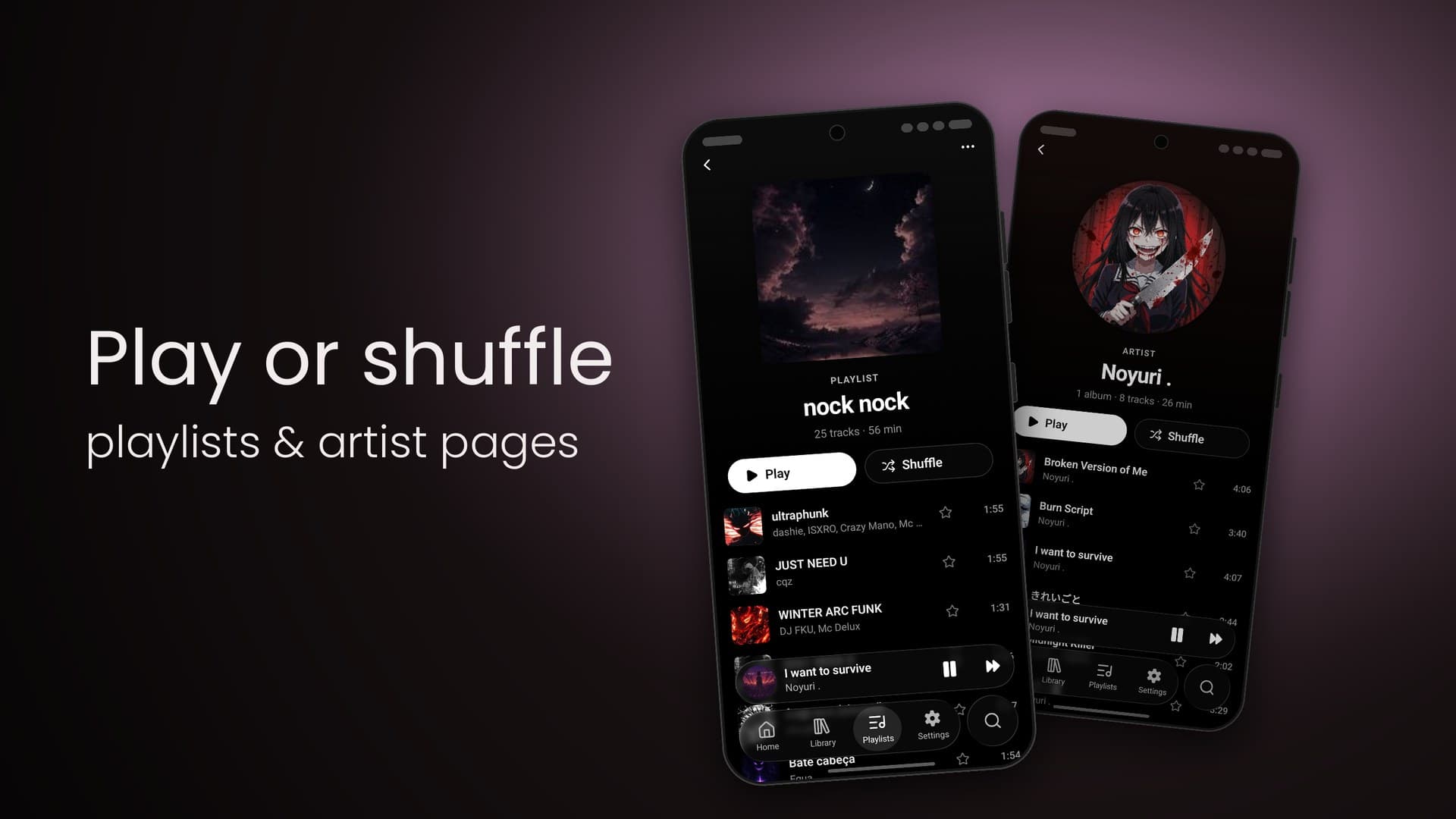
The playlist nock nock in Tatsumi: cover art, 25 tracks · 56 min, Play and Shuffle buttons and the track list beneath

On the phone. Or on the NAS.

Folders on the deviceWebDAV · Nextcloud · NASRescan when it changes
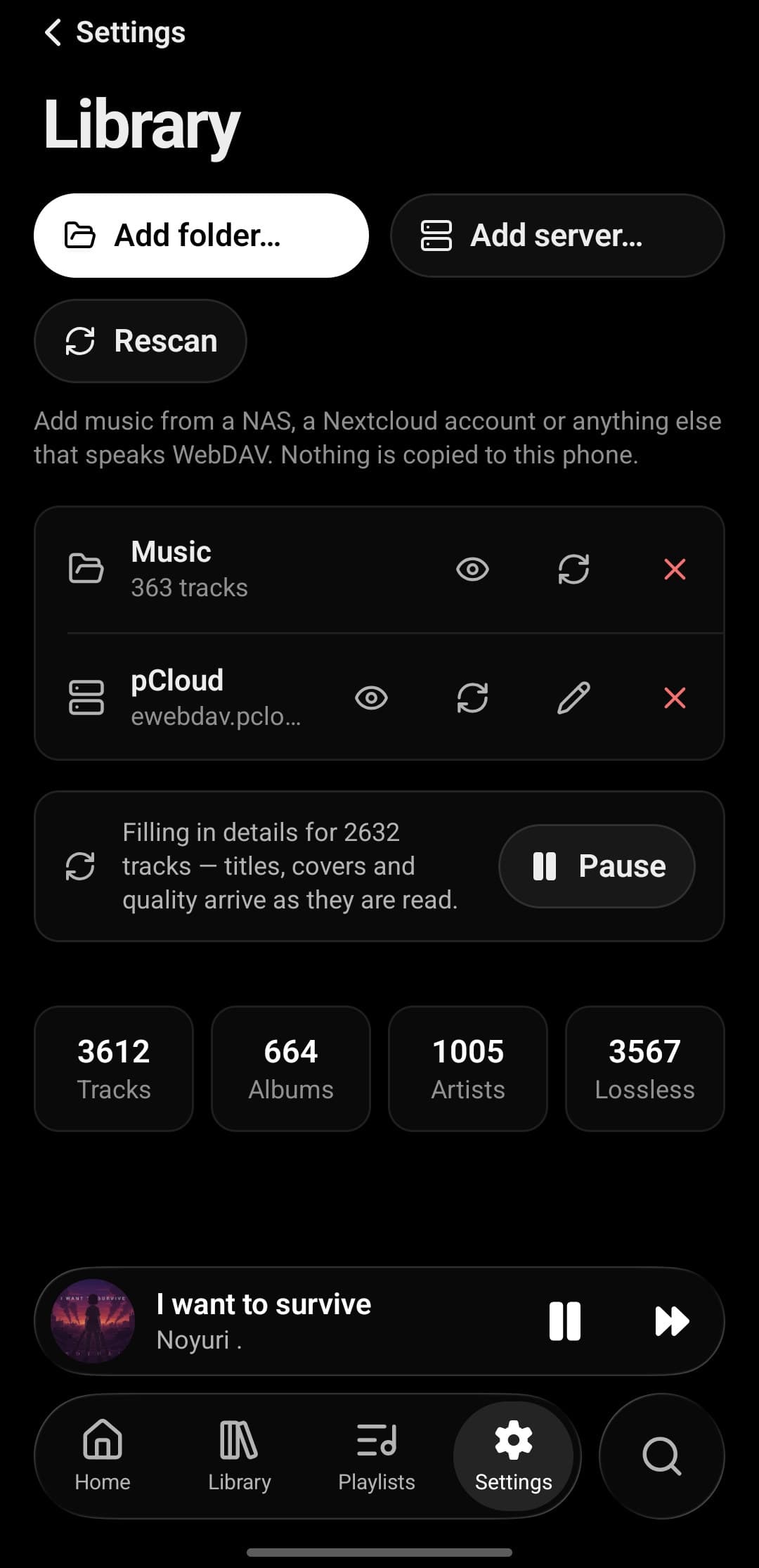
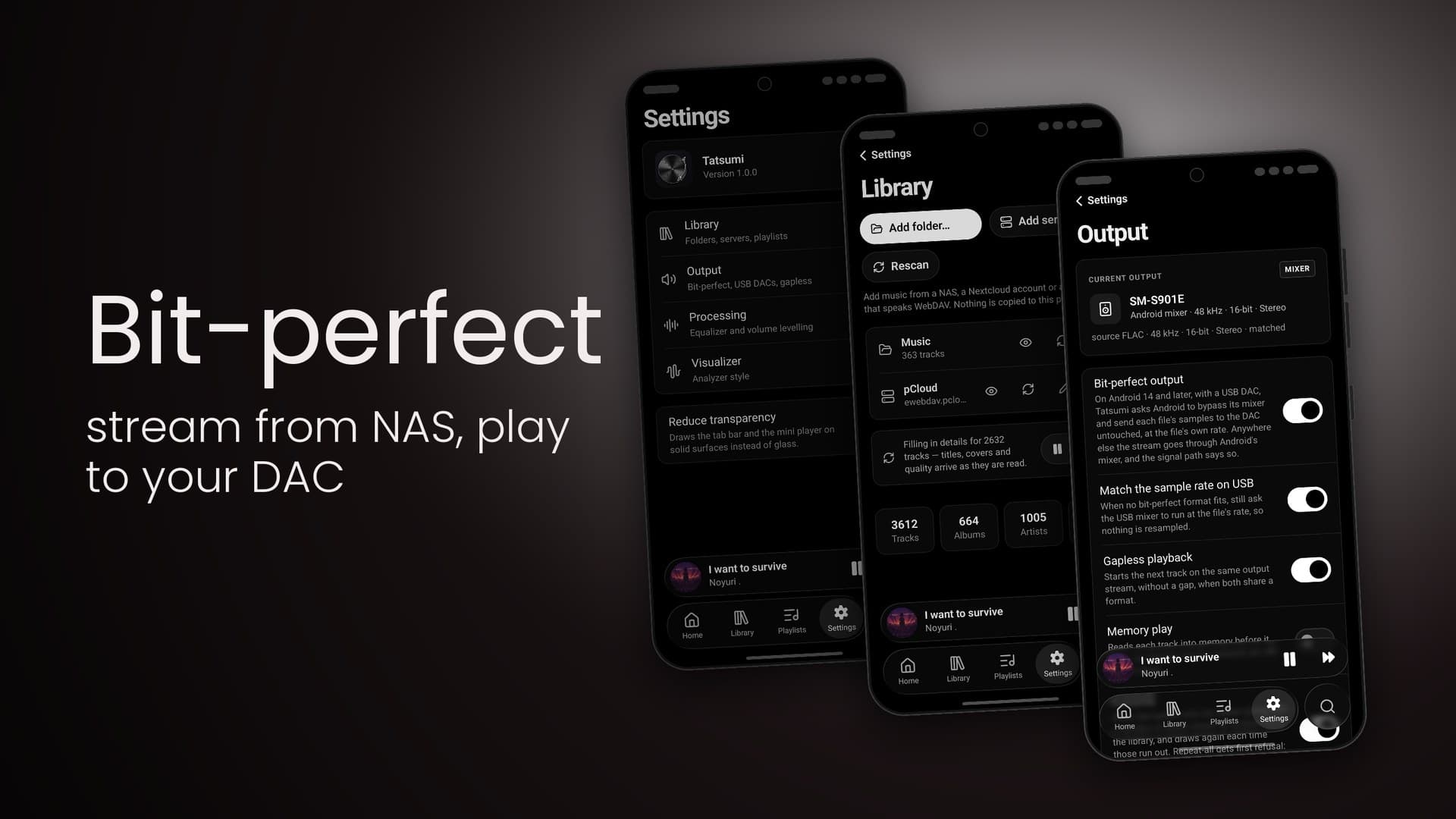
Tatsumi's Library settings on Android: Add folder and Rescan, a Music folder with 363 tracks and a pCloud WebDAV server as sources, and counters for tracks and albums
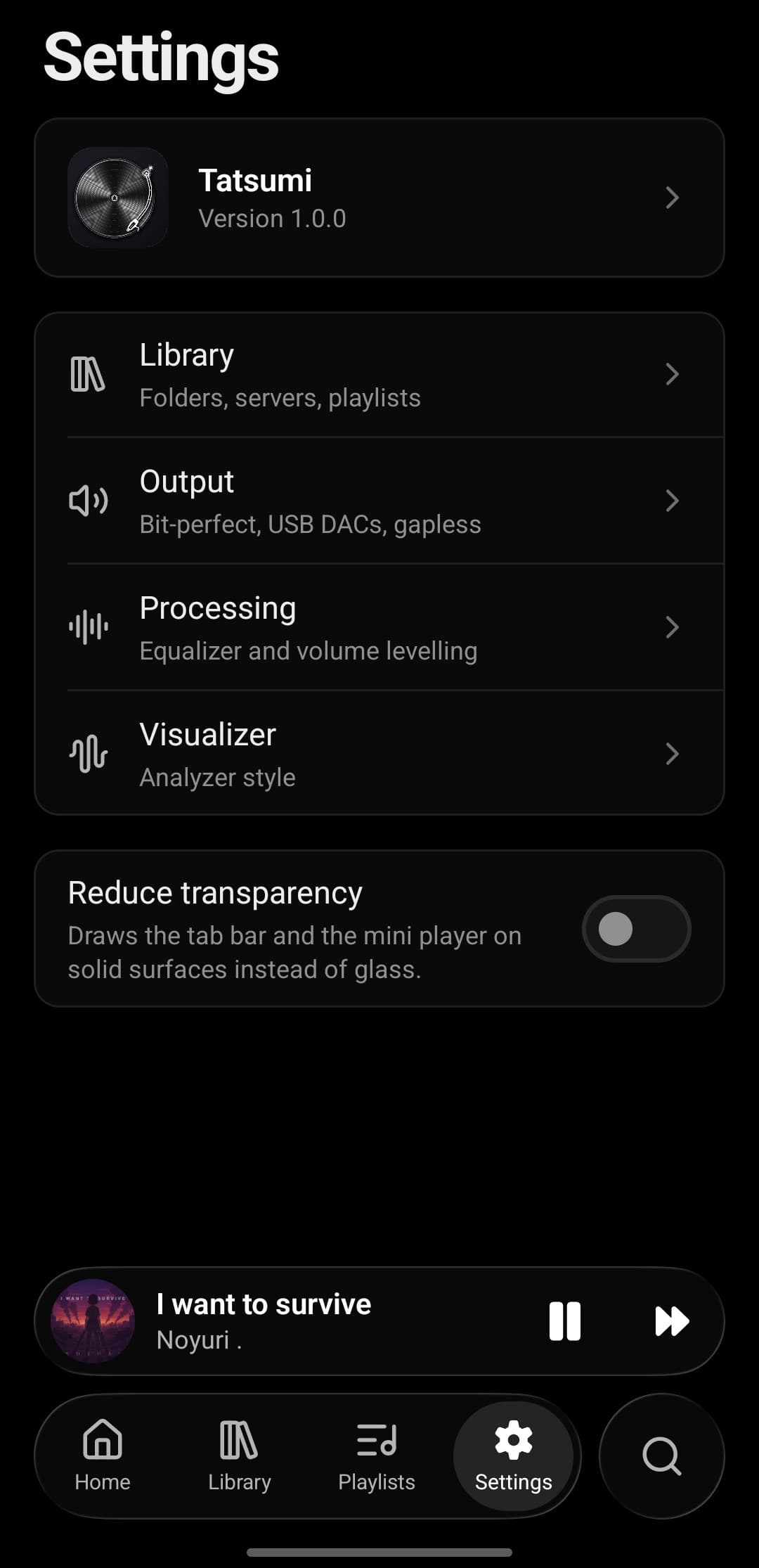
Tatsumi's Settings on Android: Library, Output, Processing and Visualizer sections and a Reduce transparency switch

Now playing

One song. Three ways to listen.

Tatsumi's Now Playing sheet: large artwork for I want to survive by Noyuri, CD QUALITY and MIXER badges, progress, transport and volume, and tabs for lyrics, analyzer and queue
CD QUALITY · MIXER

01 · Artwork

Big artwork. Honest badges.

The cover fills the sheet, and two chips under the title say what you're hearing: the file's quality, and whether Android's mixer is in the way.
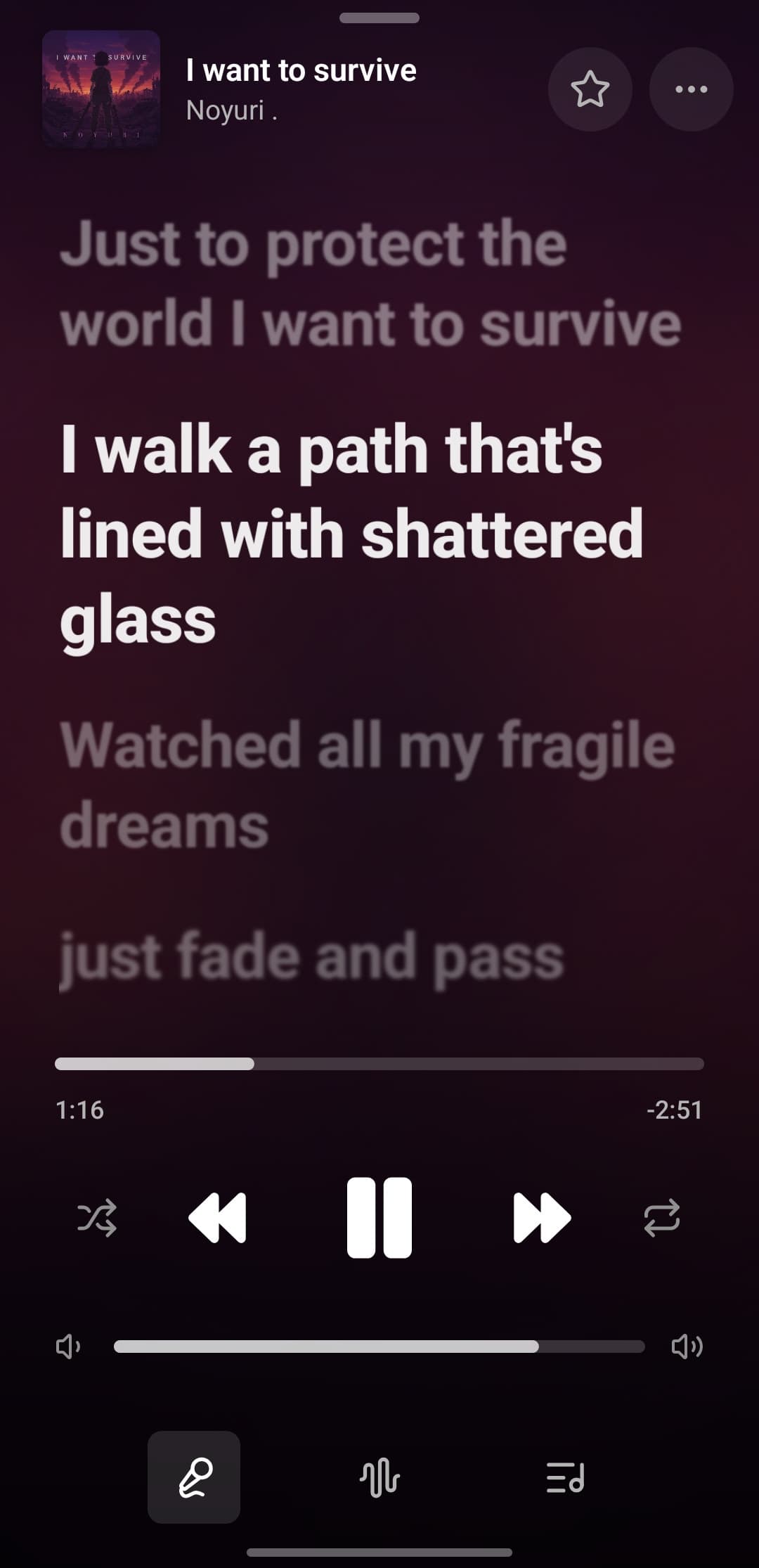
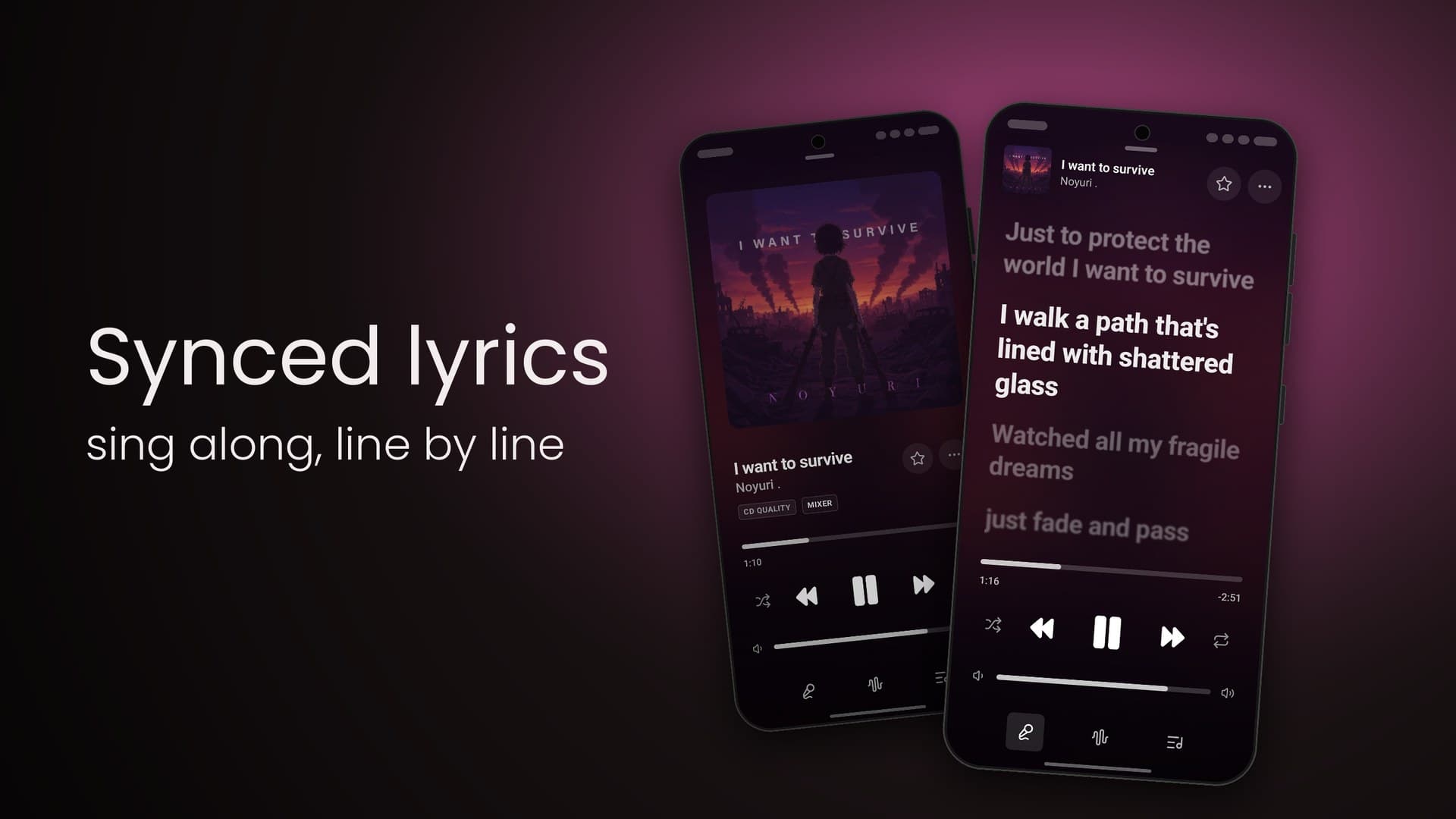
Tatsumi's synced lyrics on Android for I want to survive by Noyuri: the line being sung in bright, large type, the lines before and after dimmed
The line being sung

02 · Lyrics

Sing along, line by line.

Synced lyrics for the track, the line being sung held bright and large while the rest waits dimmed above and below it.
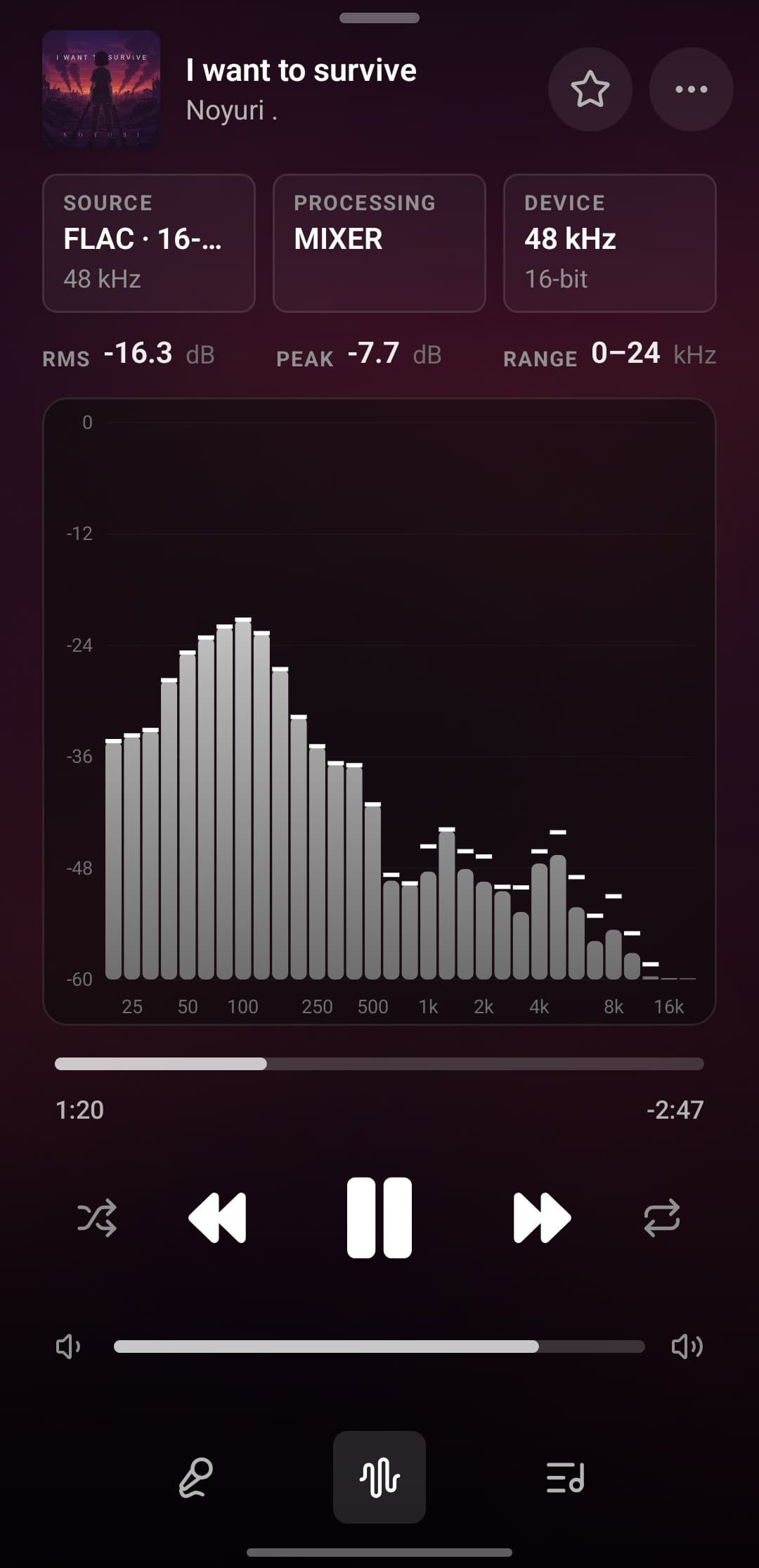
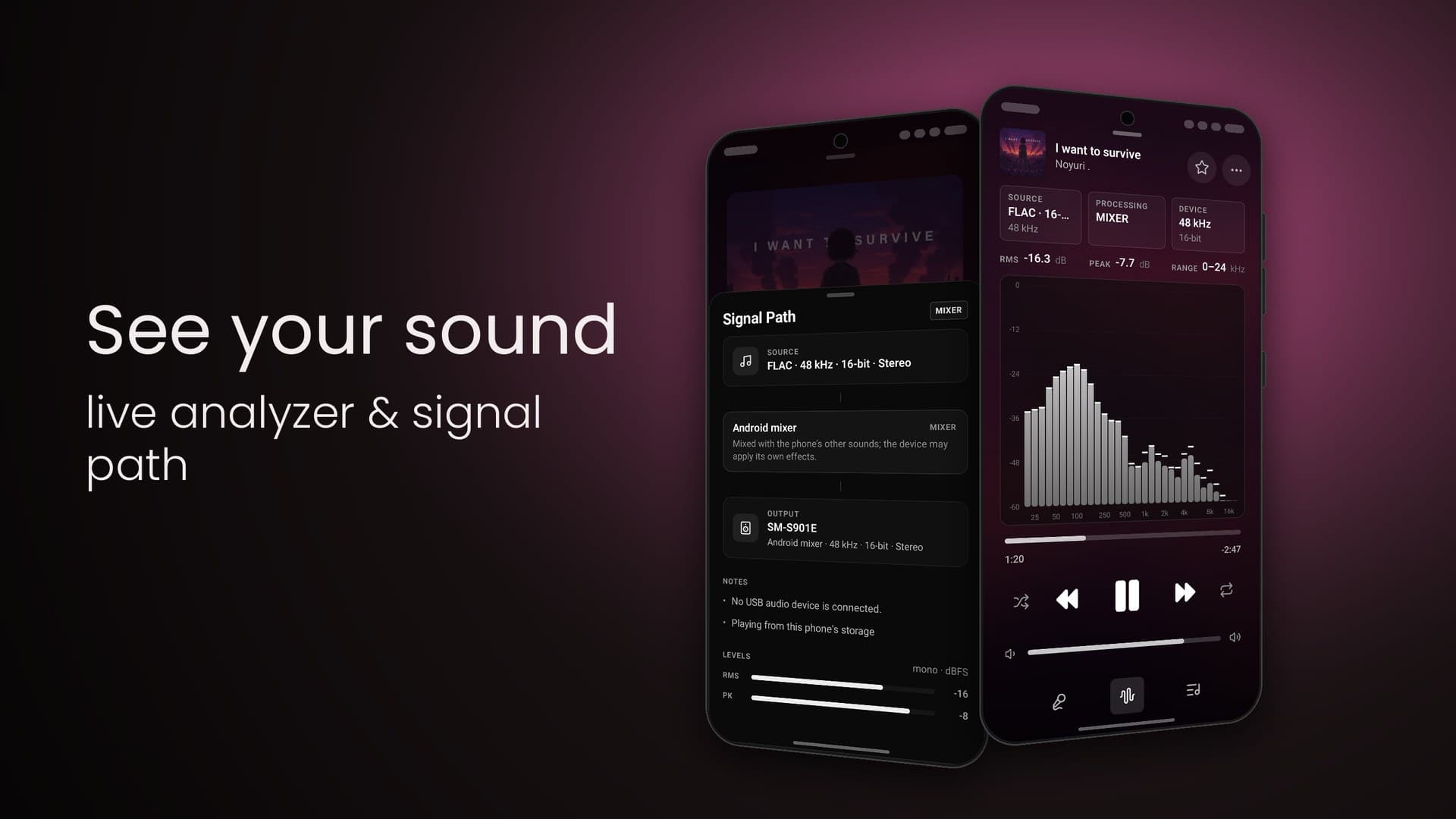
Tatsumi's live analyzer on Android: Source FLAC 16-bit 48 kHz, Processing MIXER and Device 48 kHz 16-bit cards, RMS −16.3 dB, peak −7.7 dB and range 0–24 kHz read-outs, and per-band bars with peak-hold caps from 25 Hz to 16 kHz
Source · Processing · Device
RMS · Peak · Range

03 · Analyzer

Watch the signal.

Per-band bars with peak hold, measured after processing at the output's rate — under the source, processing and device cards and live RMS, peak and range read-outs.

48 kHz in. 48 kHz out. Untouched.
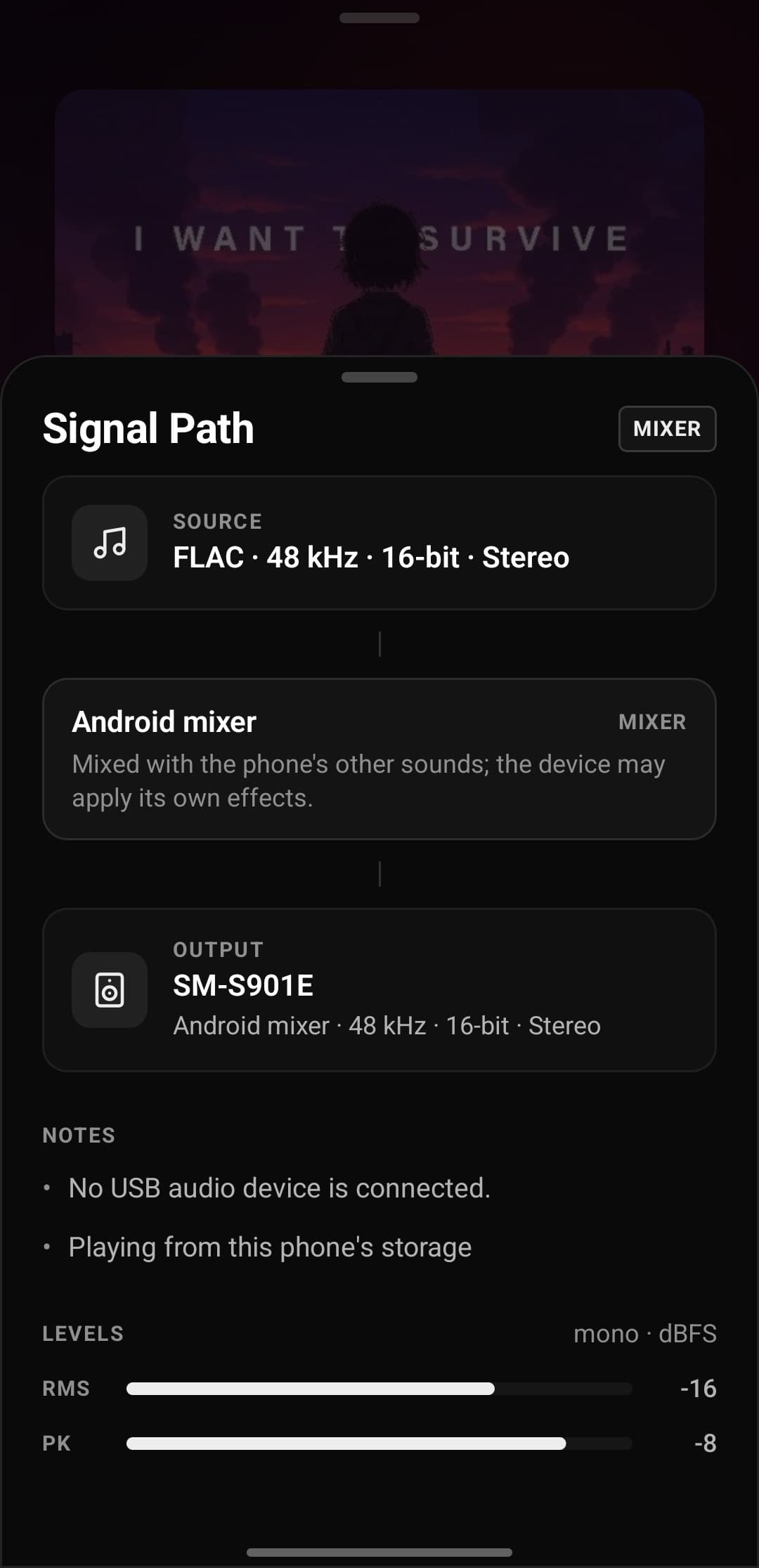
Signal path on screenBit-perfect USB · Android 14+Gapless & memory play
Tatsumi's Signal Path sheet on Android: Source FLAC · 48 kHz · 16-bit · Stereo, the Android mixer stage, Output SM-S901E at 48 kHz 16-bit, notes that no USB audio device is connected, and RMS and peak level meters
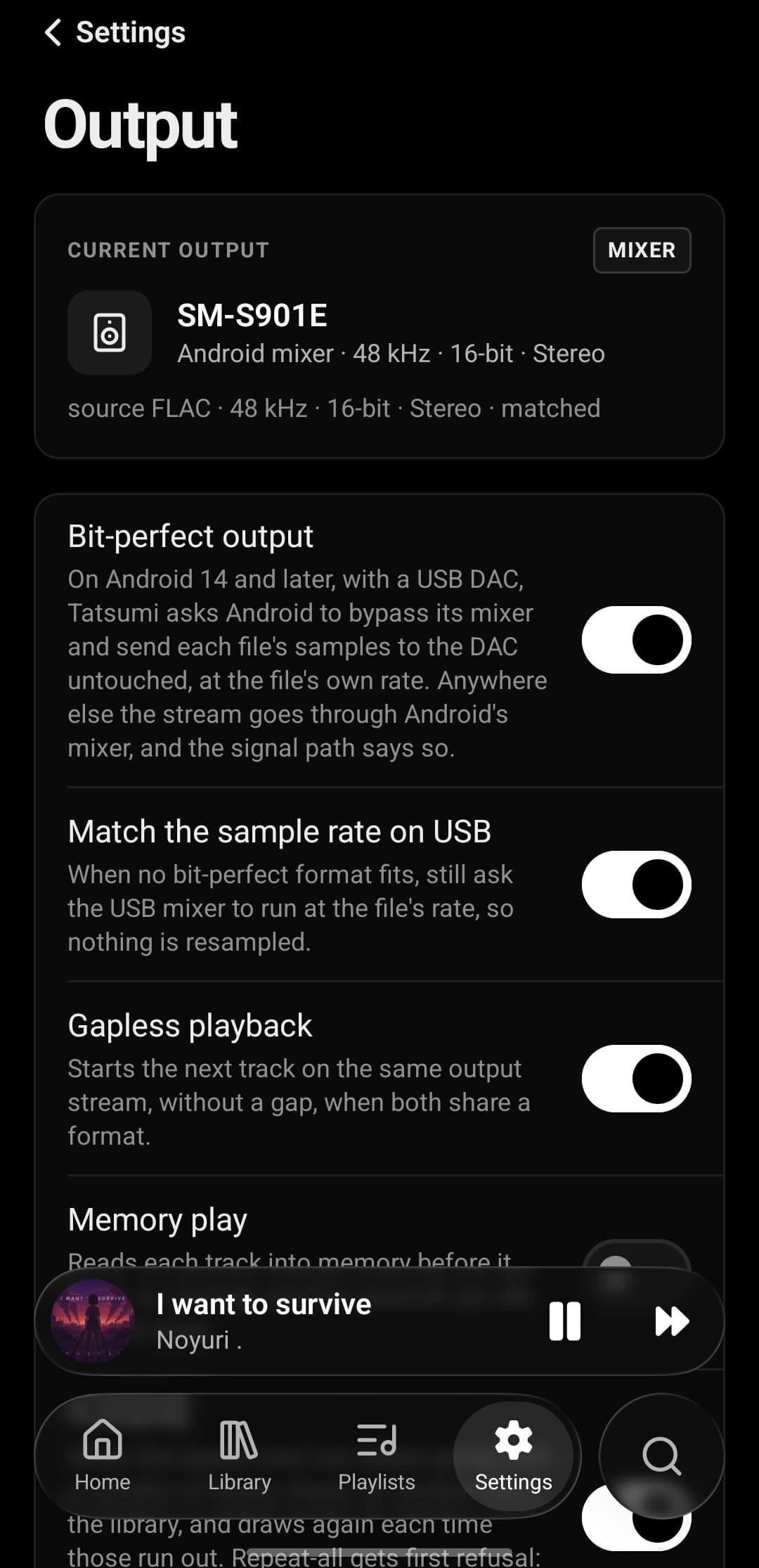
Tatsumi's Output settings on Android: the current output SM-S901E via the Android mixer at 48 kHz 16-bit, and switches for bit-perfect output over USB on Android 14 and later, matching the sample rate on USB, gapless playback and memory play

Make it yours.

5 to 64 bandsPreamp & presetsBars · Spectrum · Matrix
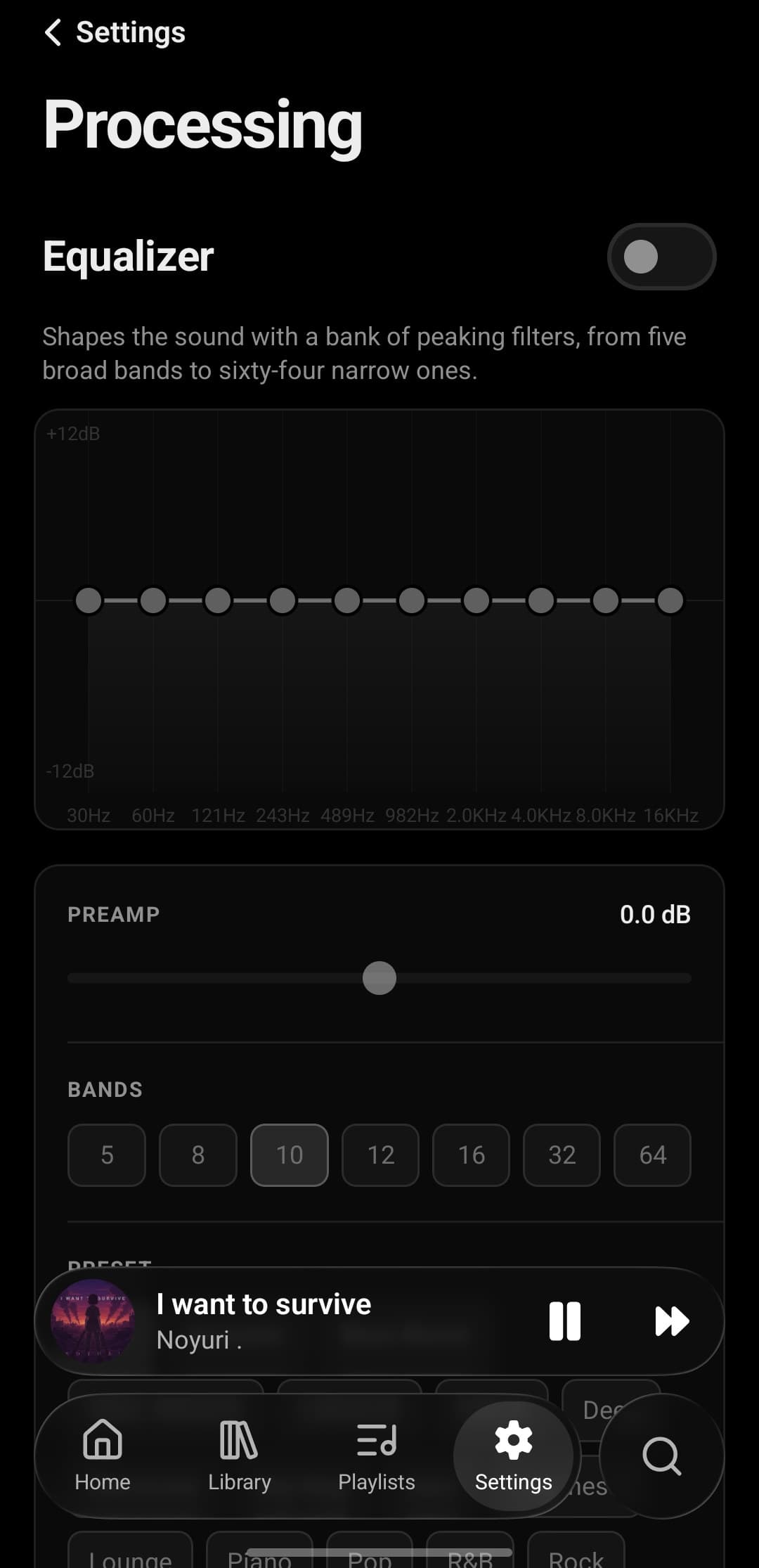
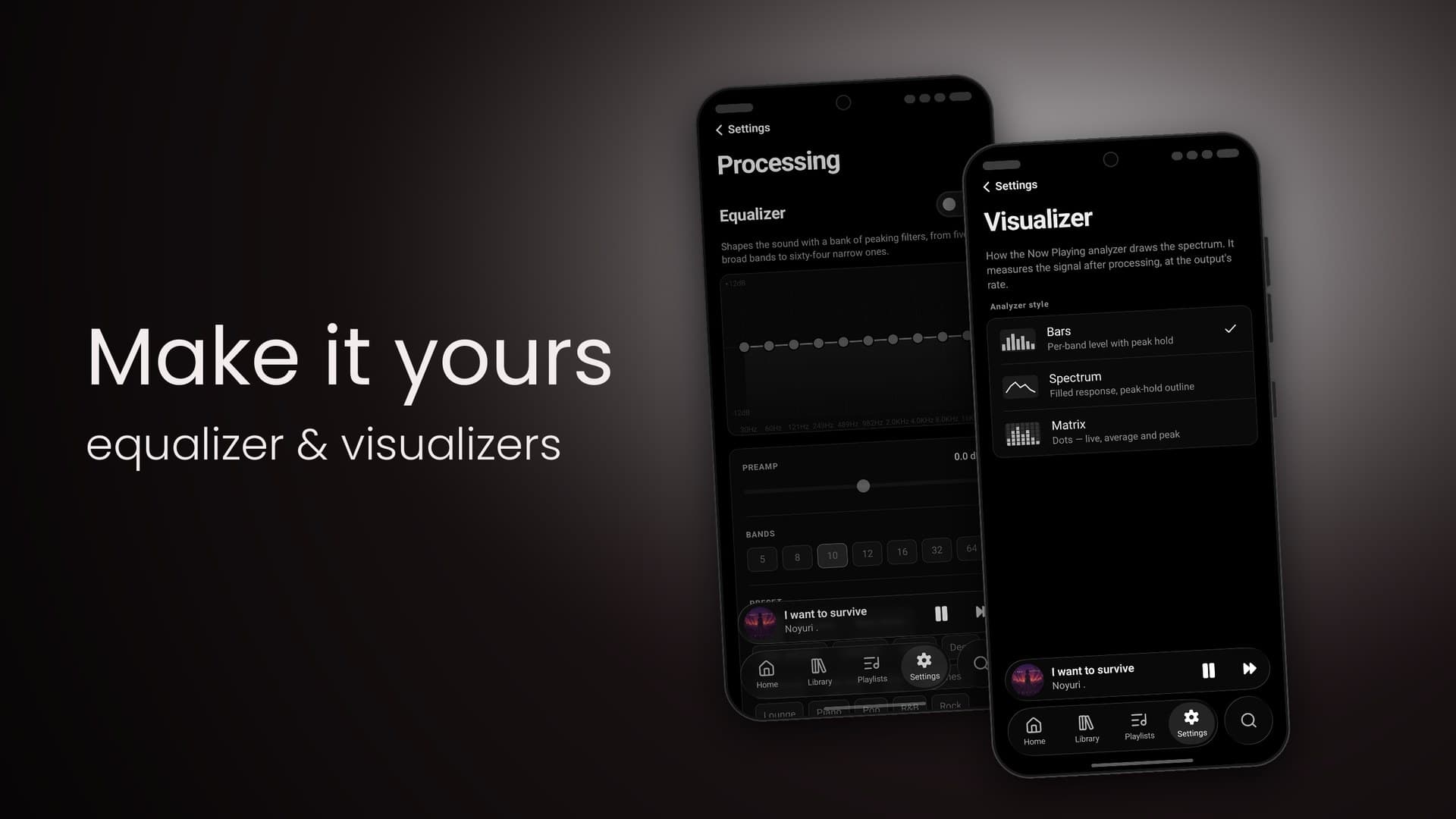
Tatsumi's Processing settings on Android: the Equalizer switch, a ten-band curve from 30 Hz to 16 kHz, a preamp slider, band-count choices from 5 to 64 and presets
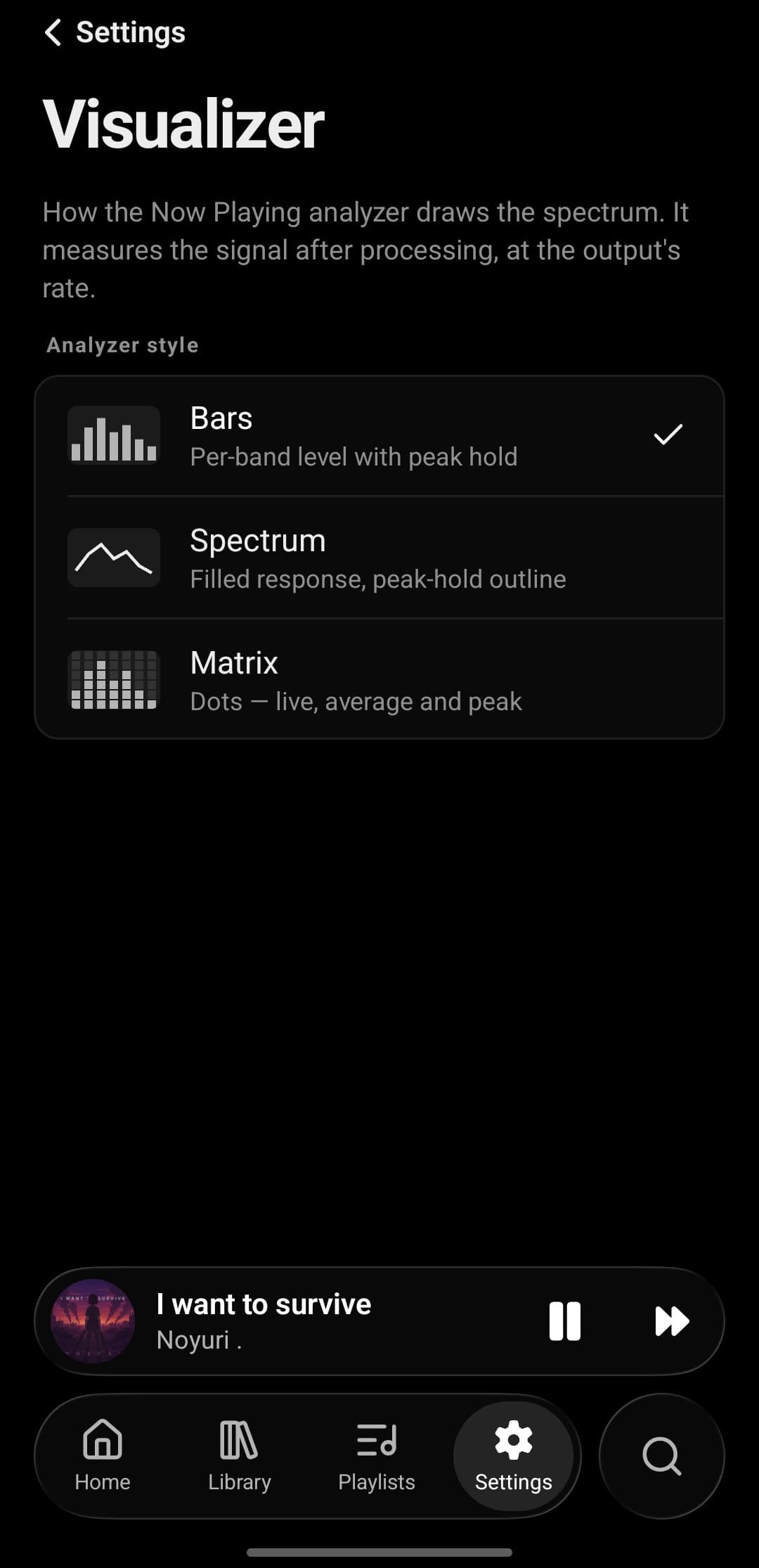
Tatsumi's Visualizer settings on Android: analyzer styles Bars, Spectrum and Matrix, each with a thumbnail and a one-line description

What's next. And what it is.

Shuffle · Repeat · AutoplayHistory, one tap backFormat · sample rate · bit rate
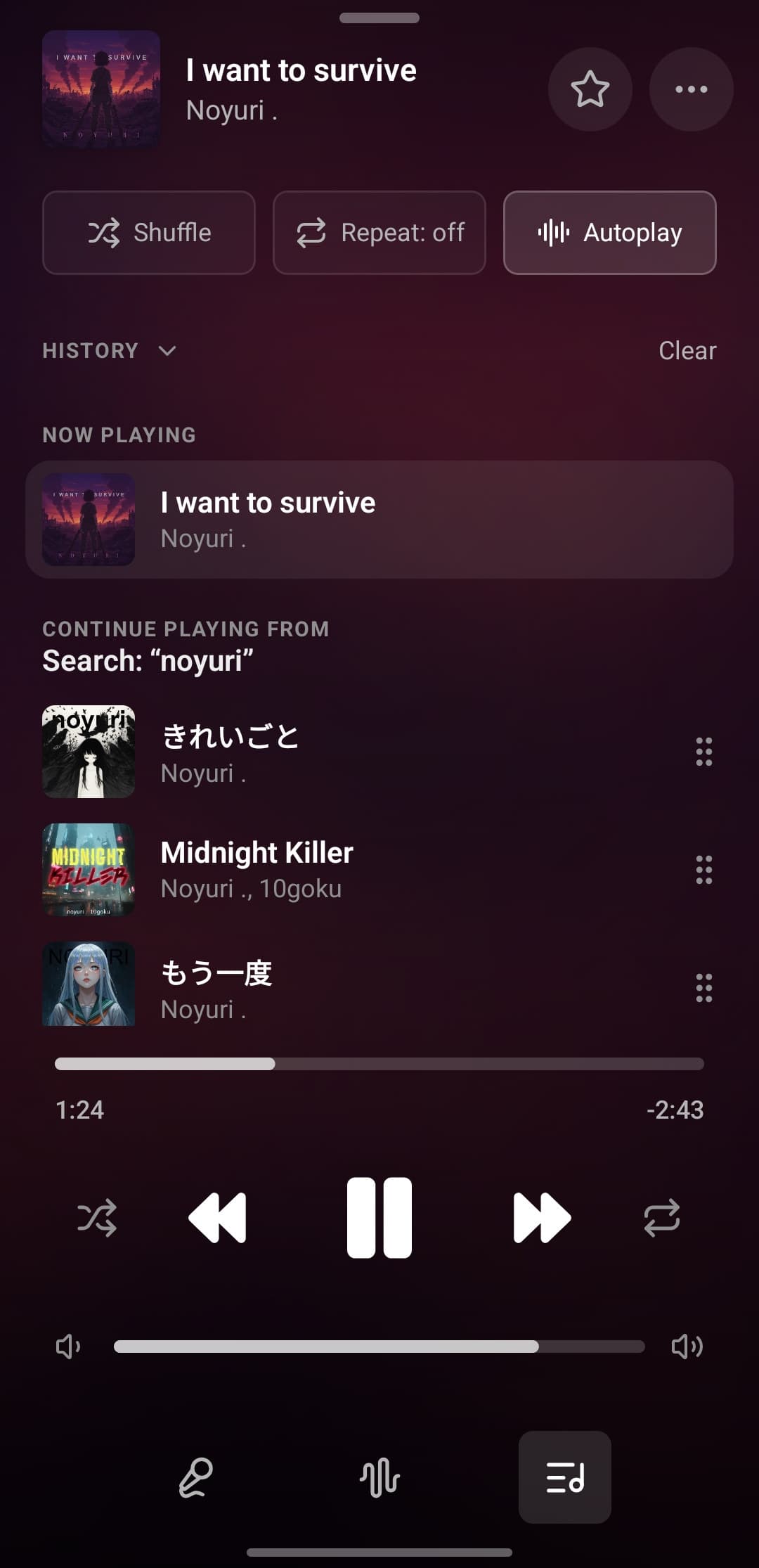
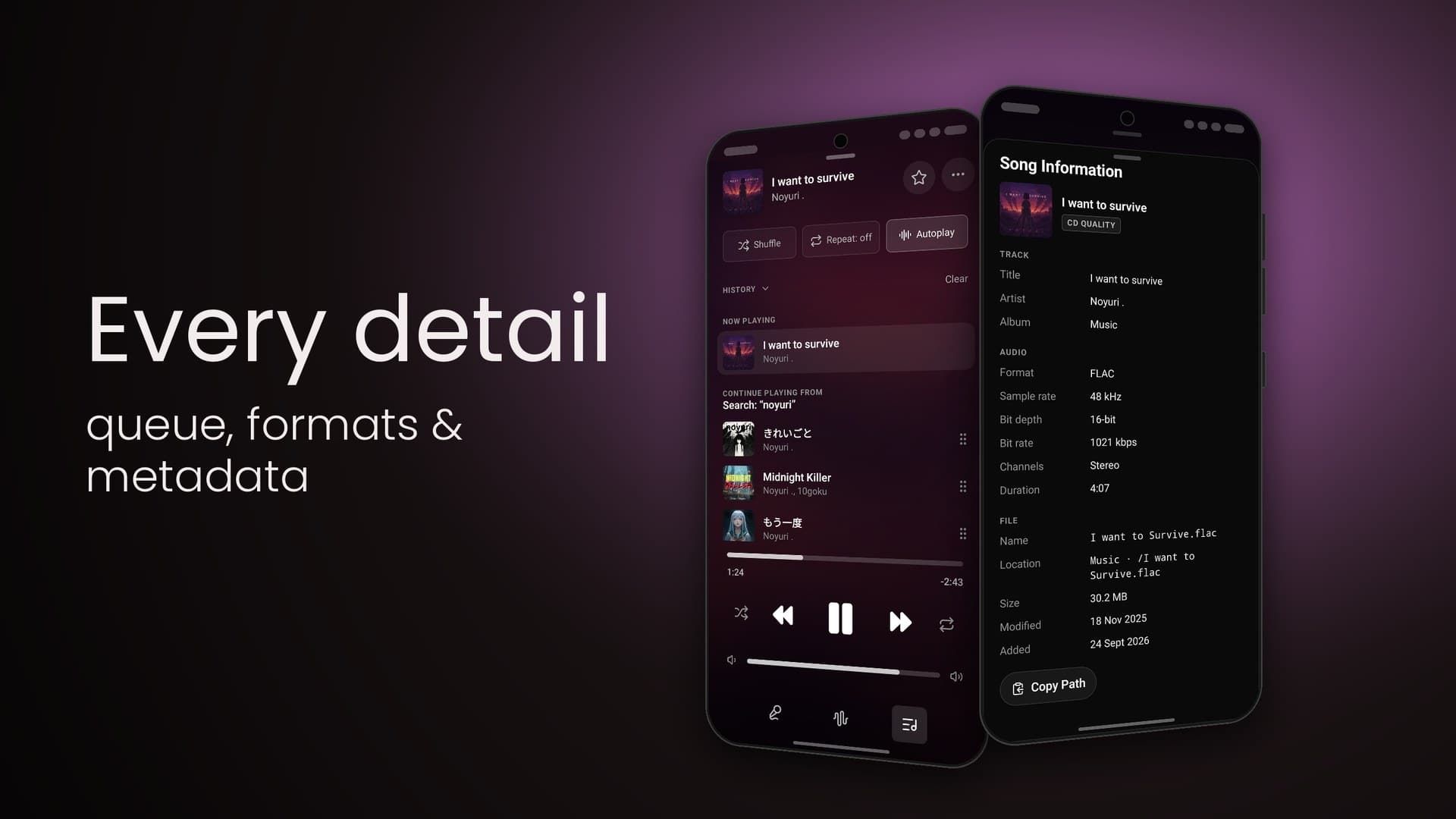
Tatsumi's queue on Android: Shuffle, Repeat and Autoplay toggles, a collapsible History, the Now Playing row and a Continue Playing From list seeded by the search noyuri
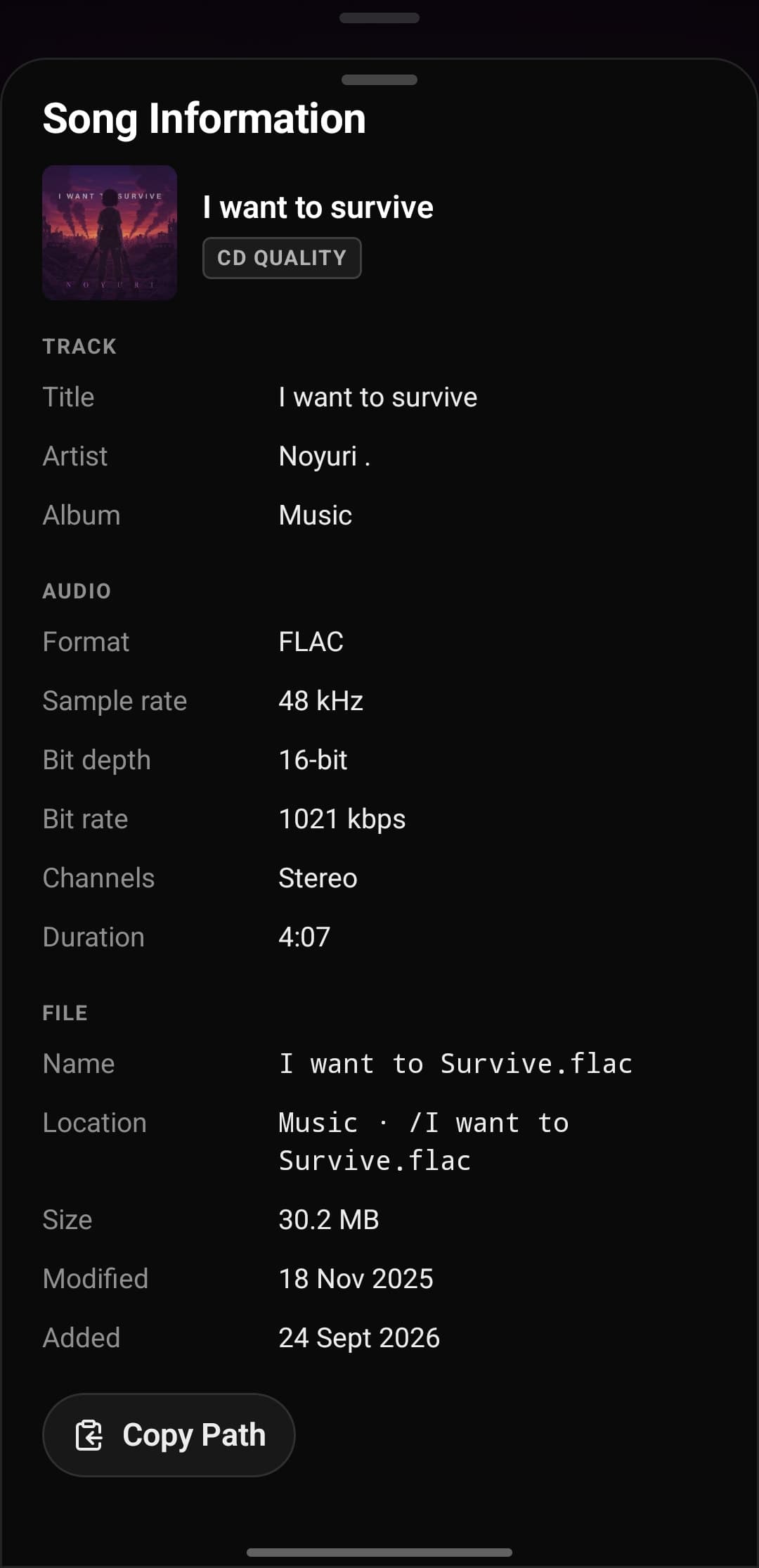
Tatsumi's Song Information sheet: I want to survive with a CD QUALITY badge, then title, artist and album, FLAC · 48 kHz · 16-bit · 1021 kbps · Stereo · 4:07, and the file's name, location, size and dates with a Copy Path button

Google Play

As it appears on Google Play.

Swipe to browse →

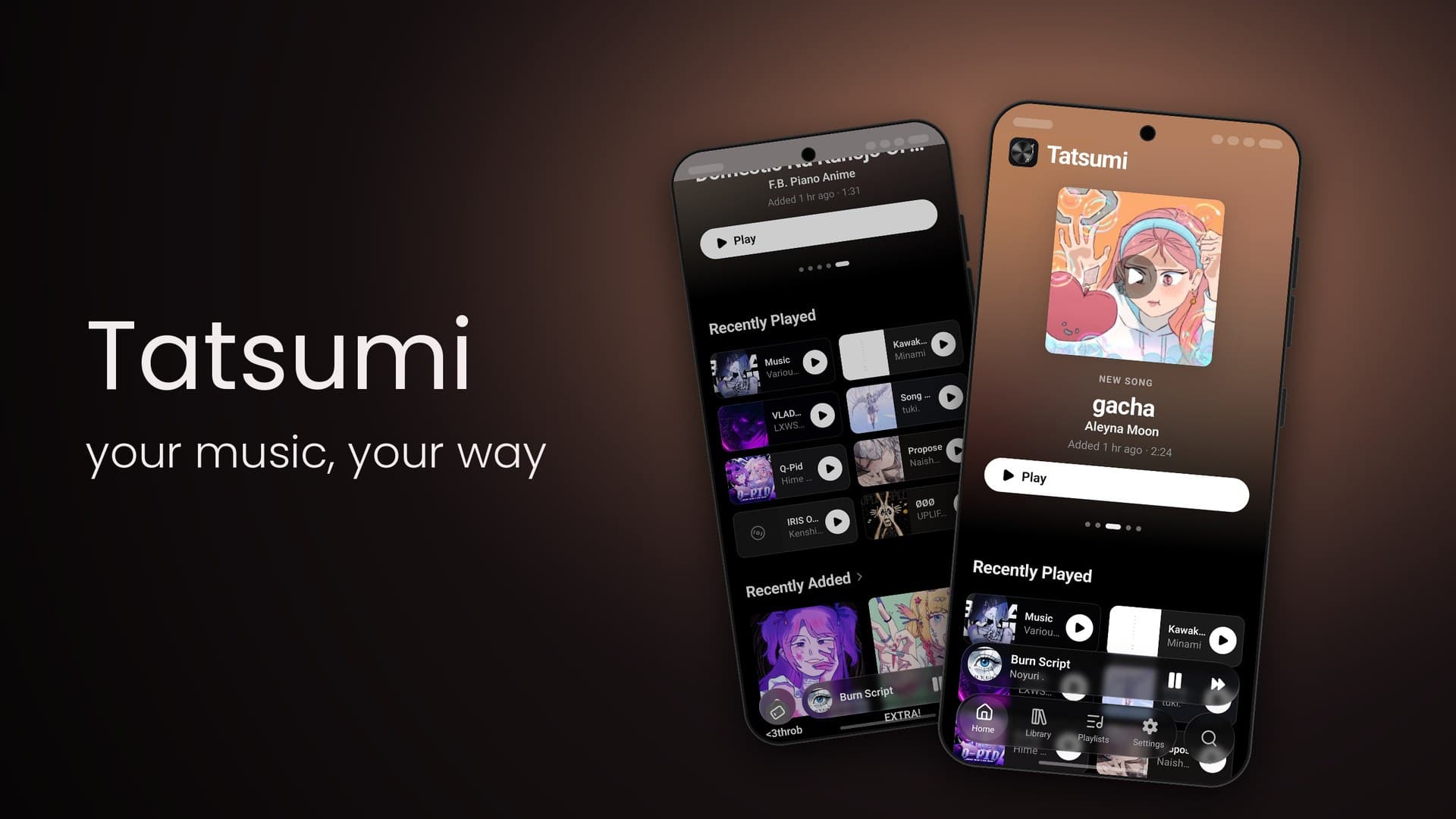
Google Play slide: Tatsumi — your music, your way, beside two phones showing the home screen and Recently Played
01TatsumiHome · Recently Played
Google Play slide: Your library — songs, albums & playlists, beside the Library and Playlists screens
02Your librarySongs · Playlists
Google Play slide: Synced lyrics — sing along, line by line, beside the Now Playing artwork and the lyrics view
03Synced lyricsNow Playing · Lyrics
Google Play slide: See your sound — live analyzer & signal path, beside the Signal Path sheet and the bar analyzer
04See your soundSignal path · Analyzer
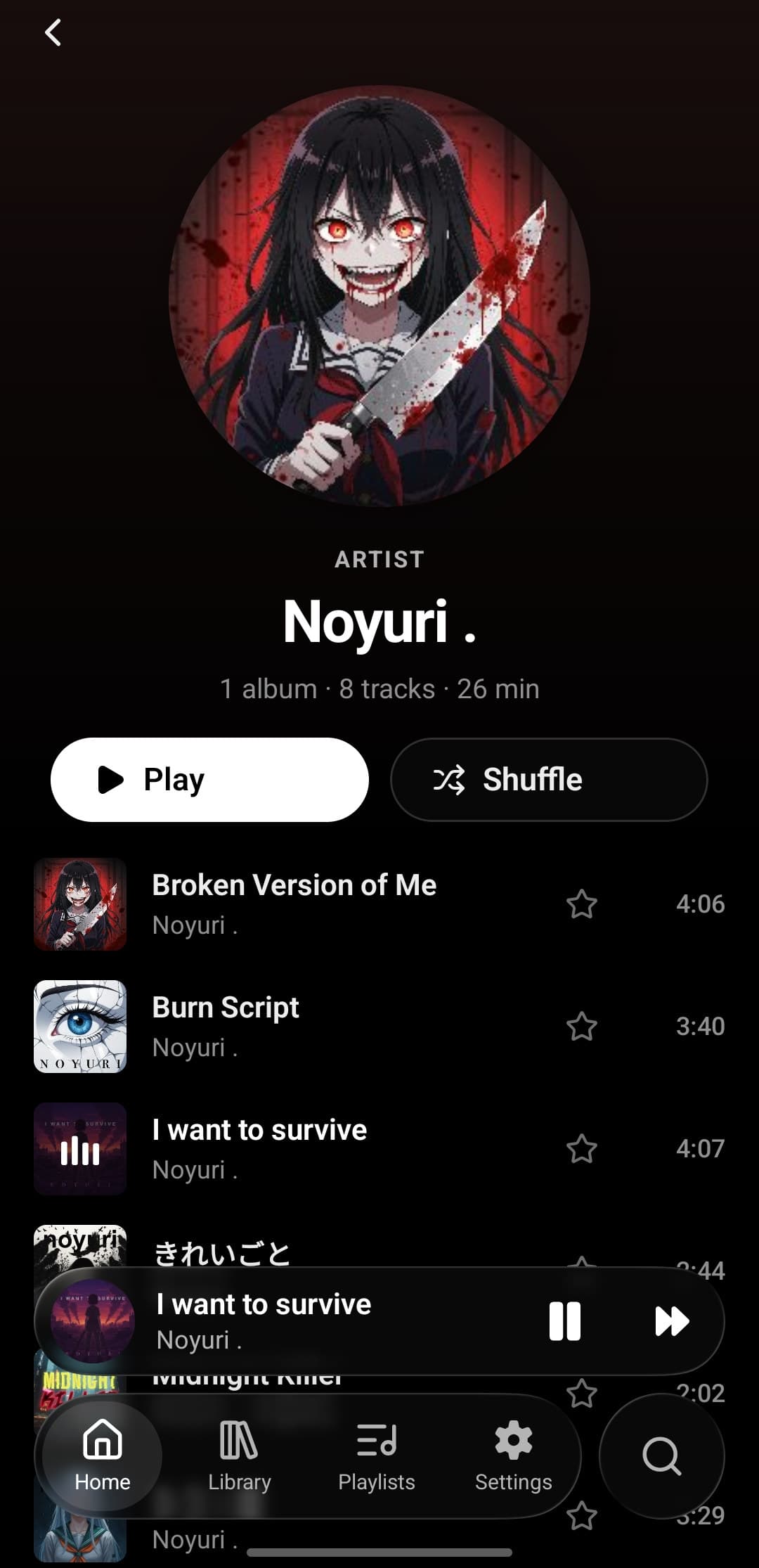
Google Play slide: Play or shuffle — playlists & artist pages, beside an artist page and a playlist
05Play or shuffleArtist page · Playlist
Google Play slide: Every detail — queue, formats & metadata, beside the queue and the Song Information sheet
06Every detailQueue · Song information
Google Play slide: Bit-perfect — stream from NAS, play to your DAC, beside the Settings, Library and Output screens
07Bit-perfectSettings · Library · Output
Google Play slide: Make it yours — equalizer & visualizers, beside the Processing and Visualizer settings
08Make it yoursEqualizer · Visualizer
64
equalizer bands, at most
3
analyzer styles: bars, spectrum, matrix
14+
Android for bit-perfect USB output
2
editions: desktop · Android

On Google Play now.

Tatsumi for Android is live. Your library, your DAC, your pocket.