Tatsumi

Your files. In your pocket.

Bit-perfect playback for the library you already own — on the phone you already carry. Stream it from a NAS, send it untouched to a USB DAC, and watch the signal while it plays.

Bit-perfect to your DAC
USB
EQ bands
64
Stream from your NAS
NAS
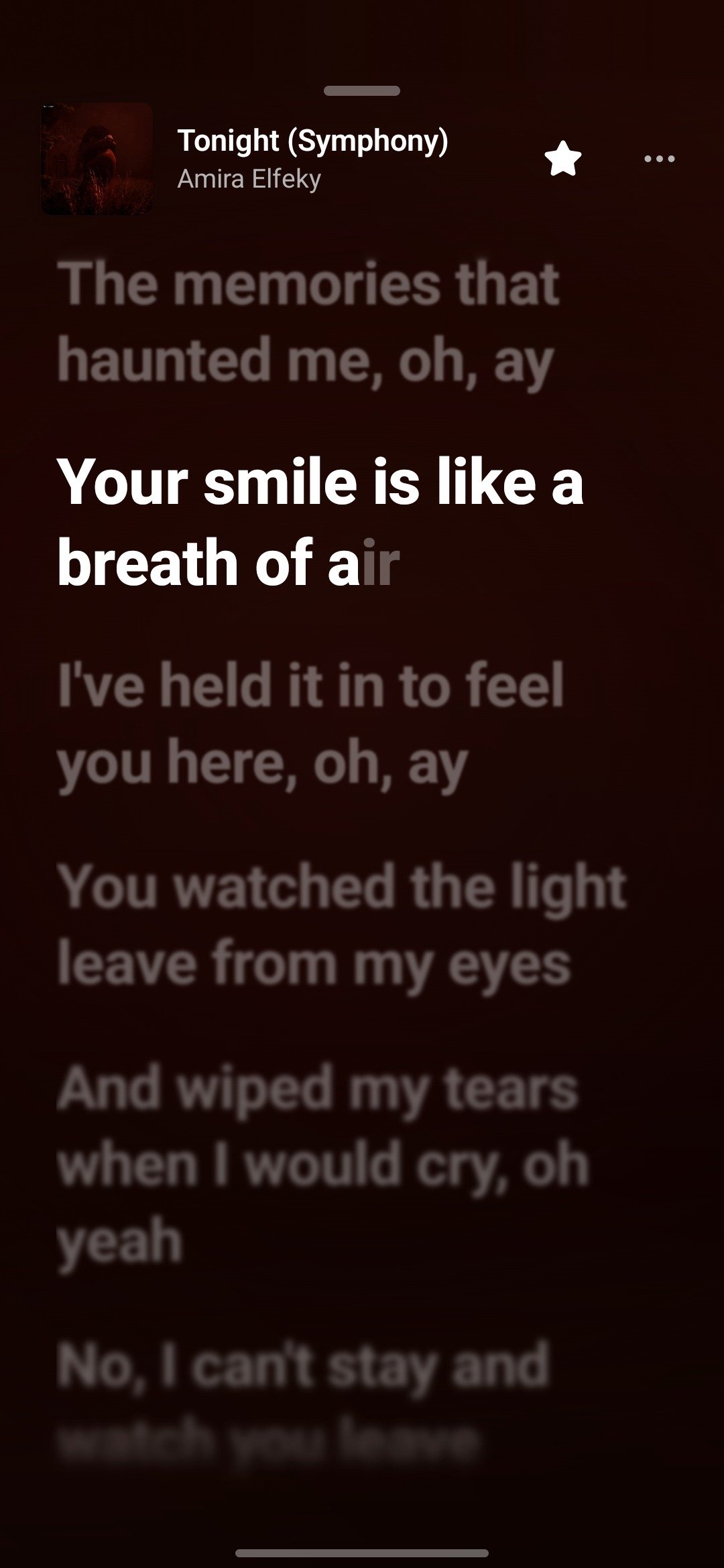
Tatsumi's synced lyrics on Android for Tonight (Symphony) by Amira Elfeky: the line being sung in bright, large type, the lines before and after dimmed
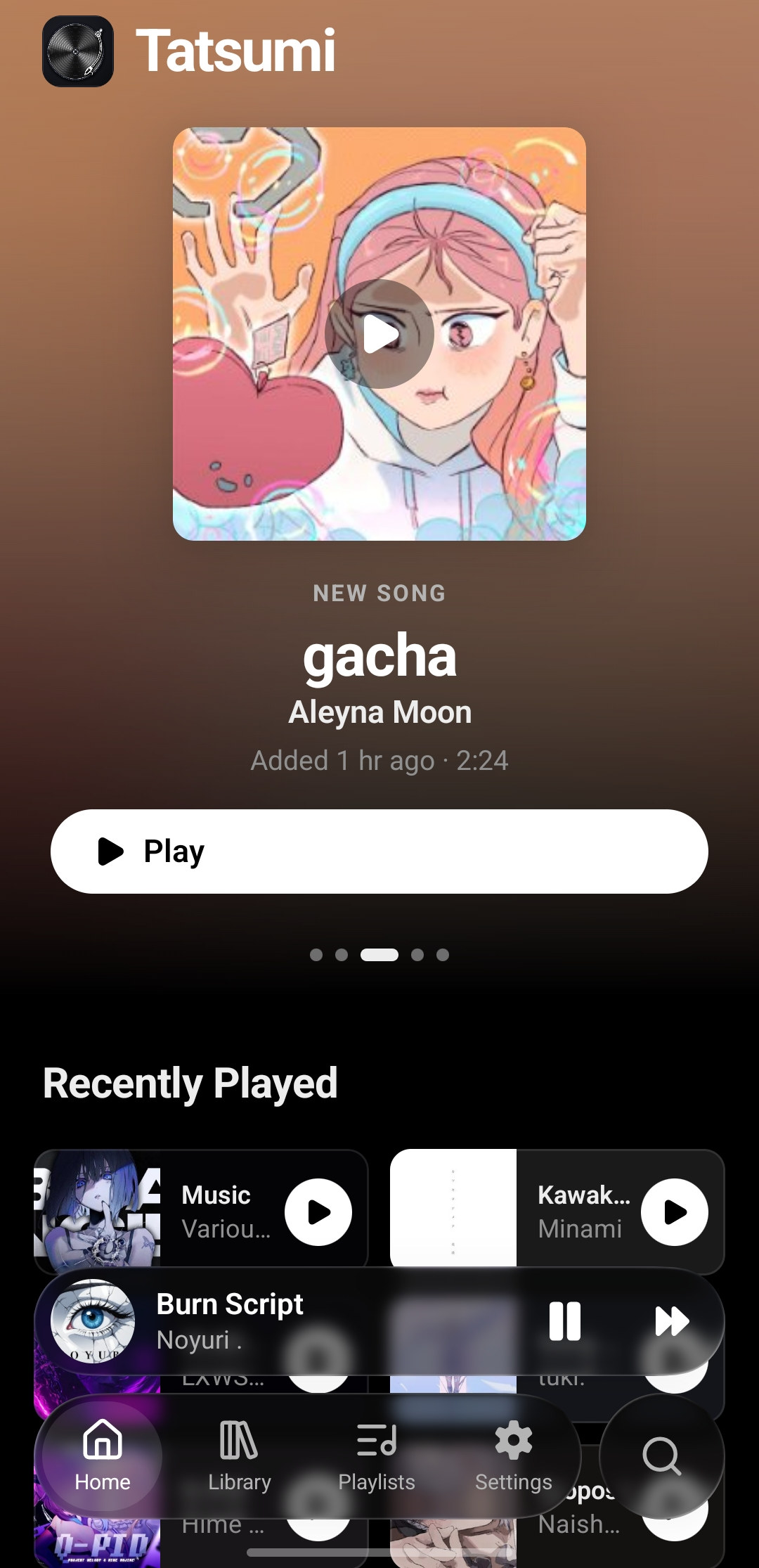
Tatsumi's home screen on Android: a NEW SONG card for gacha by Aleyna Moon with a Play button over an ambient wash lifted from the artwork, then a Recently Played row, a mini player and the Home, Library, Playlists and Settings tab bar
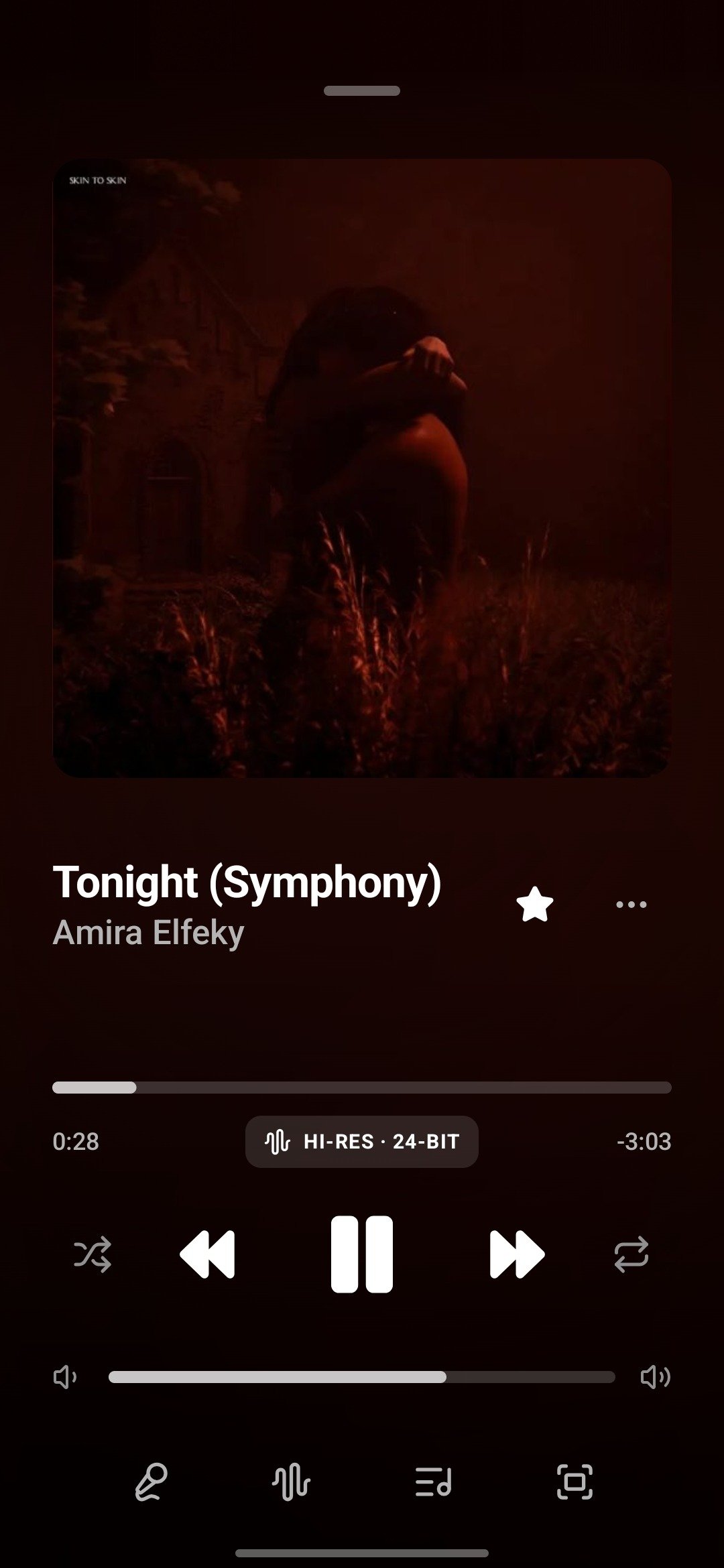
Tatsumi's Now Playing sheet: large artwork for Tonight (Symphony) by Amira Elfeky, a HI-RES 24-BIT badge, progress, transport and volume, and tabs for lyrics, analyzer, queue and full screen

Now playing

One song. Three ways to listen.
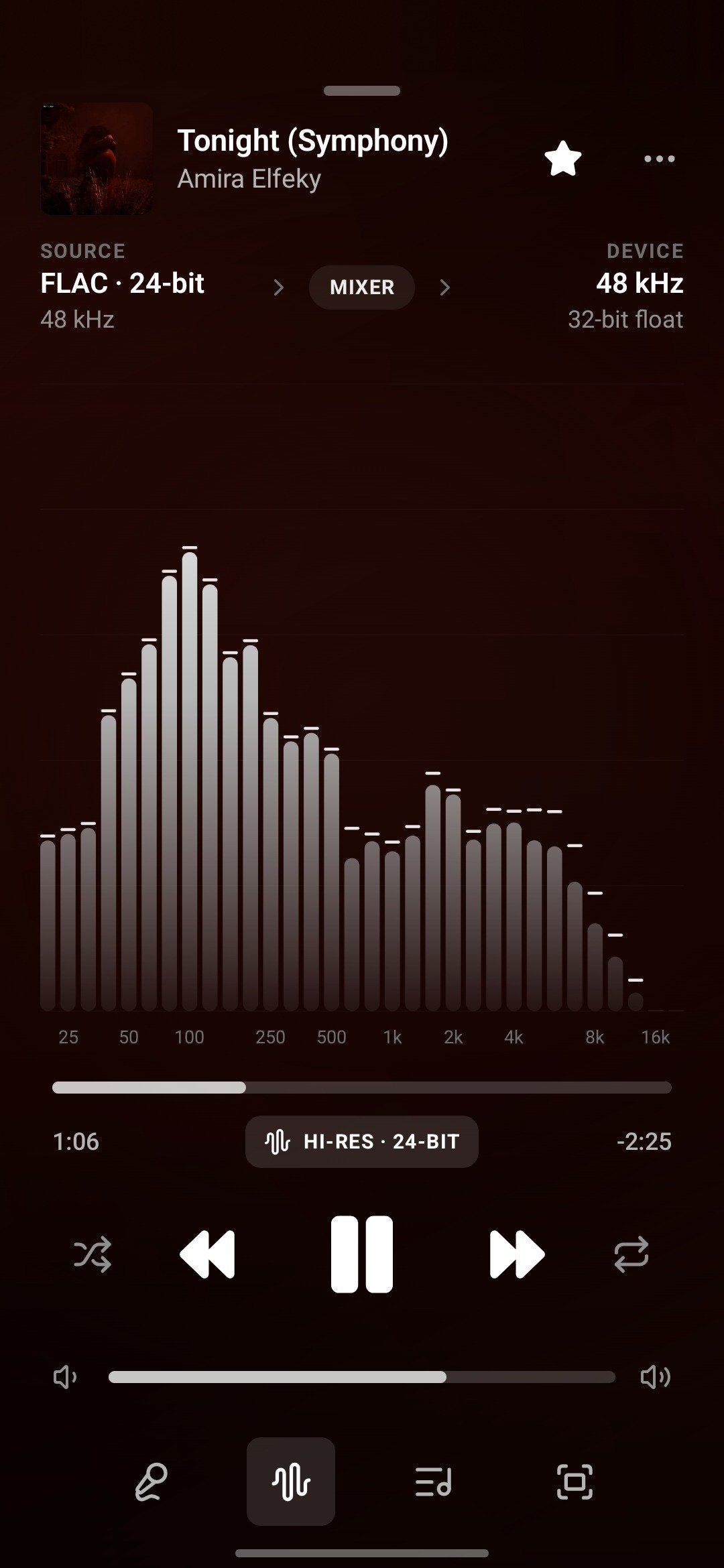
Tatsumi's Now Playing sheet: large artwork for Tonight (Symphony) by Amira Elfeky, a HI-RES 24-BIT badge, progress, transport and volume, and tabs for lyrics, analyzer, queue and full screen

Nothing between.

Your files. Your phone.

01

Songs, albums, artists. One tap to play.

  • Play or shuffle anything
  • Albums & artists from tags
  • Playlists, organized your way
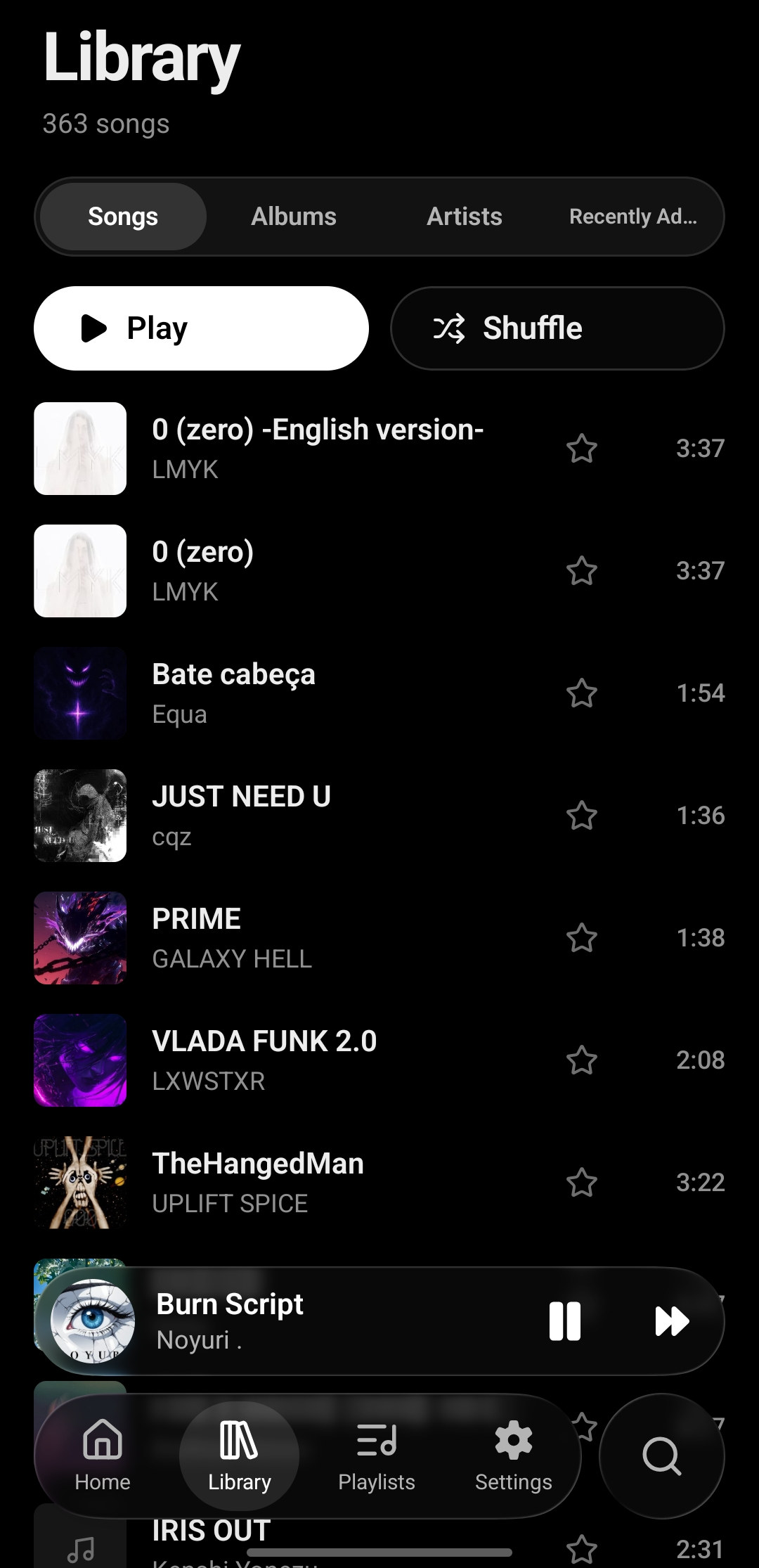
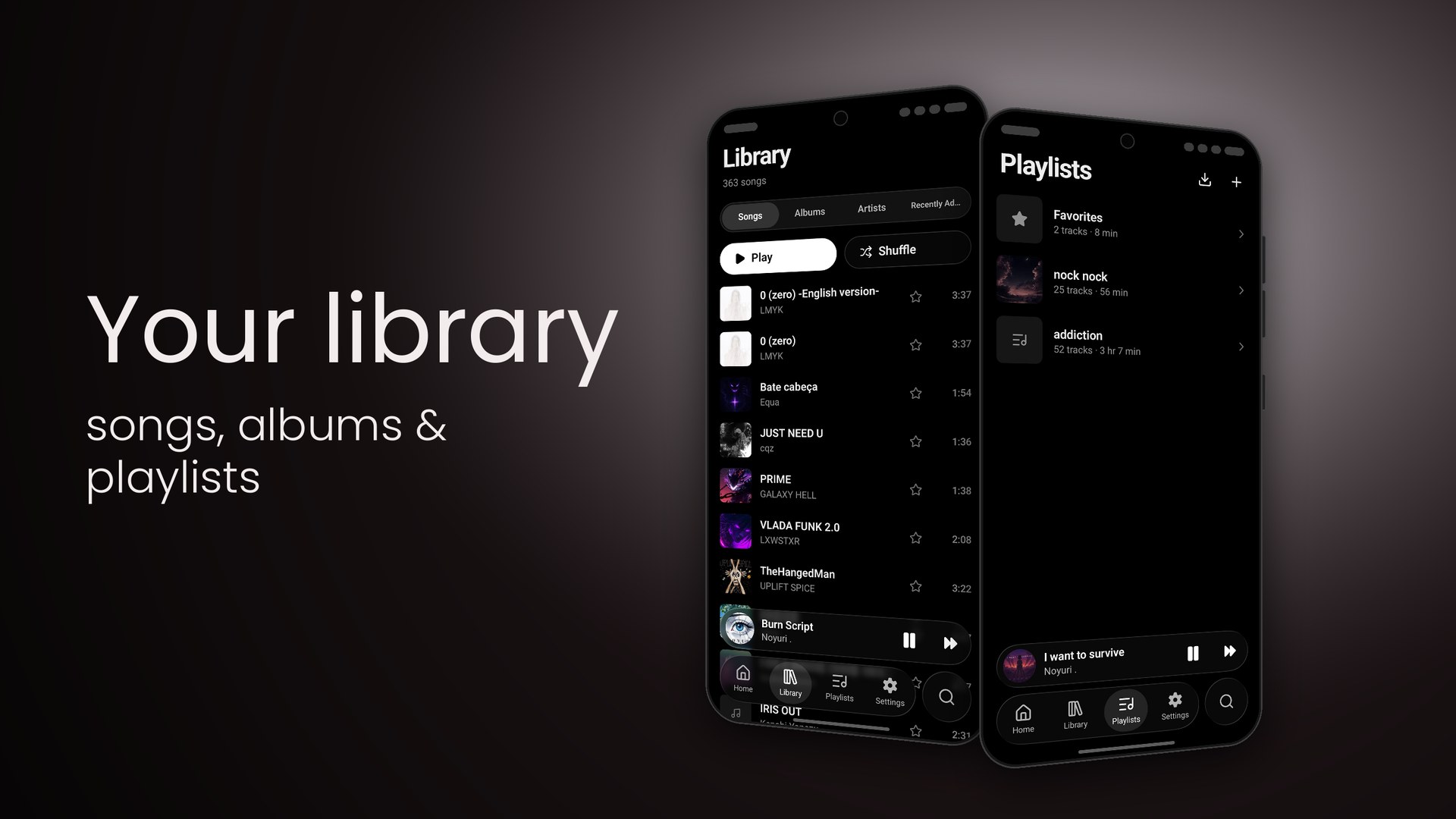
Tatsumi's Library on Android: 363 songs, Songs / Albums / Artists / Recently Added tabs, Play and Shuffle buttons and a track list with cover art, favourite stars and durations
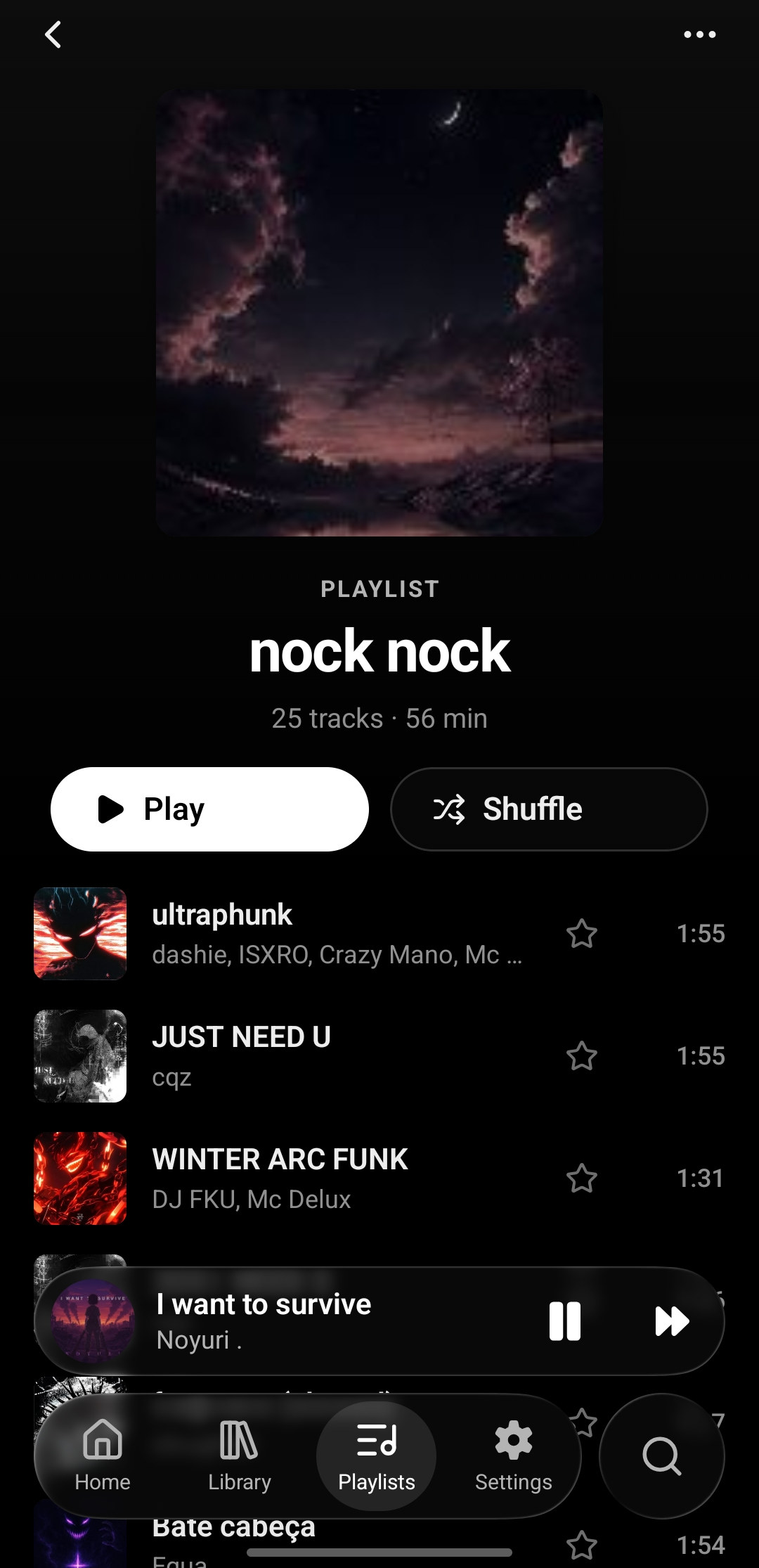
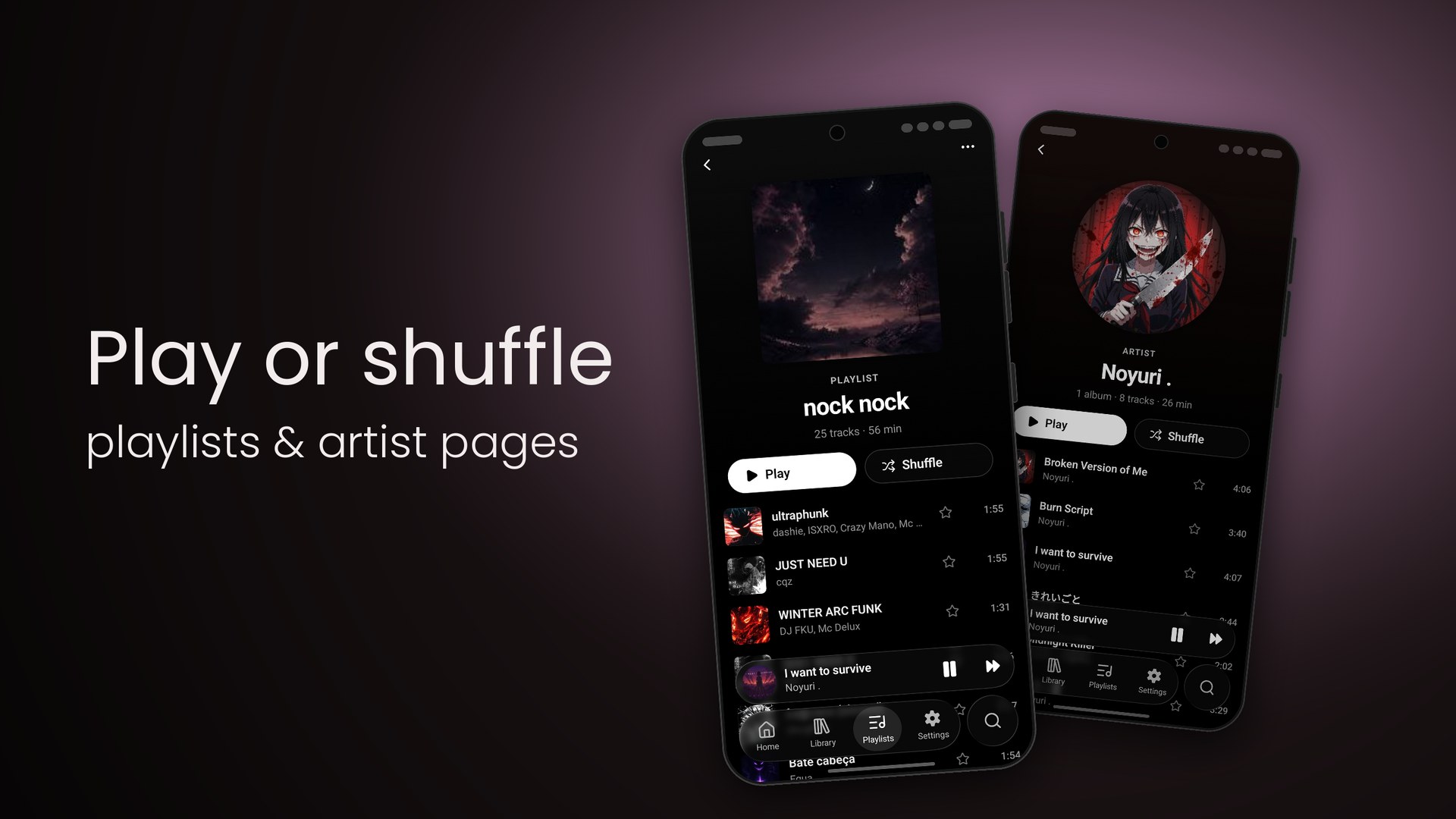
The playlist nock nock in Tatsumi: cover art, 25 tracks · 56 min, Play and Shuffle buttons and the track list beneath

02

On the phone. Or on the NAS.

  • Folders on the device
  • WebDAV · Nextcloud · NAS
  • Rescan when it changes
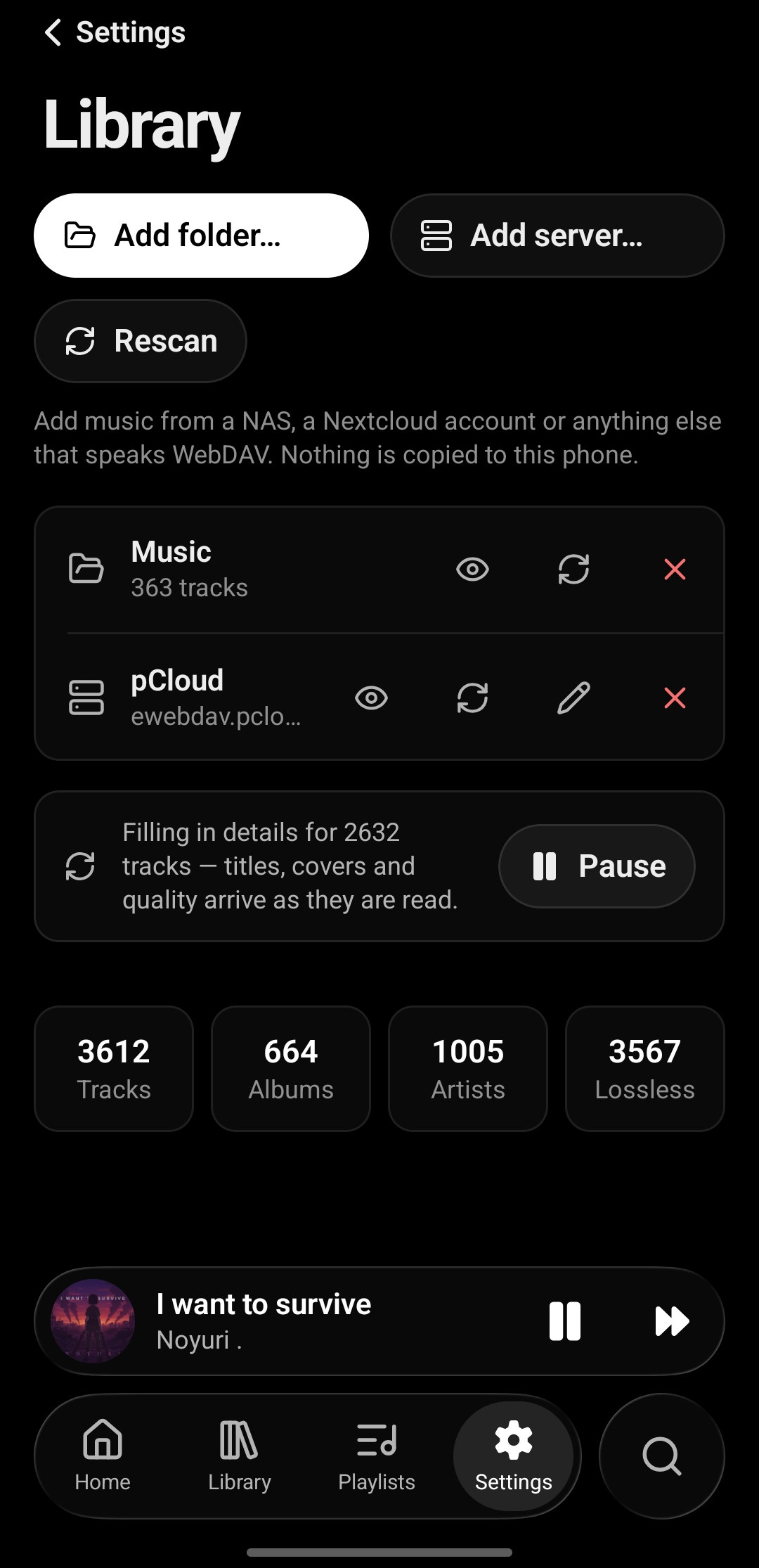
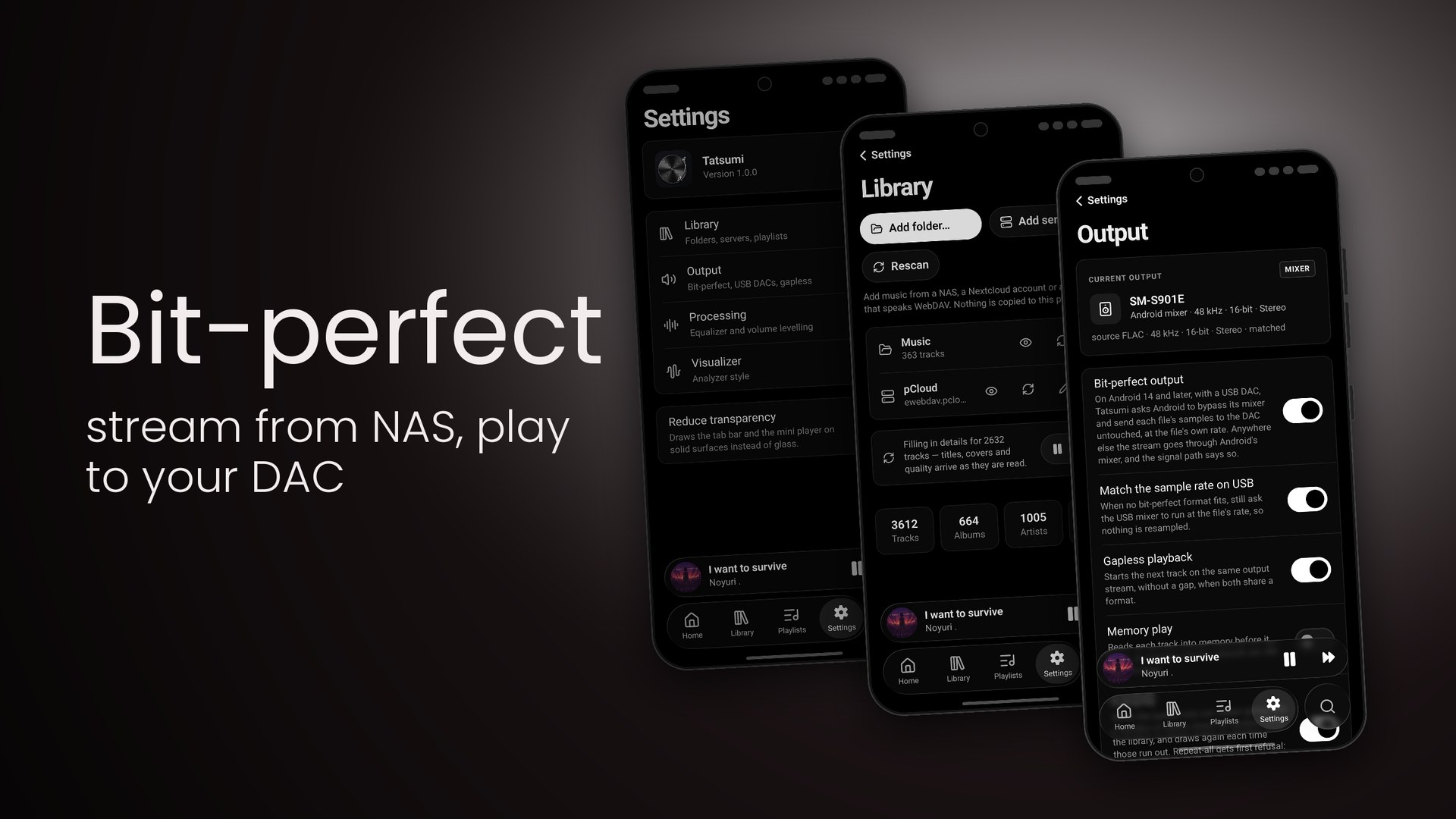
Tatsumi's Library settings on Android: Add folder and Rescan, a Music folder with 363 tracks and a pCloud WebDAV server as sources, and counters for tracks and albums
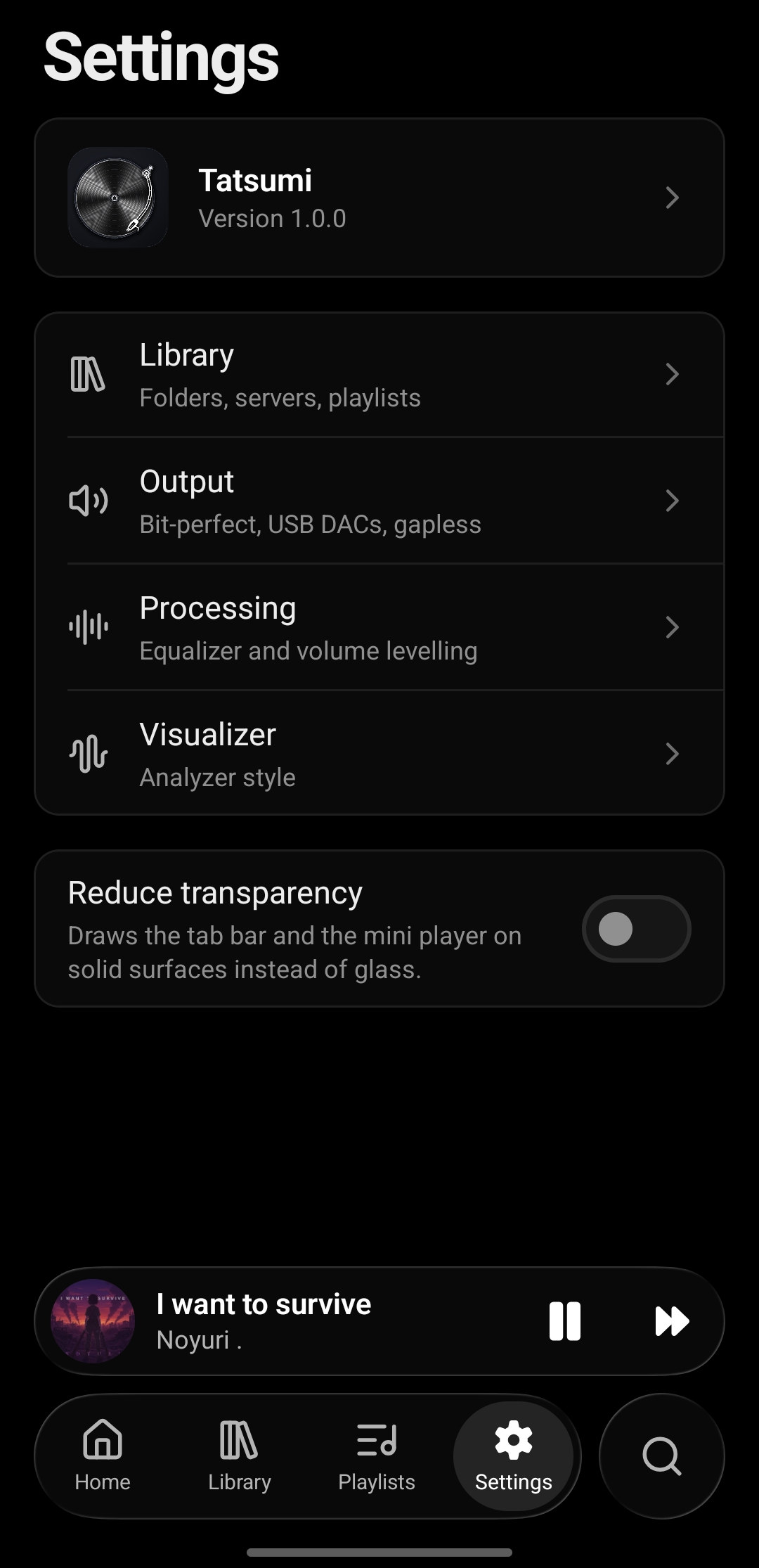
Tatsumi's Settings on Android: Library, Output, Processing and Visualizer sections and a Reduce transparency switch

03

48 kHz in. 48 kHz out. Untouched.

  • Signal path on screen
  • Bit-perfect USB · Android 14+
  • Gapless & memory play
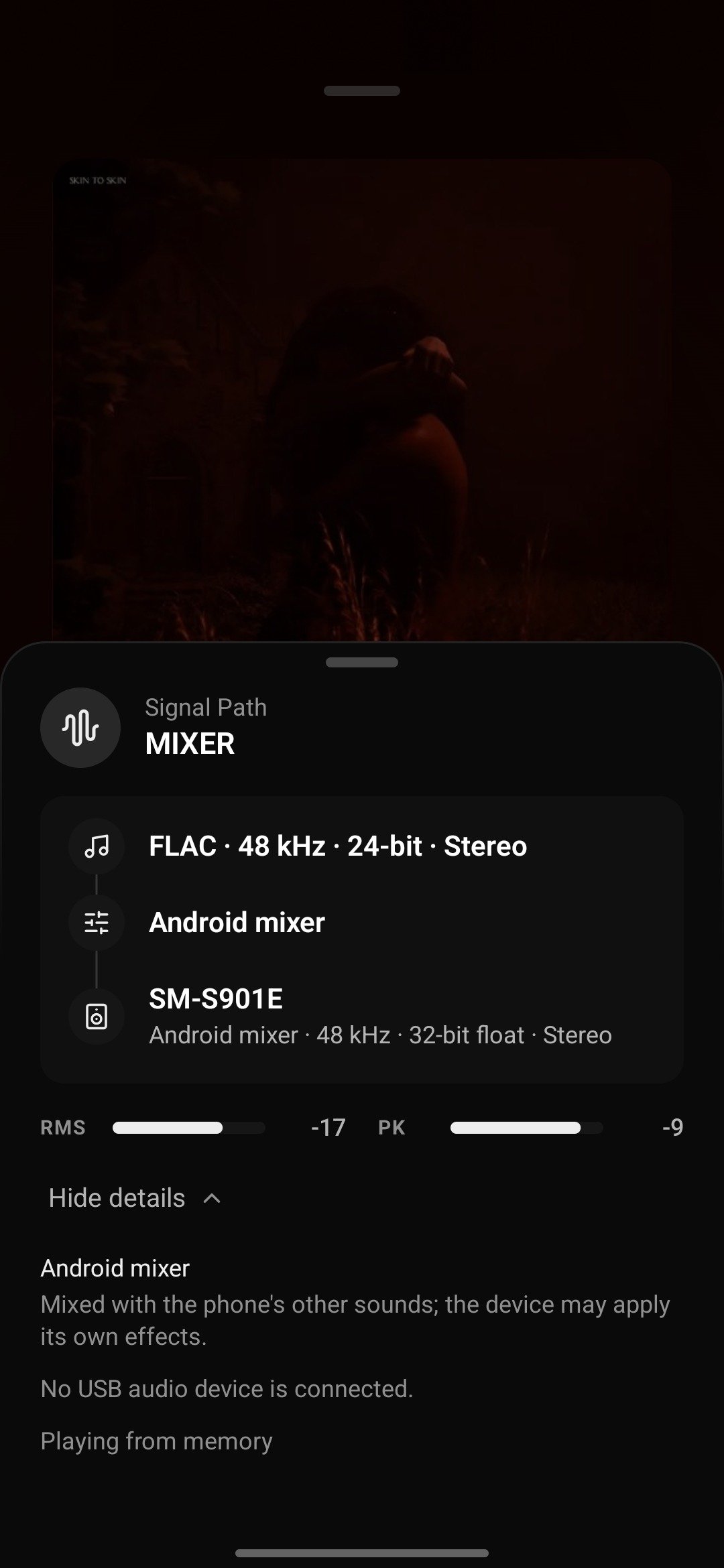
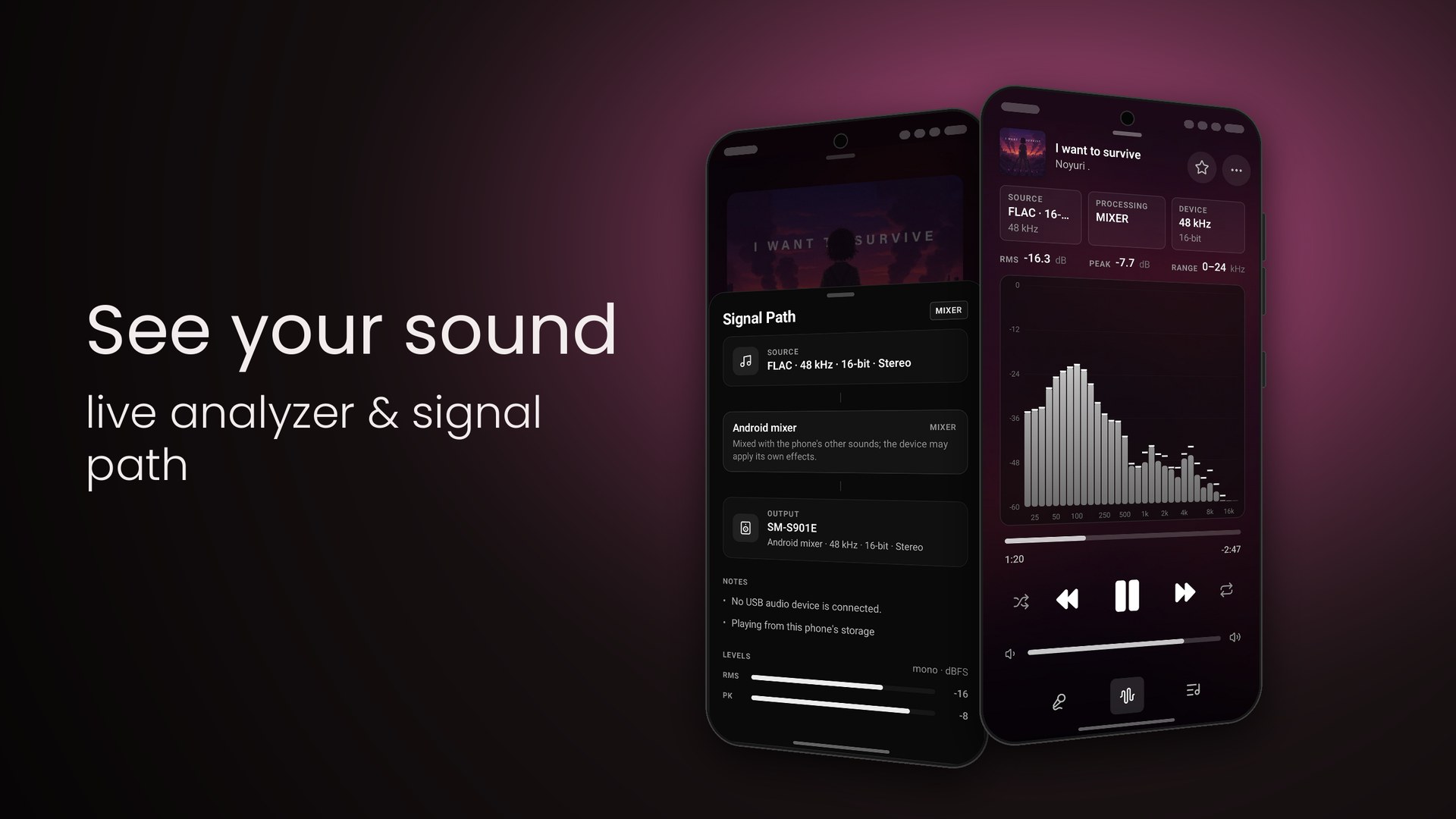
Tatsumi's Signal Path sheet on Android: Source FLAC 48 kHz 24-bit Stereo, the Android mixer stage, SM-S901E at 48 kHz 32-bit float, RMS and peak meters, and notes that no USB audio device is connected
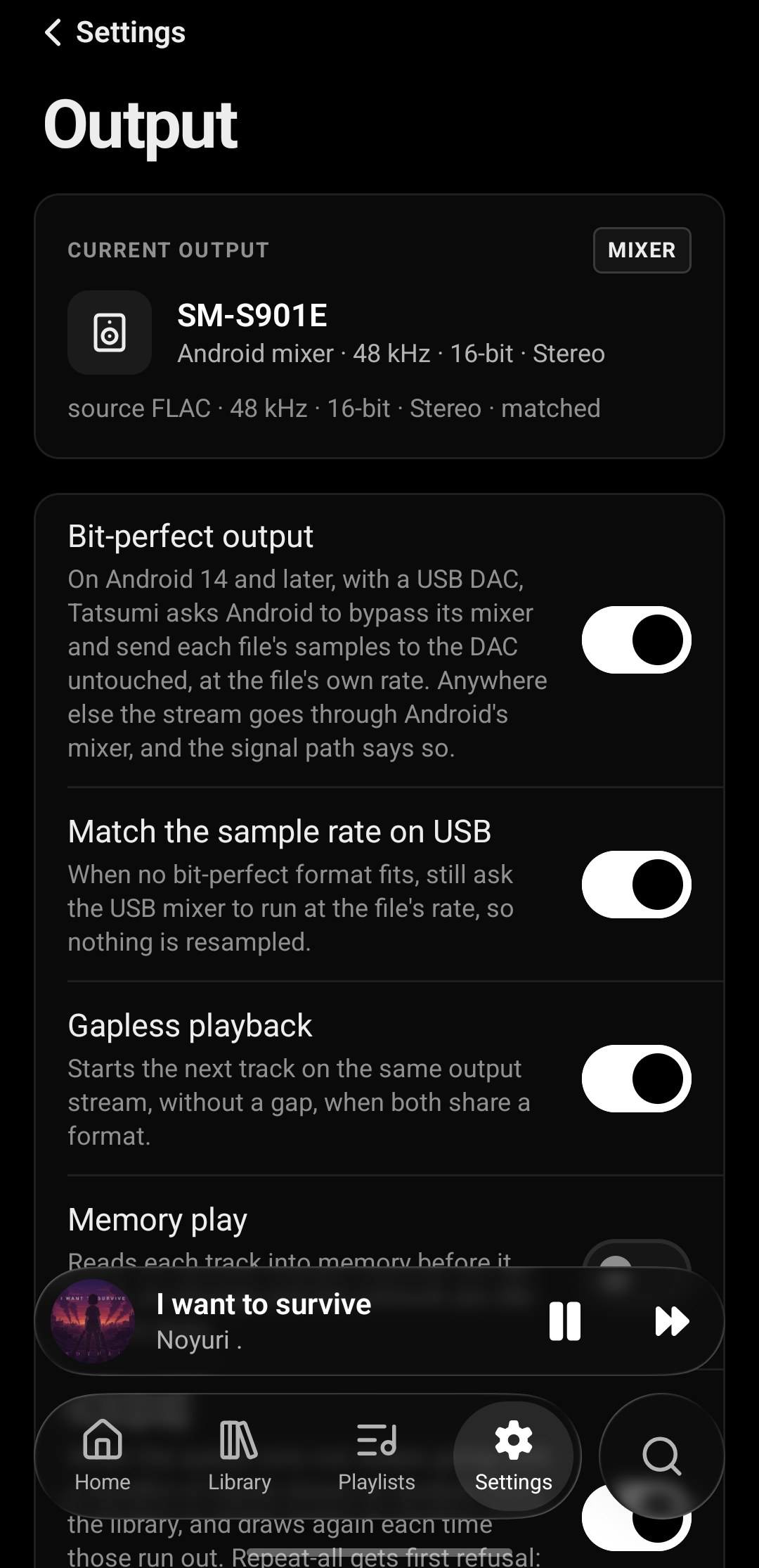
Tatsumi's Output settings on Android: the current output SM-S901E via the Android mixer at 48 kHz 16-bit, and switches for bit-perfect output over USB on Android 14 and later, matching the sample rate on USB, gapless playback and memory play

04

Make it yours.

  • 5 to 64 bands
  • Preamp & presets
  • Bars · Spectrum · Matrix
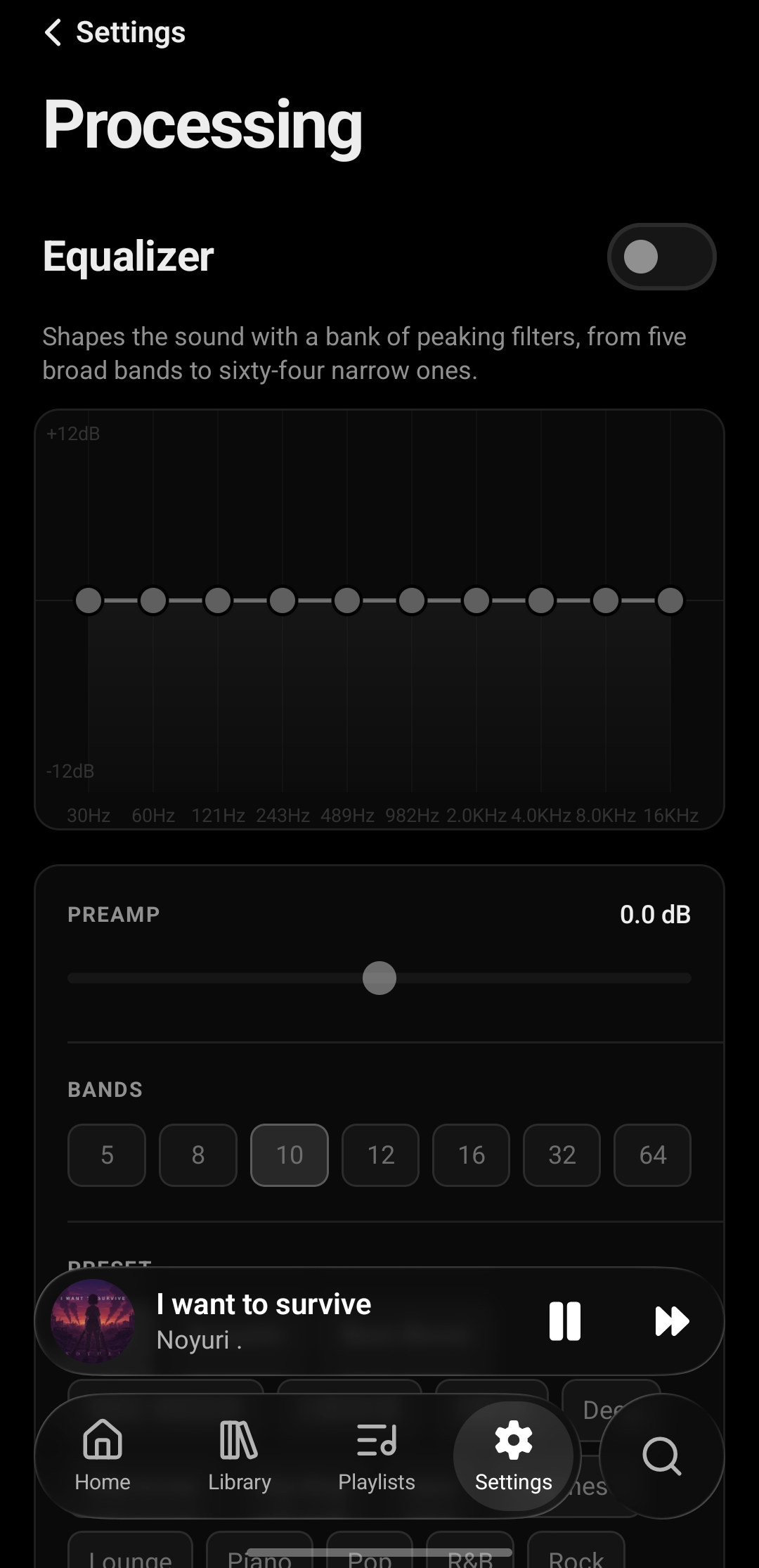
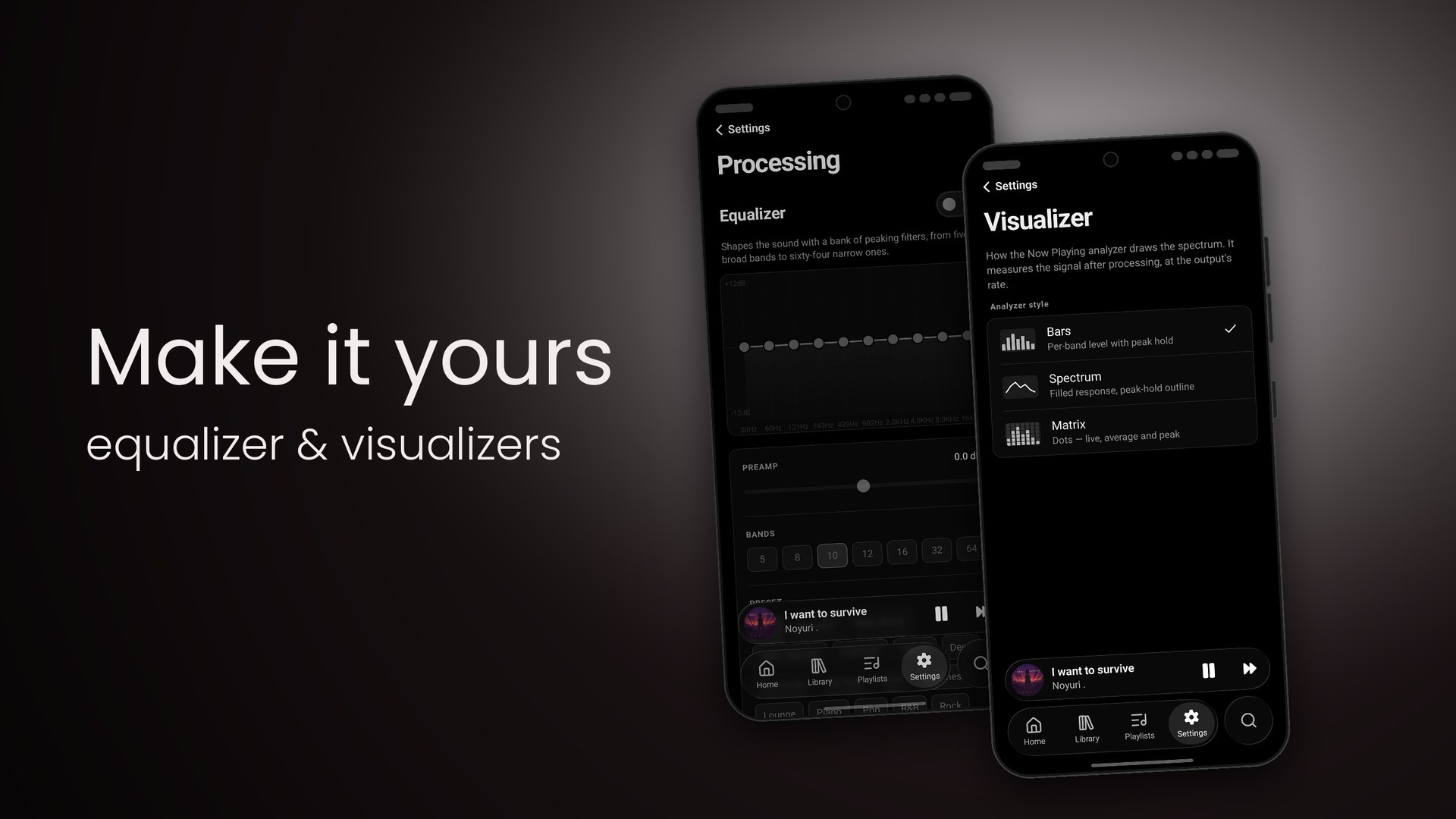
Tatsumi's Processing settings on Android: the Equalizer switch, a ten-band curve from 30 Hz to 16 kHz, a preamp slider, band-count choices from 5 to 64 and presets
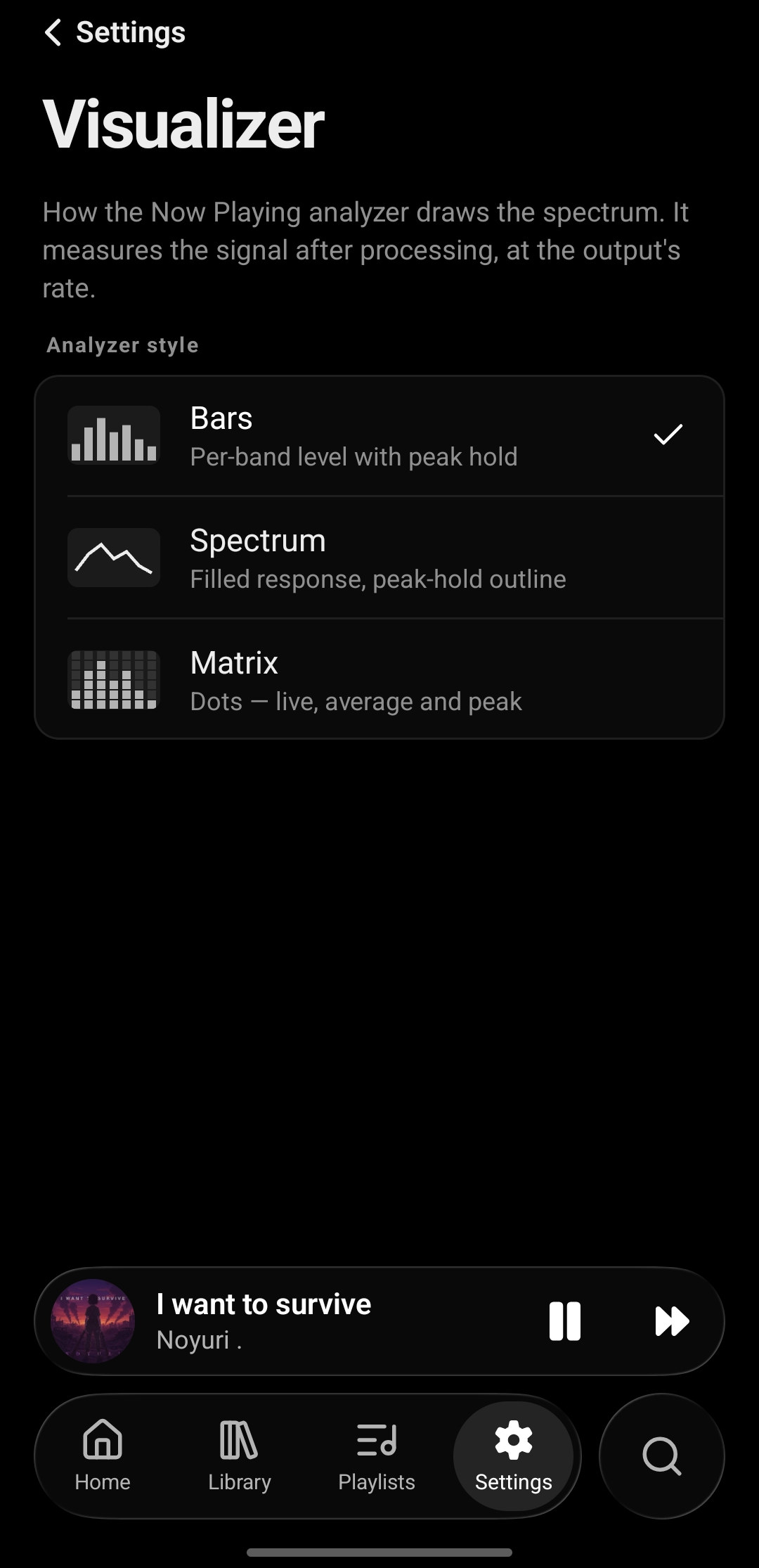
Tatsumi's Visualizer settings on Android: analyzer styles Bars, Spectrum and Matrix, each with a thumbnail and a one-line description

05

What's next. And what it is.

  • Shuffle · Repeat · Autoplay
  • History, one tap back
  • Format · sample rate · bit rate
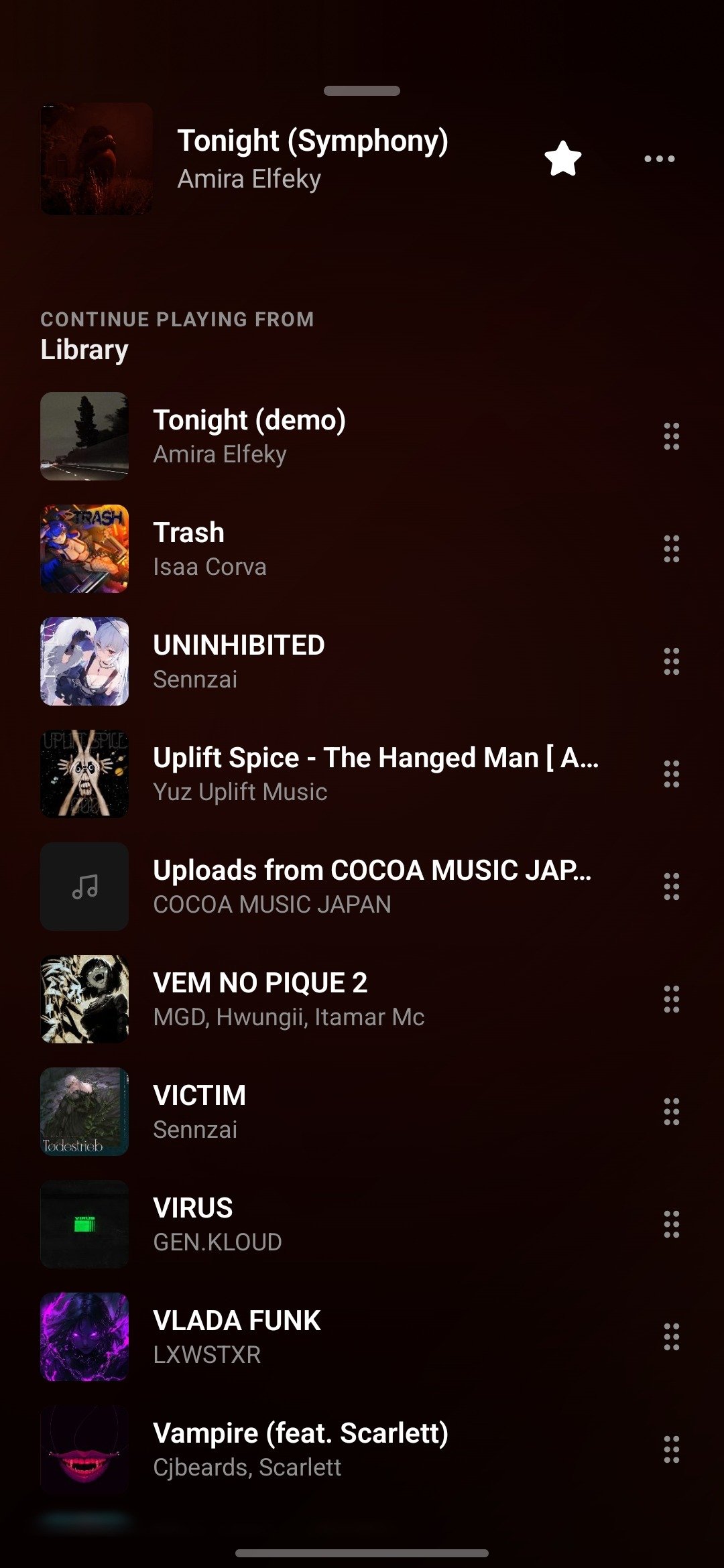
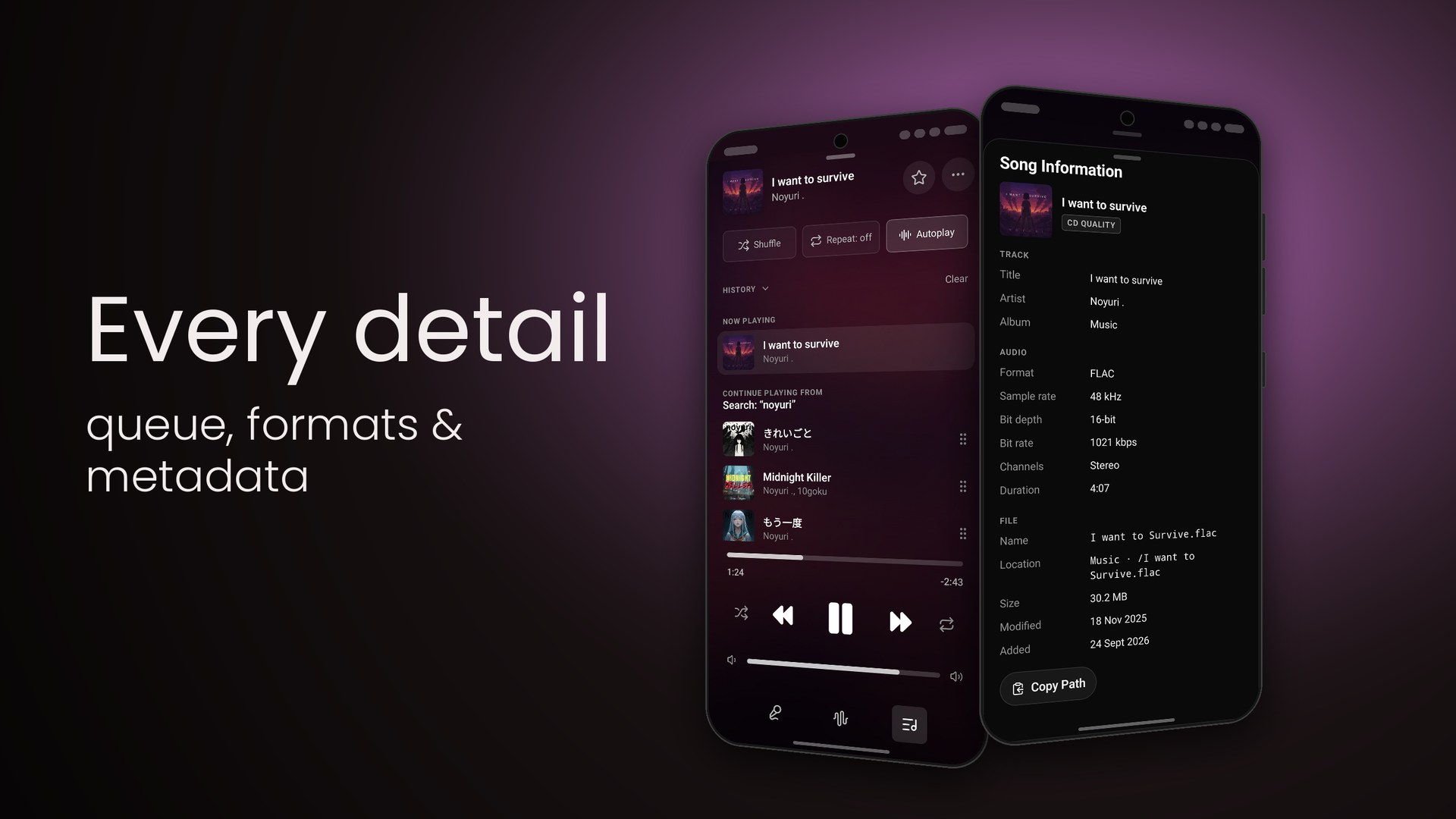
Tatsumi's queue on Android: the current song at the top and a Continue Playing From Library list with a drag handle on every row
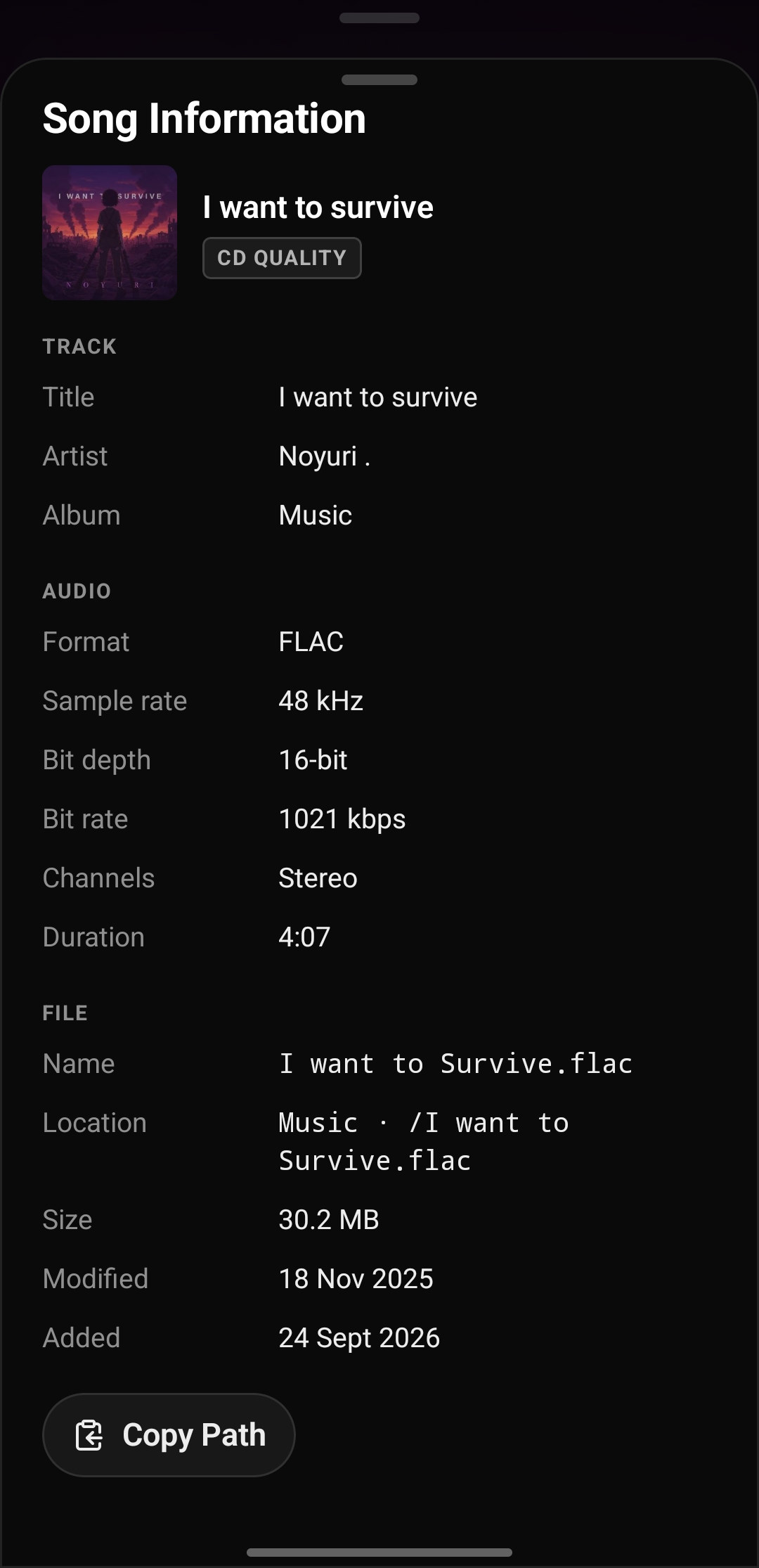
Tatsumi's Song Information sheet: I want to survive with a CD QUALITY badge, then title, artist and album, FLAC · 48 kHz · 16-bit · 1021 kbps · Stereo · 4:07, and the file's name, location, size and dates with a Copy Path button

As it appears on Google Play.

Swipe to browse →
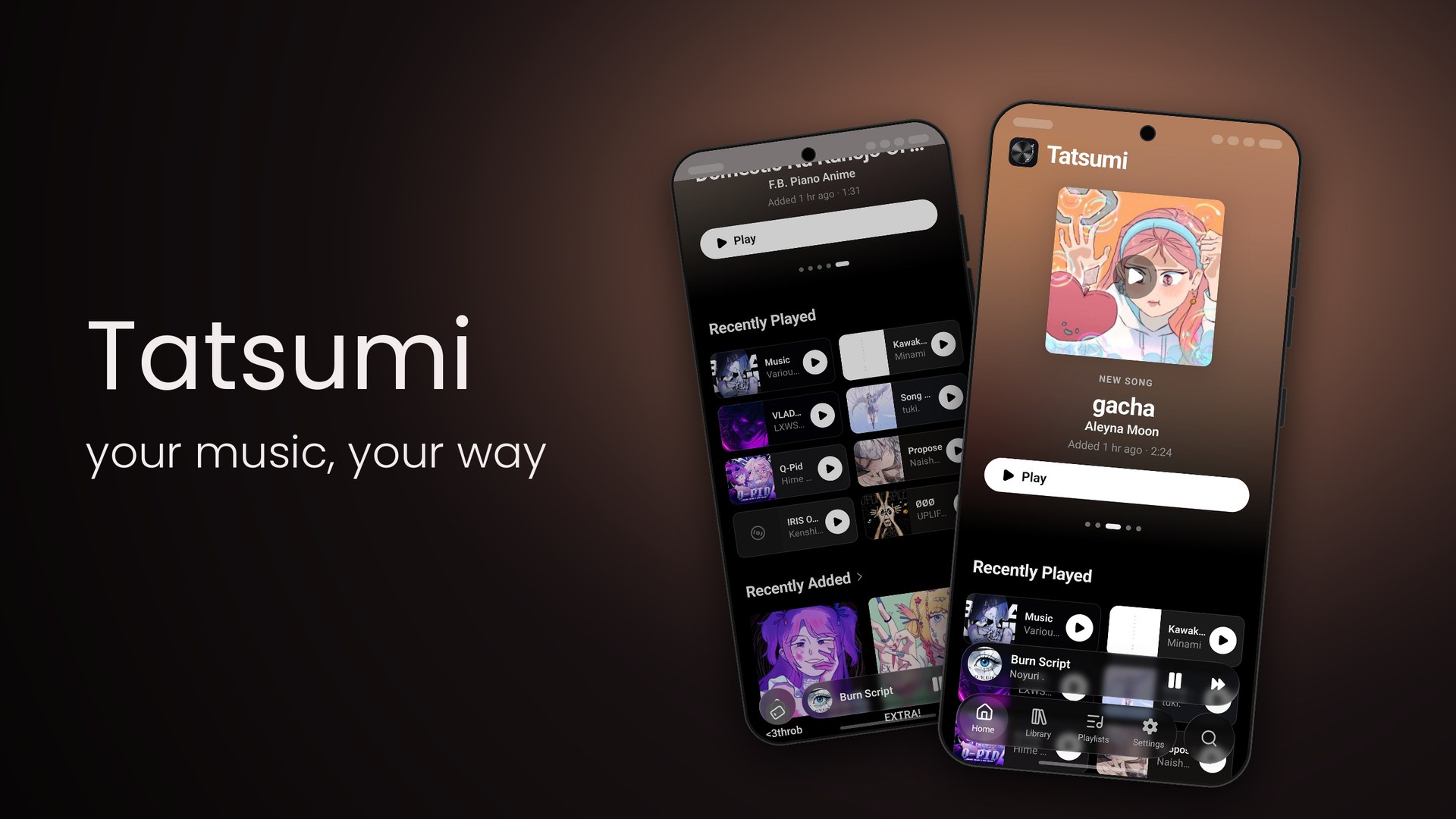
Google Play slide: Tatsumi — your music, your way, beside two phones showing the home screen and Recently Played
TatsumiHome · Recently Played
Google Play slide: Your library — songs, albums & playlists, beside the Library and Playlists screens
Your librarySongs · Playlists
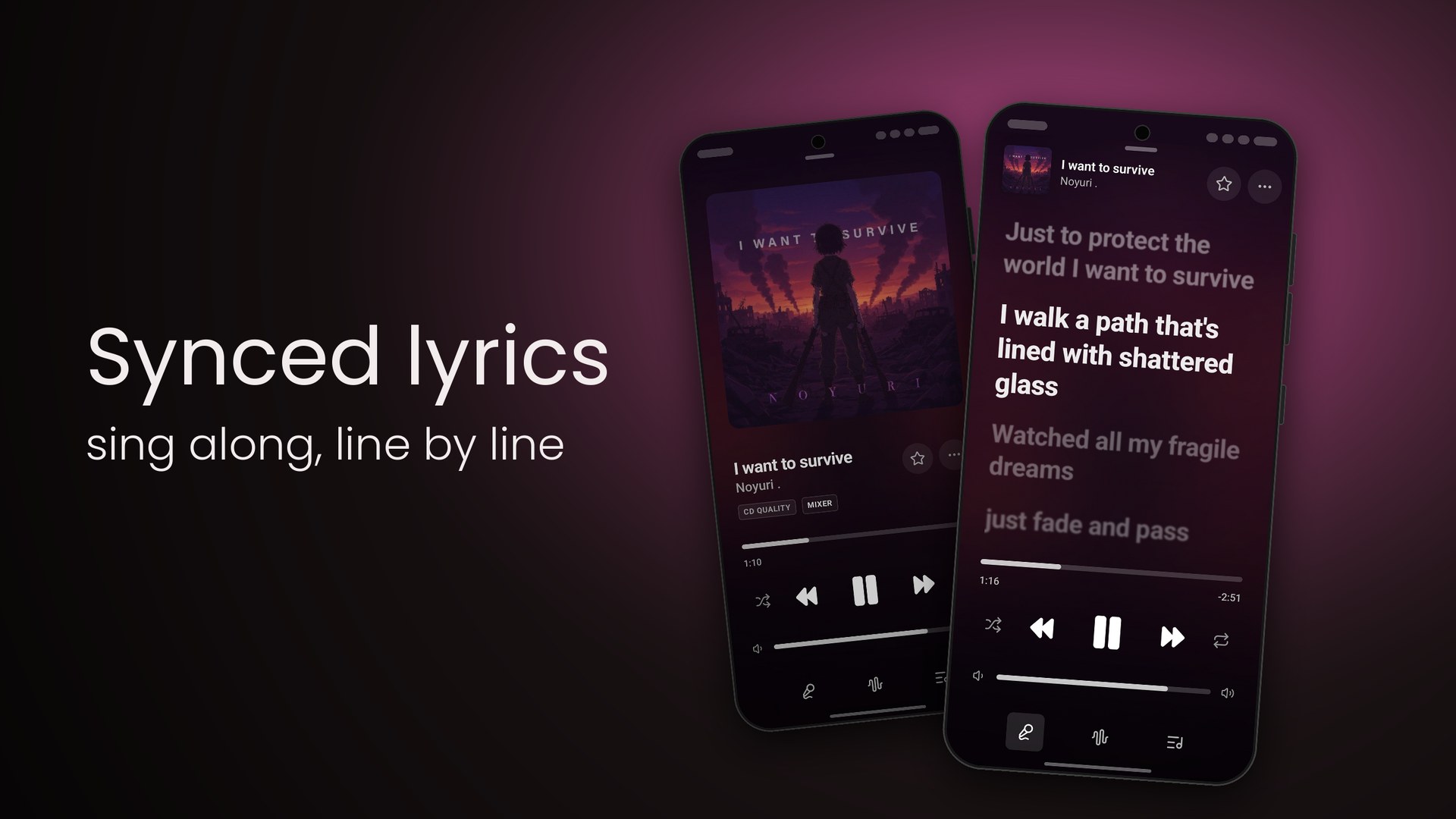
Google Play slide: Synced lyrics — sing along, line by line, beside the Now Playing artwork and the lyrics view
Synced lyricsNow Playing · Lyrics
Google Play slide: See your sound — live analyzer & signal path, beside the Signal Path sheet and the bar analyzer
See your soundSignal path · Analyzer
Google Play slide: Play or shuffle — playlists & artist pages, beside an artist page and a playlist
Play or shuffleArtist page · Playlist
Google Play slide: Every detail — queue, formats & metadata, beside the queue and the Song Information sheet
Every detailQueue · Song information
Google Play slide: Bit-perfect — stream from NAS, play to your DAC, beside the Settings, Library and Output screens
Bit-perfectSettings · Library · Output
Google Play slide: Make it yours — equalizer & visualizers, beside the Processing and Visualizer settings
Make it yoursEqualizer · Visualizer

On Google Play now.

Tatsumi for Android is live. Your library, your DAC, your pocket.