
Adaptive Lyrics
Lyrics for every player.
Word- and line-synced lyrics for whatever is playing on your desktop, in any player — with translations, romanization, custom sources, and timing saved per song. Free for macOS and Windows.
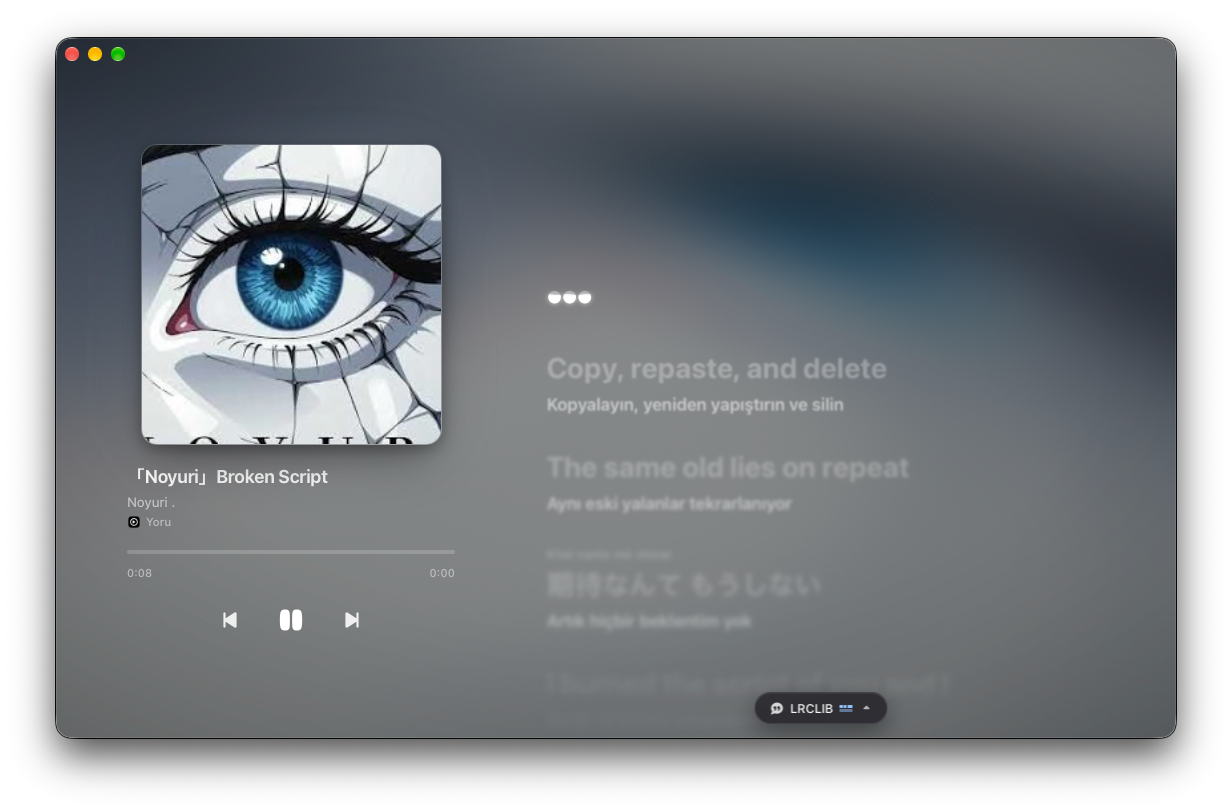
Lit word by word.
Follow every syllable as it’s sung with a smooth progressive glow, or drop cleanly into line-by-line sync and instrumental break cues when a track provides them.
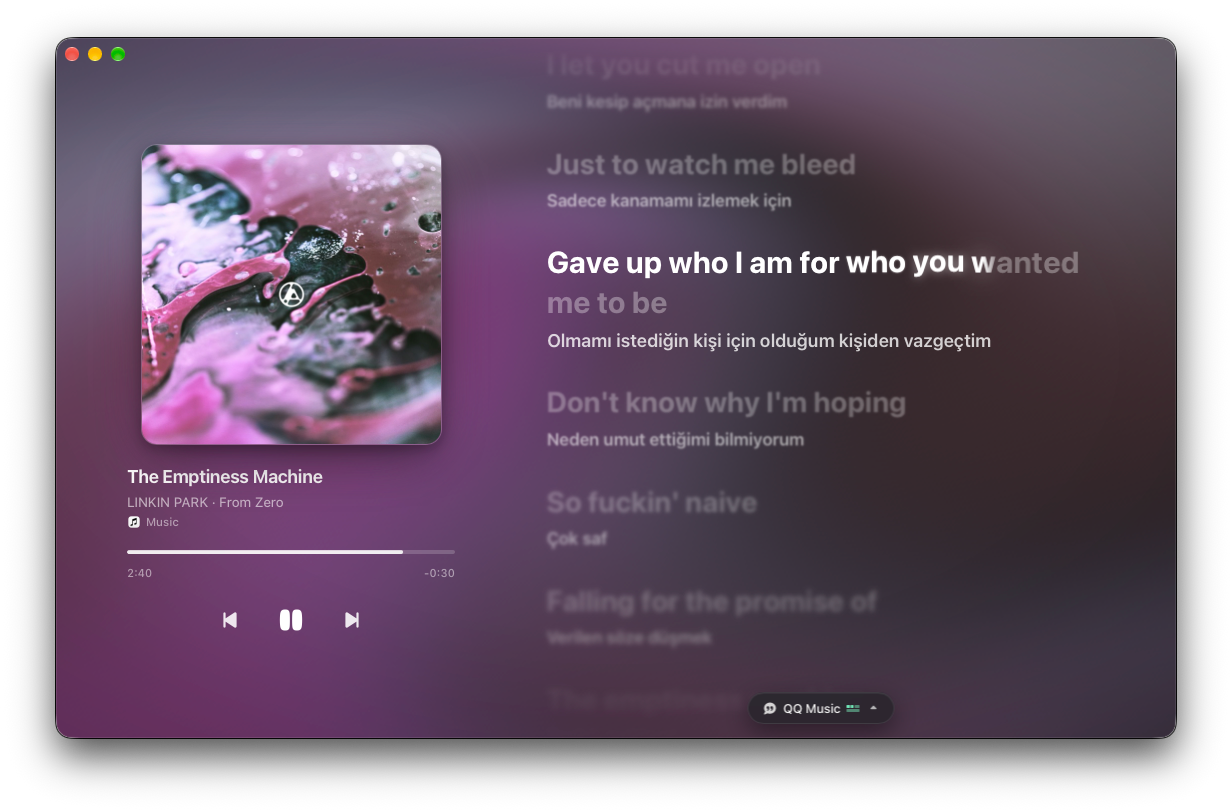
One menu for everything.
Switch lyric sources, toggle translations in your language, show romanization, nudge per-song timing by tenths of a second, or jump to write and search lyrics — all from the bottom pill.
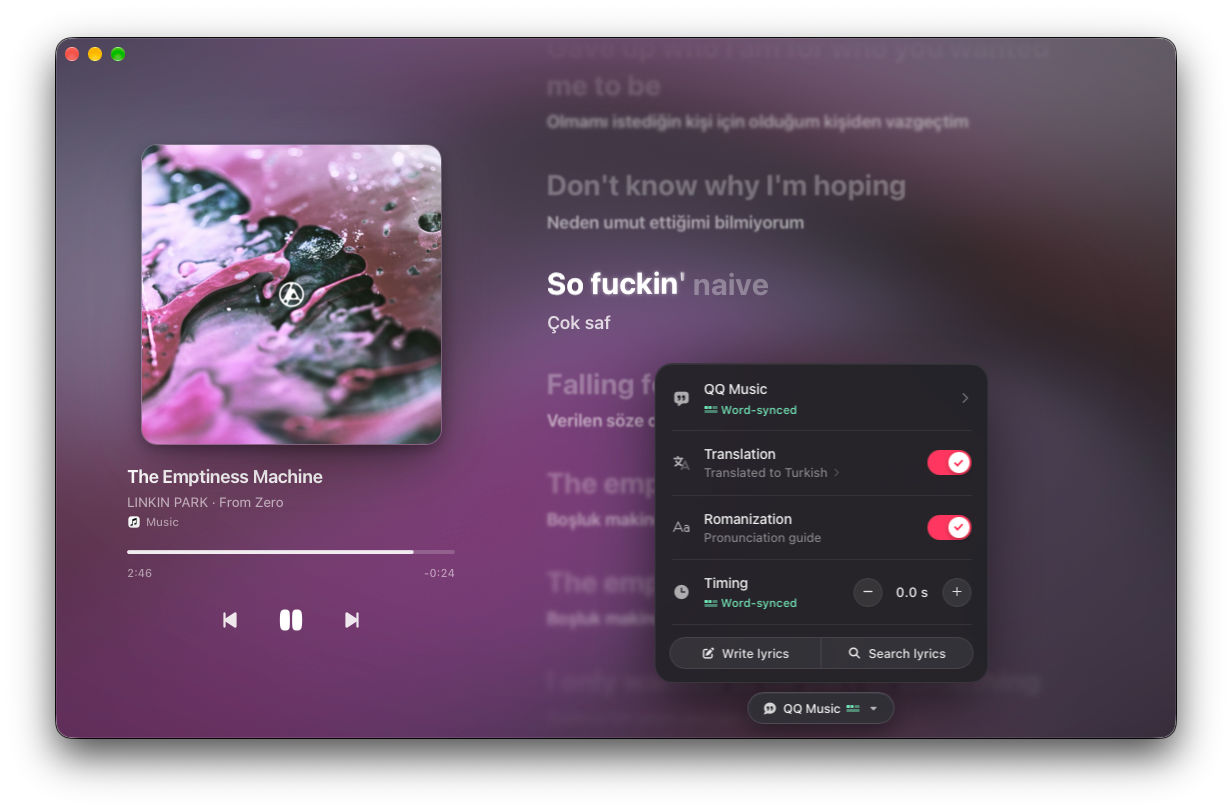
Sources & search
Find the right lyrics. Or bring your own.
Auto-matched per track, searchable across built-in providers, or extended with any custom endpoint.
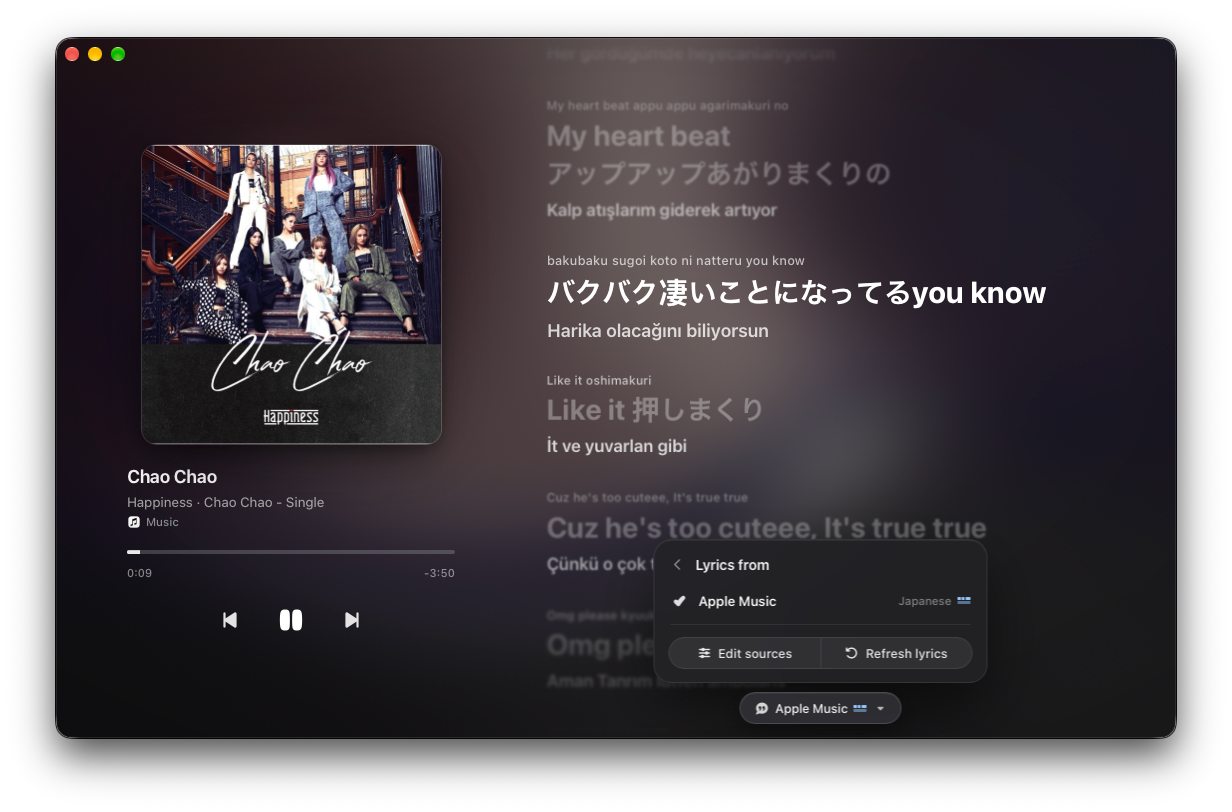
01 · Auto-match
Matched as soon as you press play.
Adaptive Lyrics grabs the best synced match automatically — with romanization and translation ready — and lets you switch providers or refresh straight from the Lyrics from menu.
02 · Search
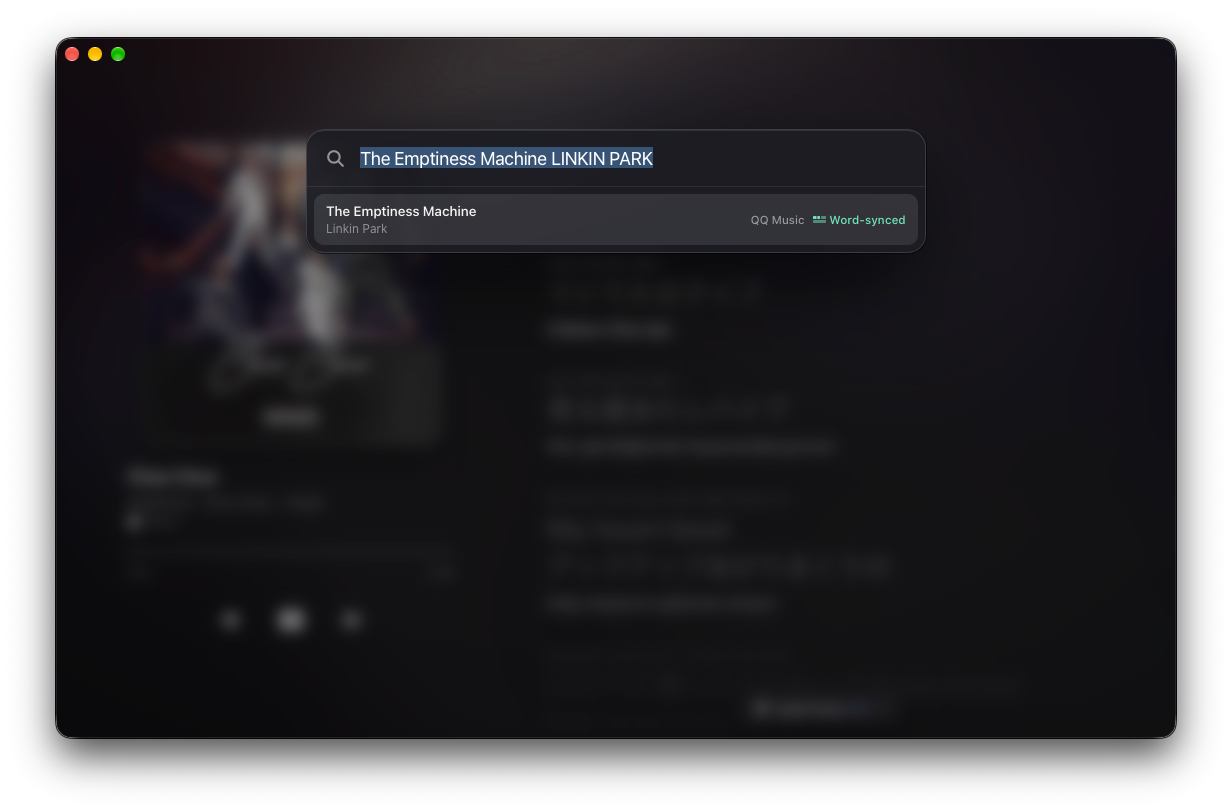
Wrong version? Search every source.
Open Search lyrics and the playing title and artist are prefilled. Pick from matched results tagged with their source and sync precision.
03 · Providers
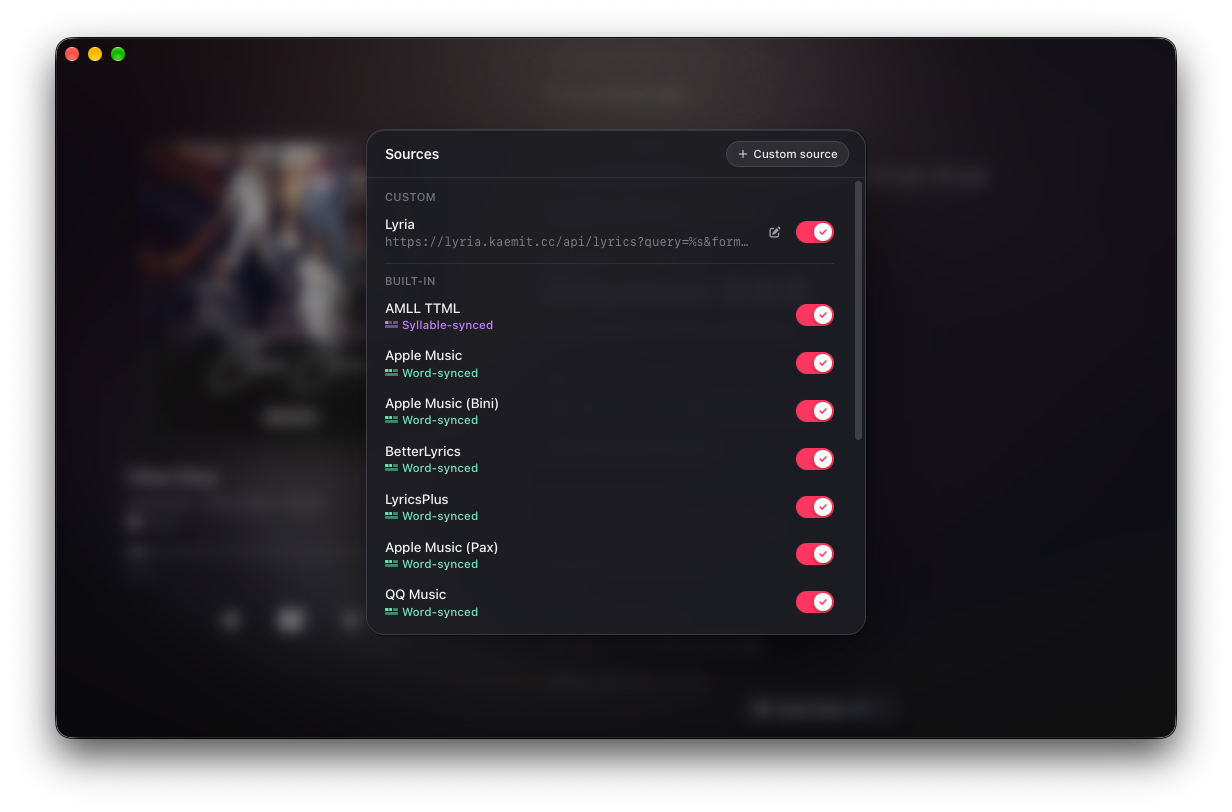
Enable only the sources you trust.
Toggle built-in sources — AMLL TTML, Apple Music, BetterLyrics, LyricsPlus, QQ Music, LRCLIB, and more — alongside your own custom providers.
04 · Custom API
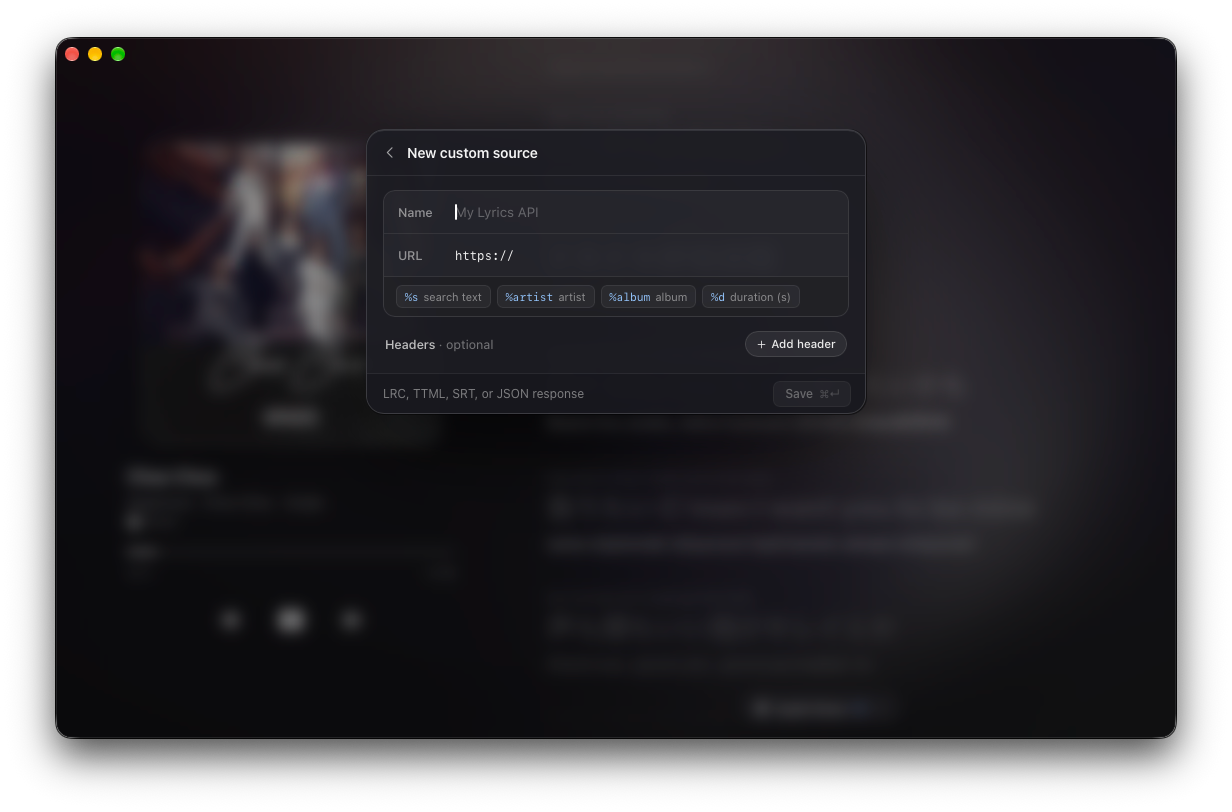
Plug in any lyrics API.
Define custom endpoints with %s, %artist, %album, and %d placeholders plus optional headers — supporting LRC, TTML, SRT, and JSON responses.
Copy & edit
Copy a line, or rewrite the whole song.
Copy & edit
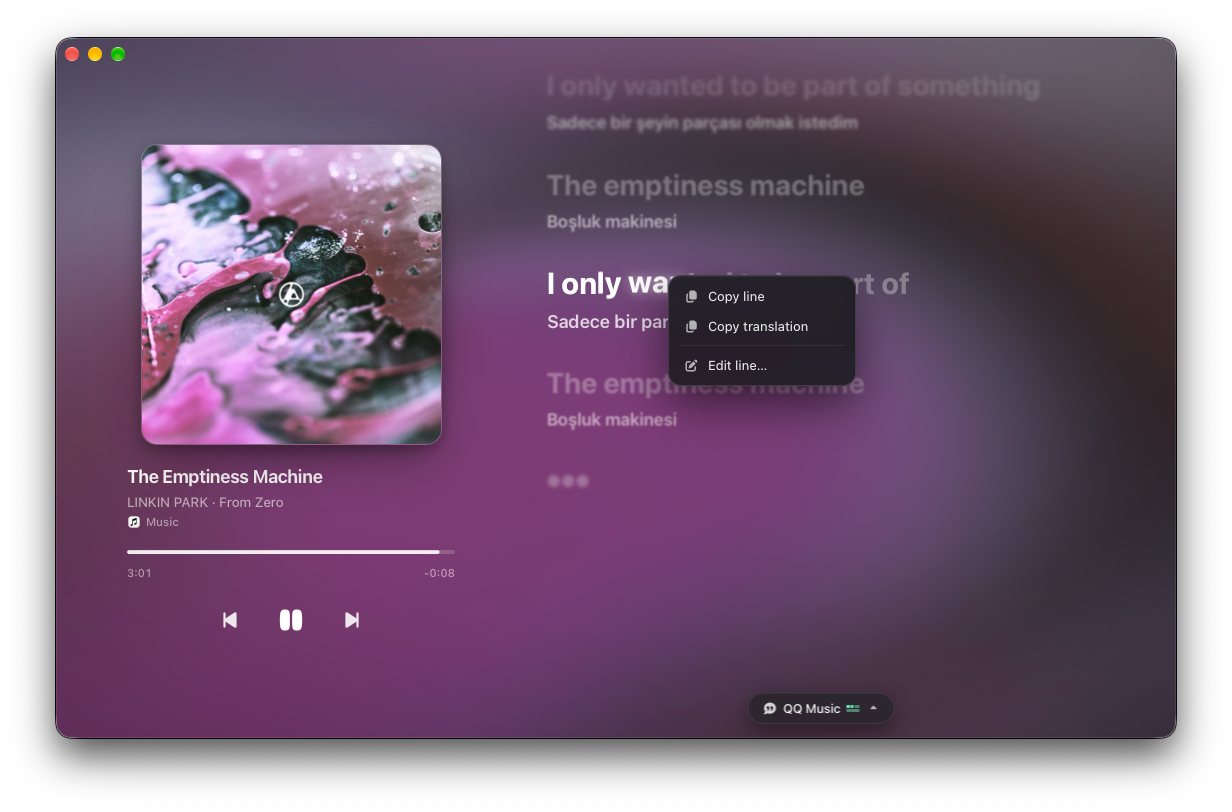
Right-click any line to copy or fix it.
Copy the original lyric, grab its translation in one click, or open the line editor straight from the context menu.
Tweak a single line and its translation.
Spot a typo or want a cleaner translation? Edit just that timestamped line and save without touching the rest of the track.
Or rewrite the entire timed script.
Open Write lyrics to inspect and edit every LRC line, <mm:ss.xx> word timestamp, and paired translation across the whole song.
01 / 03
01 / 03
Right-click any line to copy or fix it.
Copy the original lyric, grab its translation in one click, or open the line editor straight from the context menu.
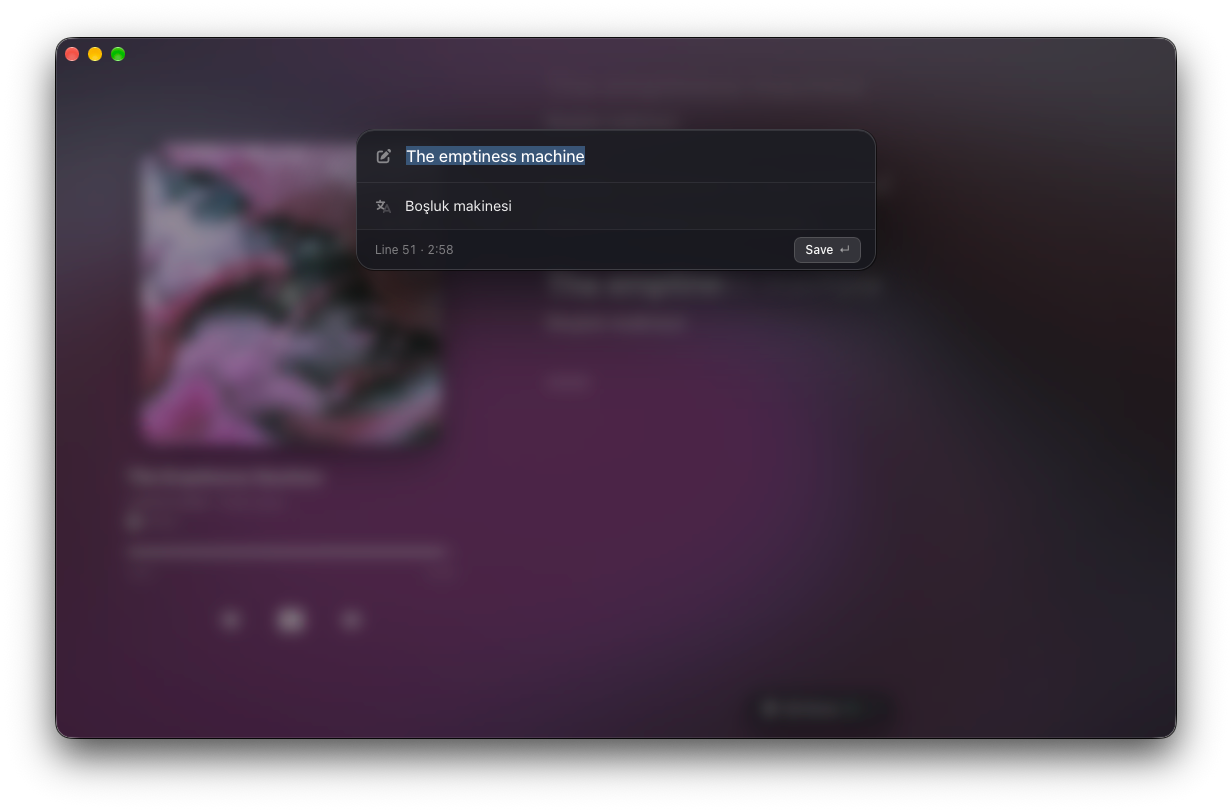
02 / 03
Tweak a single line and its translation.
Spot a typo or want a cleaner translation? Edit just that timestamped line and save without touching the rest of the track.
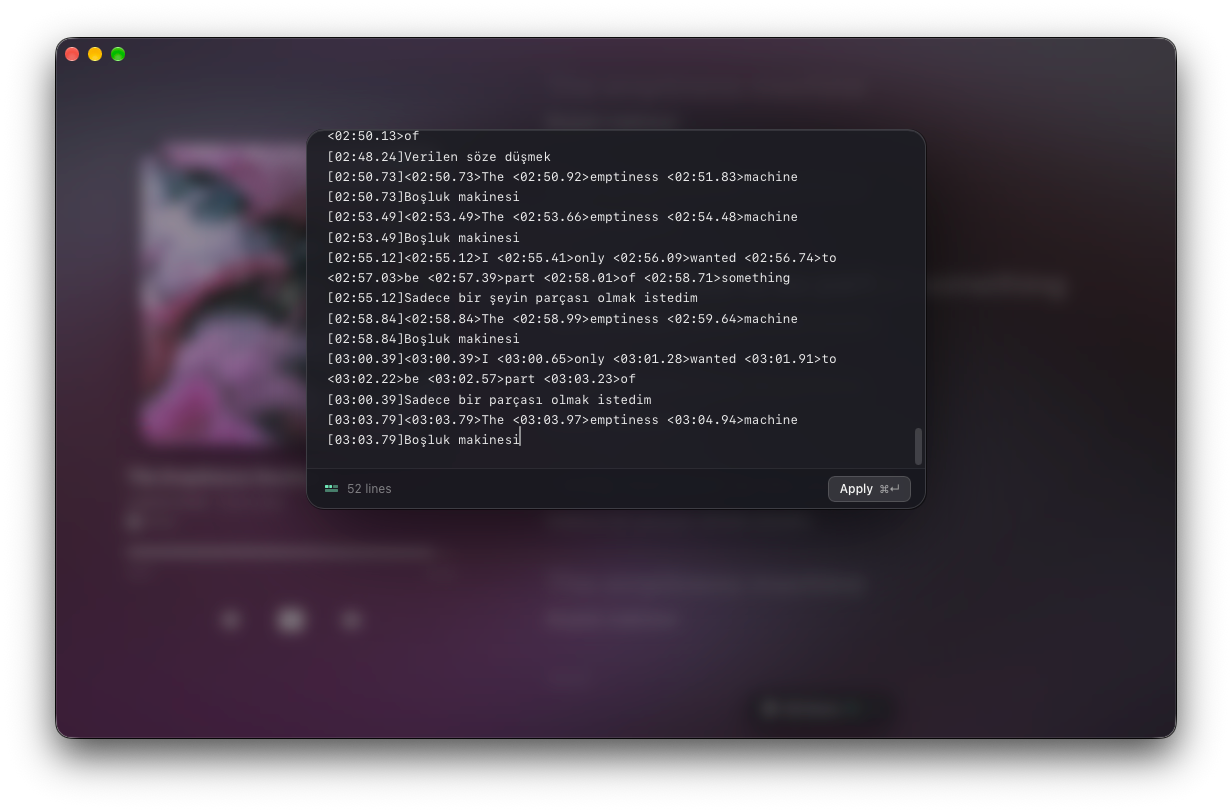
03 / 03
Or rewrite the entire timed script.
Open Write lyrics to inspect and edit every LRC line, <mm:ss.xx> word timestamp, and paired translation across the whole song.
Then let it fill the screen.
Go full screen over fluid blurred artwork with romanization and translation centered — keep a subtle track badge or fade every control away for pure lyrics.


Every player. Every word. Free.
- Every player
- Follows whatever is playing on your desktop and shows which player it detected — no plugin per app.
- Word & syllable sync
- A smooth glow follows each sung word or syllable in real time, with clean line sync and instrumental cues.
- Translation & romanization
- A translated line in your language under every lyric, alongside a pronunciation guide above.
- Unified quick menu
- Switch sources, toggle translation or romanization, nudge timing, or open editors right from the bottom pill.
- Built-in & custom sources
- Includes AMLL TTML, Apple Music, BetterLyrics, LyricsPlus, QQ Music, and LRCLIB — plus custom LRC, TTML, SRT, or JSON APIs.
- Instant source search
- Search every source with the playing track prefilled, or swap matches directly from the Lyrics from menu.
- Per-song timing sync
- Nudge lyrics earlier or later in 0.1 s steps from the quick menu, with offsets saved per song.
- Copy & full editing
- Right-click to copy a line or translation, fix a single line in place, or edit raw LRC and word timestamps.
- Dual immersive views
- Full-screen blurred artwork with either subtle track and source pills or completely HUD-free lyrics.
Bring synced lyrics to every player you use.
Adaptive Lyrics is free for macOS and Windows.