
Generate captions, split the stems.
A desktop subtitle and audio workspace. AI speech-to-text, stem separation, word-level karaoke sync, and canvas subtitle transforms — built for speed and precision.
The whole workspace, view by view.
Open a file, run a caption pass, and split the mix into stems — all in one window.
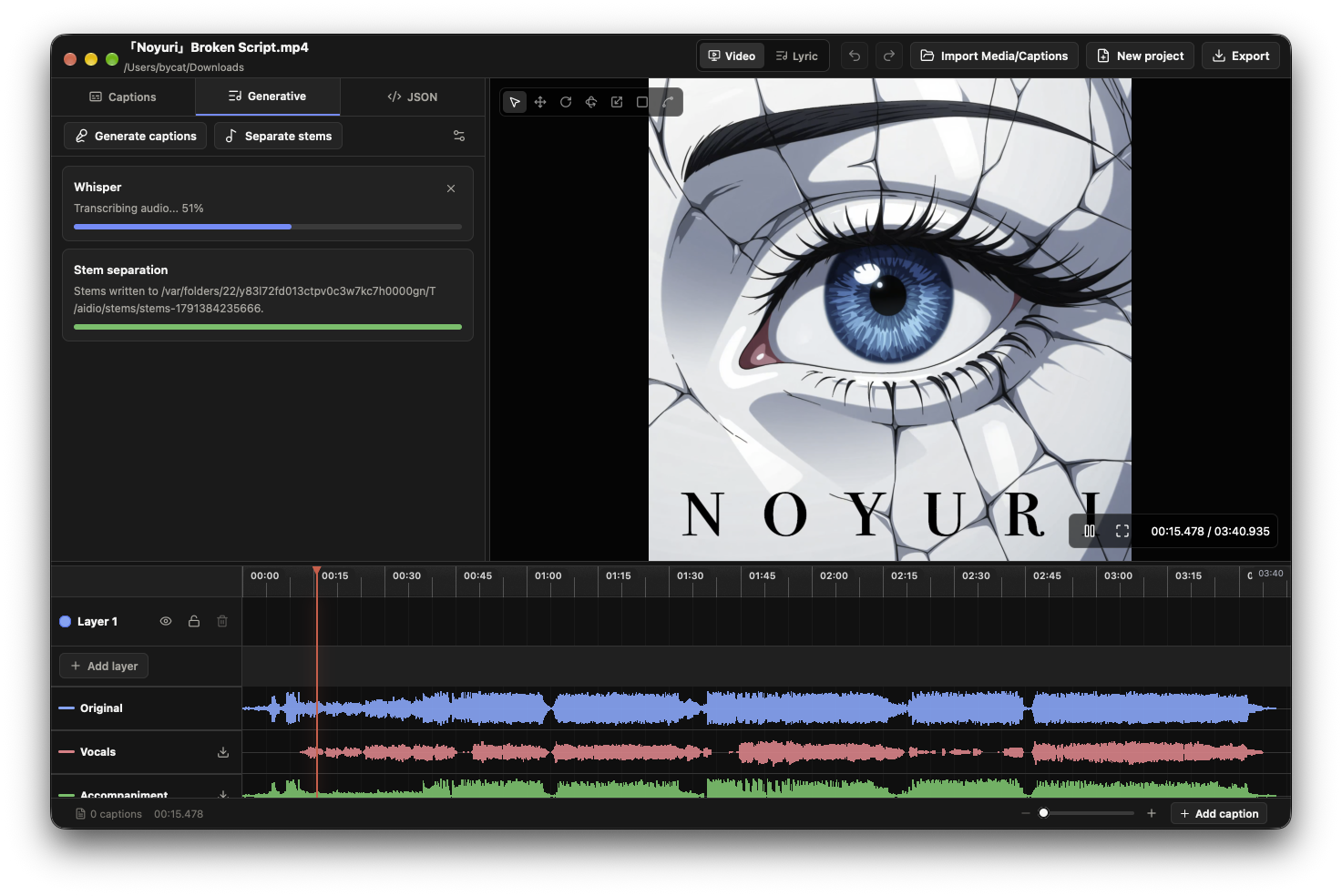
Edit like a video editor.
Drag, trim and split cues against the waveform, so you can see exactly where speech starts and ends. Zoom stays anchored to the playhead while you make small adjustments.
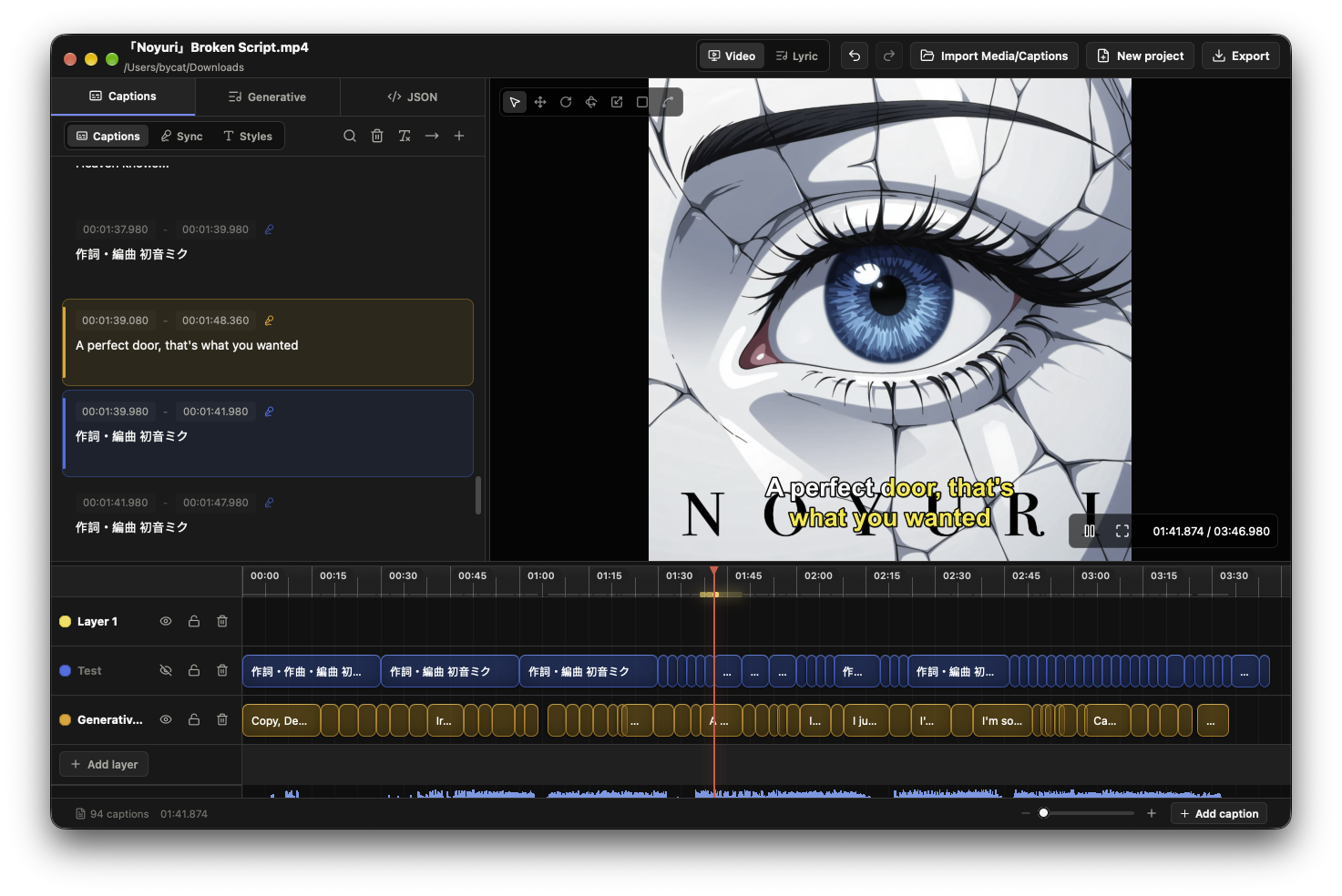
Land every word on the beat.
Most editors treat a whole sentence as one block. Aidio times each word — tap along as the track plays, then nudge the boundaries until they sit right.
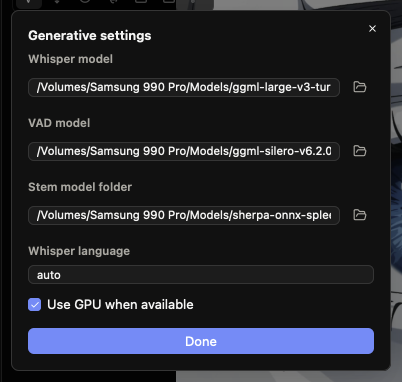
Bring your own models.
Point Aidio at the Whisper, VAD and stem-separation models you want, pick a language or let it detect one, and run on the GPU when it is available.
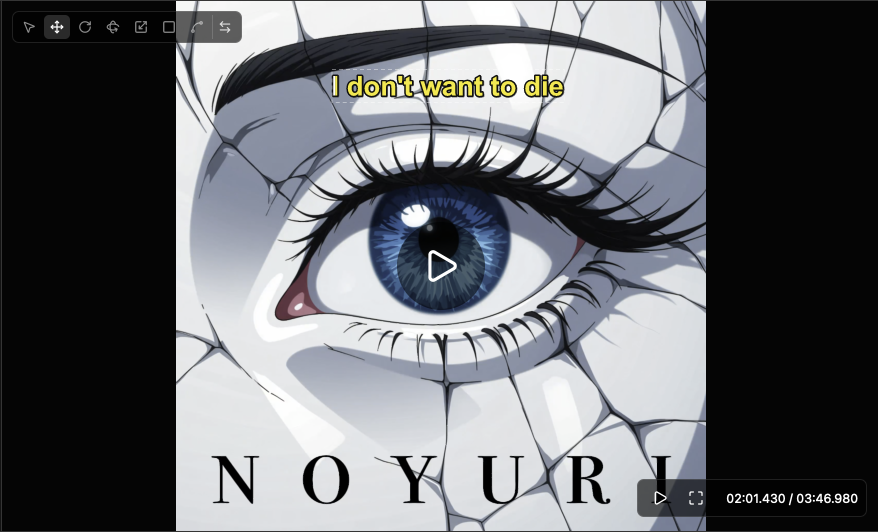
Place captions directly on the frame.
Drag a subtitle across the live video canvas and drop it where it belongs — no coordinate fields, no guessing.
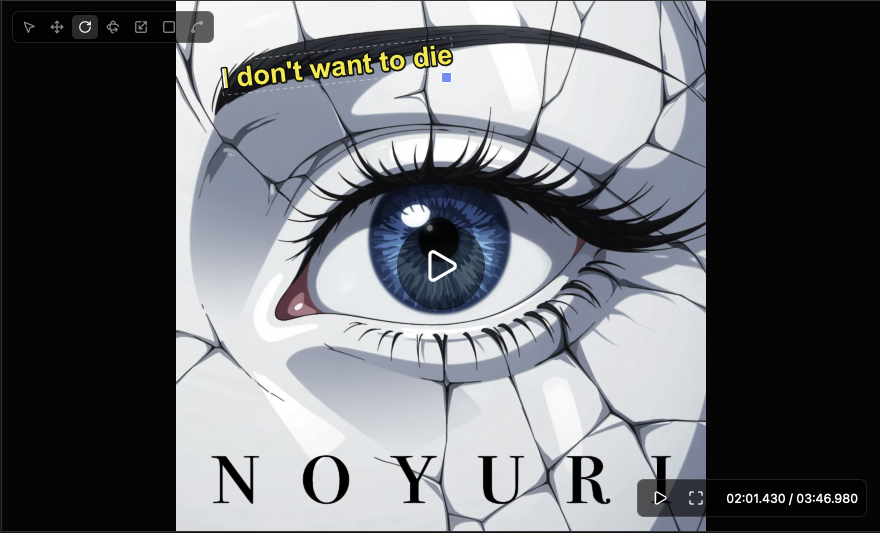
Angle it however you like.
Rotate a caption off the horizontal so it follows the tilt of the shot.
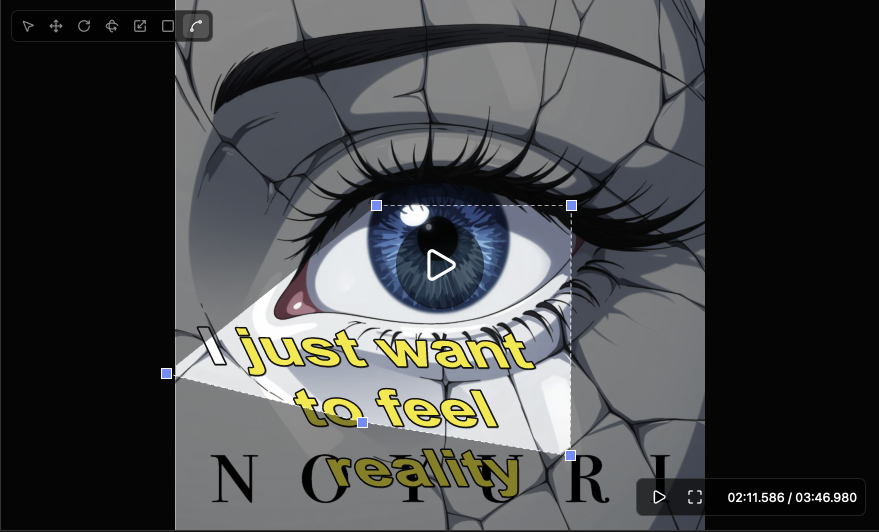
Bend it into the scene.
Drag the corner handles to skew a caption into perspective, so it sits on a surface in the shot instead of floating over it.
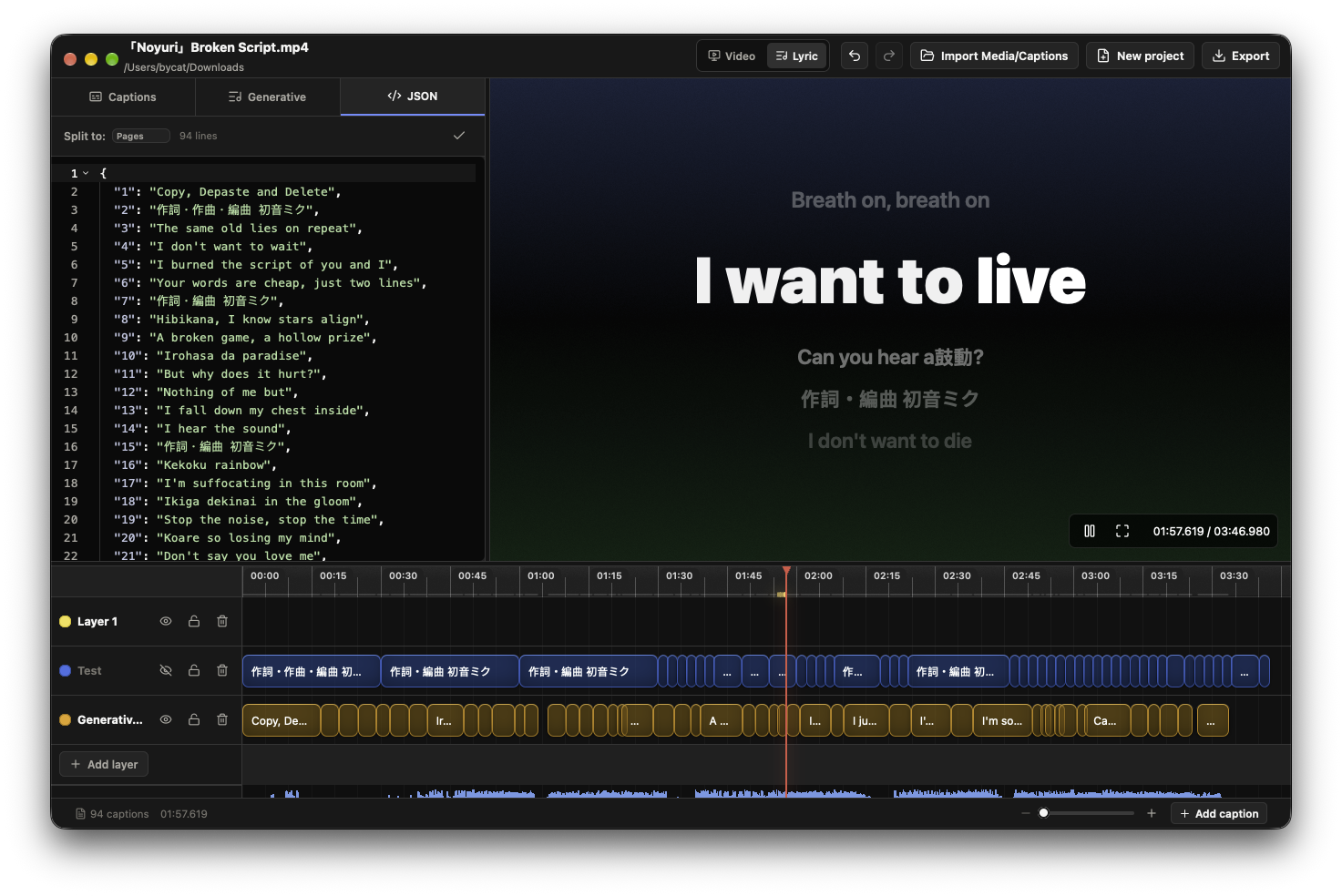
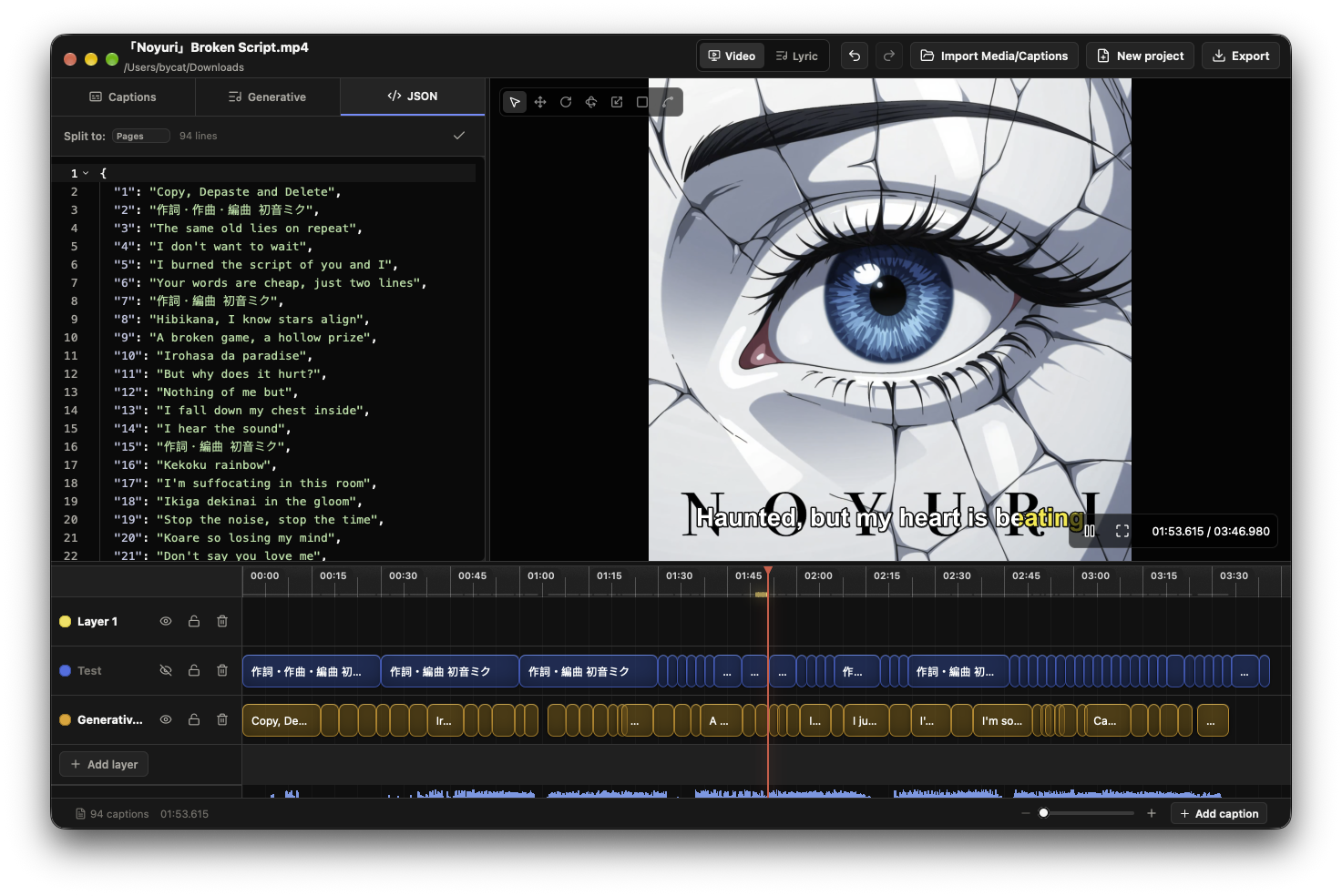
Inspect the structured data.
Open the JSON view to see every caption line as plain data, split it into pages and edit it before you export.
Export to whatever comes next.
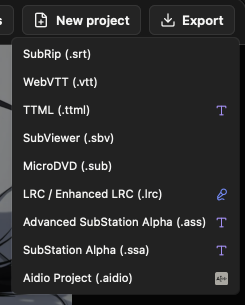
Send captions out as SubRip, WebVTT, TTML, SubViewer, MicroDVD, LRC or ASS/SSA — or save the whole session as an Aidio project and pick it up later.
Four tools, one window.
Transcribing, separating, timing and styling, without leaving the app.
Transcription in one pass
Speech becomes cued subtitles using Whisper — no queue, no minute cap, however long the track runs.
Split the mix into stems
Pull the vocal out of a noisy track in one click — two stems or four, depending on the model you pick — then transcribe against a clean take.
Word-by-word timing
Tap along to sync each word, or nudge boundaries by hand — for karaoke and for social captions that highlight as they play.
Captions placed on the frame
Move, rotate and warp subtitles over the live video preview and see the result as you edit.
Eight subtitle formats
Import and export .srt, .vtt, .ttml, .sbv, .sub, .lrc, .ass and .ssa — and pull subtitles already embedded in a video.
Runs on your machine
Transcription and stem separation run locally with the models you choose, on the GPU when available. No Python, no command line.
Formats & specifications
Everything Aidio reads, writes and runs on your own machine.
- macOS 12+ (Apple Silicon accelerated) or Windows 10+.
- Transcription and stem separation run on your own CPU and GPU.
- Subtitles already embedded in a video are detected and imported.
- Projects save tracks, cues, styles and markers in one portable file.
- No minute limits on a transcription or stem pass.
Generate, time and style — then ship the file.
One window from raw audio to a styled, timed subtitle file. Pull it down and caption your next track.